使用说明前言
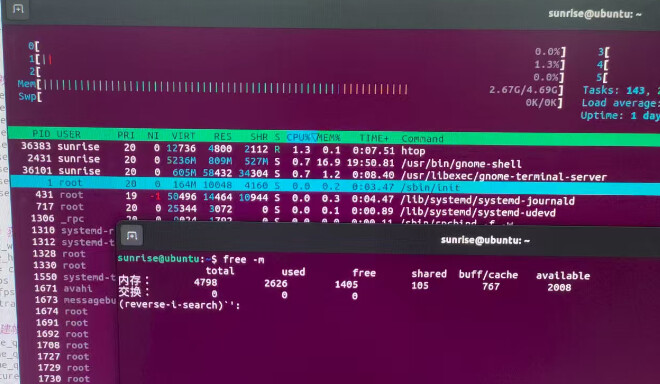
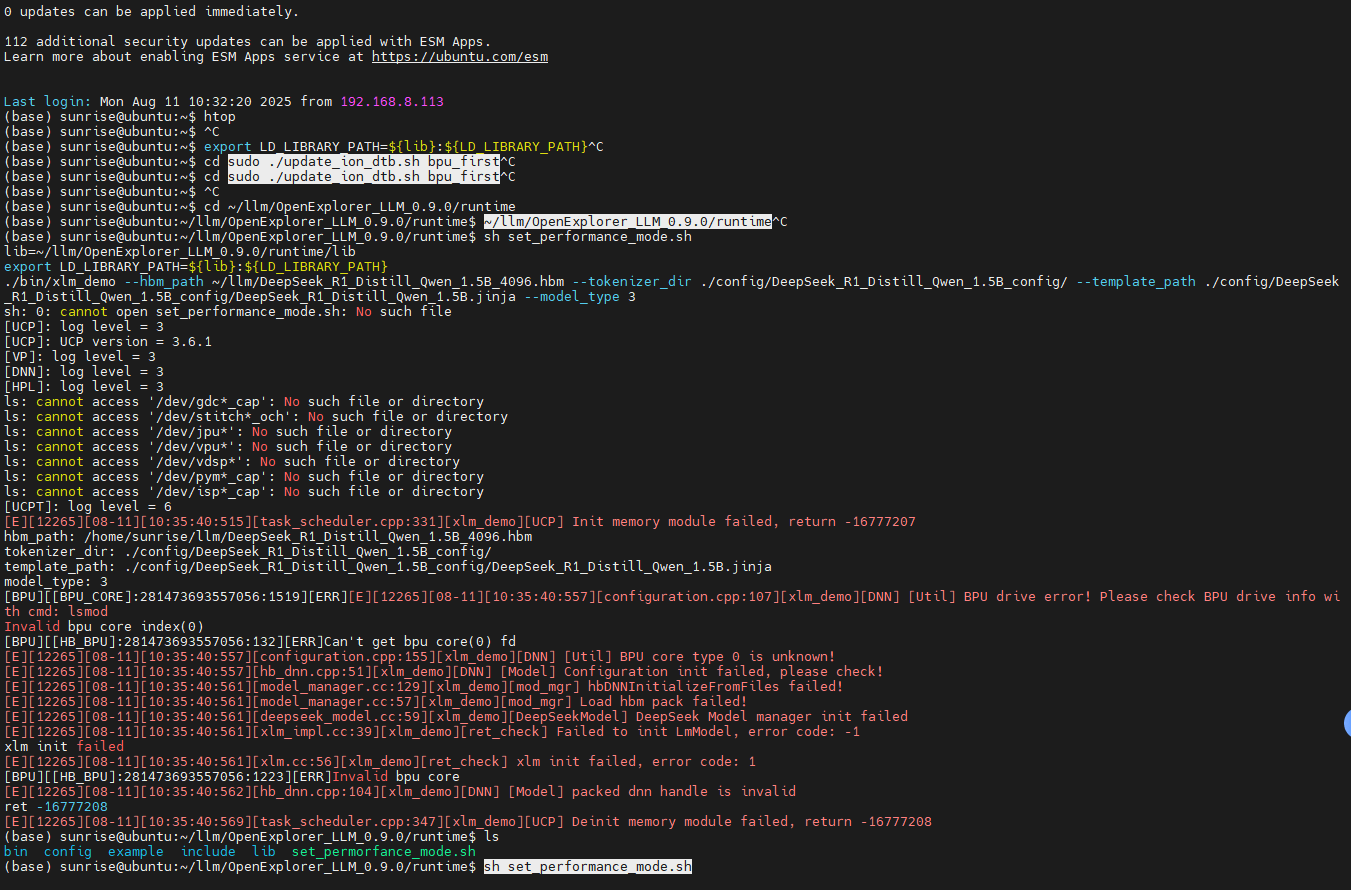
大家好,为了帮助大家更高效地使用 RDK S 系列开发板(含 S100 / S100P / S600),我们针对 出厂系统内存资源分配不合理的问题,提供了一套可灵活配置的内存调整方案。
该方案支持多种内存分配策略,可根据不同应用场景快速切换,例如:
 AI 推理优先(BPU 优先)
 通用计算优先(CPU 优先)
 资源平衡模式
 具体使用方法、支持模式及注意事项,请参考下文说明。
 使用方式
使用方式
脚本内容在文末也提供完整版本。
sudo /usr/hobot/bin/hb_switch_ion.sh <mode>
 支持的模式
支持的模式
| 模式名 | 描述 |
|---|---|
bpu_first |
优先分配内存给 BPU,适用于 AI 推理等场景 |
cpu_first |
优先分配内存给 CPU,适用于传统计算任务 |
balanced |
BPU / CPU 内存均衡分配,适合通用场景 |
default |
恢复默认配置(还原 .bak 备份) |
示例:
sudo /usr/hobot/bin/hb_switch_ion.sh bpu_first
 文件说明
文件说明
/boot/hobot/rdk-*.dtb:当前系统使用的设备树文件/boot/hobot/rdk-*.dtb.bak:首次执行脚本时生成的备份文件/sys/class/boardinfo/adc_boardid:用于识别硬件平台型号
 脚本功能说明(新版)
相比旧版本脚本,新版本做了较大优化:
 核心能力
核心能力
-
自动识别平台型号
- 支持 S100 / S100P / S600
- 自动识别硬件版本(如 v1p0 / v1p1 等)
-
基于
fdtput直接修改 DTB- 不再进行 DTS 反编译/编译
- 更高效、更稳定
-
多模式内存配置
-
根据不同模式自动调整:
ion_reservedion_carveoution_cma- (S600 额外支持
ion_uncache)
-
-
自动备份与恢复机制
- 首次执行自动生成
.bak - 出错自动回滚
- 首次执行自动生成
-
运行环境自检
- 自动安装依赖(
device-tree-compiler) - 检查
/boot分区空间(防止写失败)
- 自动安装依赖(
-
可视化日志输出
- INFO / WARN / ERROR 彩色提示
- 自动打印修改后的寄存器值
 新增特性说明
 支持 S600 平台
- 新增对 S600(大内存平台) 的完整支持
- 增加
ion_uncache内存区域配置
 安全保护机制
/boot分区使用率 ≥ 95% 时自动拒绝执行- 修改失败自动恢复原始 DTB
- 部分配置(如 S100 + bpu_first)会提示风险
 内存策略说明(简要)
不同模式会调整以下区域:
ion_reservedion_carveoution_cmaion_uncache(仅 S600)
 用户无需手动计算,脚本已内置推荐配置。
 运行要求
运行要求
-
系统平台:
- RDK-S100 / S100P / S600 系列 Linux 系统
-
权限要求:
- 需具备
/boot/hobot/读写权限 - 建议使用
root执行
- 需具备
注意事项
- 请确保系统正常启动,且设备树文件存在
- 该脚本会修改启动关键配置(DTB),请谨慎操作
- 建议提前备份
/boot分区 - 修改后需重启系统才会生效
- 如需恢复默认配置,可使用
default模式 - 错误操作可能导致设备无法启动,严重情况下需重新烧录系统
 恢复默认配置
sudo /usr/hobot/bin/hb_switch_ion.sh default
 技术交流
技术交流
如有问题,欢迎在帖子下留言,地瓜团队会持续跟进支持 
 update_ion_dtb.sh
#!/bin/bash

RED='\033[0;31m'
GREEN='\033[0;32m'
YELLOW='\033[0;33m'
NC='\033[0m'

log_error() {
    echo -e "${RED}[ERROR] $1${NC}" >&2
}

log_warn() {
    echo -e "${YELLOW}[WARN] $1${NC}" >&2
}

log_info() {
    echo -e "${GREEN}[INFO]${NC} $1"
}

help_msg()
{
    log_info "Usage: $0 <bpu_first | cpu_first | balanced | default>"
    log_info "Example: $0 bpu_first"
    exit 1
}

if [ $# -ne 1 ]; then
    help_msg
fi

target=$1

# Check if dtc command exists
if ! command -v fdtput &> /dev/null; then
    apt update
    apt install device-tree-compiler -y
fi


function get_dtb()
{
    boardid_sys_path="/sys/class/boardinfo/adc_boardid"
    if [ -f "$boardid_sys_path" ]; then
        boardid="$(cat $boardid_sys_path)"

        # get chip
        if [[ "$boardid" =~ ^0x(51)[1234567][01234567][1234567][1234567].$ ]]; then
            # S600
            echo "rdk-s600-mcb-v0p1.dtb"
        else
            # S100
            case $boardid in
                *"64"*) ;&
                *"65"*)
                    chip_str="s100p"
                ;;
                *"6A"*) ;&
                *"6B"*)
                    chip_str="s100"
                ;;
            esac
            case $boardid in
                *"60")
                    hw_str="v1-21"
                ;;
                *"70")
                    hw_str="v1-20"
                ;;
                *"84")
                    hw_str="v0p5"
                ;;
                *"85")
                    hw_str="v0p6"
                ;;
                *"86")
                    hw_str="v1p0"
                ;;
                *"87")
                    hw_str="v1p1"
                ;;
            esac
            echo "rdk-${chip_str}-${hw_str}.dtb"
        fi
    else
        echo "Invalid"
    fi
}

dtb_name=$(get_dtb)

if [ "$dtb_name" = "Invalid" ];then
    log_error "Cannot find valid dtb for current board!"
    exit 1
fi

INPUT_DTB="/boot/hobot/${dtb_name}"
ORIG_INPUT_DTB="${INPUT_DTB}.bak"
OUTPUT_DTB="${INPUT_DTB}"

function reset_dtb()
{
    log_info "Restoring to default..."
    if [ -f "${ORIG_INPUT_DTB}" ];then
        cp "${ORIG_INPUT_DTB}" "${OUTPUT_DTB}"
        rm "${ORIG_INPUT_DTB}"
    fi
}

case $target in
    "balanced")
        if [[ "${INPUT_DTB}" = *"-s600-"* ]];then #total size 16GiB
            # ion-pool 2048MiB
            ion_pool_reg_val=(0x40 0xC0000000 0x0 0x80000000)
            # ion-carveout 10480MiB
            ion_carveout_reg_val=(0x41 0x40000000 0x2 0x80000000)
            # ion-cam 2048MiB
            ion_cma_reg_val=(0x43 0xC0000000 0x0 0x80000000)
            # ion-uncache 2048MiB
            ion_uncache_reg_val=(0x44 0x40000000 0x0 0x80000000)
        elif [[ "${INPUT_DTB}" = *"-s100p-"* ]];then
            # ion-pool 7680MiB
            ion_pool_reg_val=(0x4 0x00000000 0x1 0xe0000000)
            # ion-carveout 128MiB
            ion_carveout_reg_val=(0x8 0x00000000 0x0 0x08000000)
            # ion-cam 128MiB
            ion_cma_reg_val=(0xc 0x80000000 0x0 0x08000000)
        else
            # ion-pool 3840MiB
            ion_pool_reg_val=(0x4 0x00000000 0x0 0xF0000000)
            # ion-carveout 1280MiB
            ion_carveout_reg_val=(0x8 0x00000000 0x0 0x50000000)
            # ion-cam 1GiB
            ion_cma_reg_val=(0xc 0x80000000 0x0 0x40000000)
        fi
    ;;
    "bpu_first")
        if [[ "${INPUT_DTB}" = *"-s600-"* ]];then #total size 28GiB
            # ion-pool 5120MiB
            ion_pool_reg_val=(0x40 0xC0000000 0x1 0x40000000)
            # ion-carveout 13312MiB
            ion_carveout_reg_val=(0x42 0x00000000 0x3 0x40000000)
            # ion-cma 5120MiB
            ion_cma_reg_val=(0x45 0x40000000 0x1 0x40000000)
            # ion-uncache 5120MiB
            ion_uncache_reg_val=(0x46 0x80000000 0x1 0x40000000)
        elif [[ "${INPUT_DTB}" = *"-s100p-"* ]];then
            # ion-pool 5120MiB
            ion_pool_reg_val=(0x4 0x00000000 0x1 0x40000000)
            # ion-carveout 5120MiB
            ion_carveout_reg_val=(0x8 0x00000000 0x1 0x40000000)
            # ion-cma 5120MiB
            ion_cma_reg_val=(0xc 0x80000000 0x1 0x40000000)
        else
            # ion-pool 3840MiB
            ion_pool_reg_val=(0x4 0x00000000 0x0 0xF0000000)
            # ion-carveout 3840MiB
            ion_carveout_reg_val=(0x8 0x00000000 0x0 0xF0000000)
            # ion-cma 1GiB
            ion_cma_reg_val=(0xc 0x80000000 0x0 0x40000000)
            log_warn "CAUTION! Setting bpu_first on S100 might introduce random performance issue due to limited memory!"
        fi
    ;;
    "cpu_first")
        if [[ "${INPUT_DTB}" = *"-s600-"* ]];then #total size 7GiB
            # ion-pool 2048MiB
            ion_pool_reg_val=(0x40 0xC0000000 0x0 0x80000000)
            # ion-carveout 2048MiB
            ion_carveout_reg_val=(0x41 0x40000000 0x0 0x80000000)
            # ion-cma 1024MiB
            ion_cma_reg_val=(0x41 0xC0000000 0x0 0x40000000)
            # ion-uncache 2048MiB
            ion_uncache_reg_val=(0x42 0x00000000 0x0 0x80000000)
        else
            # ion-pool 1GiB
            ion_pool_reg_val=(0x4 0x00000000 0x0 0x40000000)
            # ion-carveout 512MiB
            ion_carveout_reg_val=(0x8 0x00000000 0x0 0x20000000)
            # ion-cma 512MiB
            ion_cma_reg_val=(0xc 0x80000000 0x0 0x20000000)
        fi
    ;;
    "default")
        reset_dtb
        exit 0
    ;;
    *)
        log_error "Invalid option $target"
        help_msg
    ;;
esac

# Set ion region sizes according to input

usage=$(df -h /boot | awk 'NR==2 {print $5}' | sed 's/%//')

if [ "$usage" -ge 95 ]; then
    log_error "/boot partition is full(${usage} used), cannot update dtb!"
    log_info "Maybe you should run the following command to resize the filesystem:"
    log_info "    sudo resize2fs /dev/block/platform/by-name/boot_cur"
    exit 1
fi

if [ ! -f "${ORIG_INPUT_DTB}" ];then
    cp "${INPUT_DTB}" "${ORIG_INPUT_DTB}"
    log_info "Backup created:${ORIG_INPUT_DTB}"
else
    log_info "Backup(${ORIG_INPUT_DTB}) already exists, skip backup..."
fi

fdtput -t x "$INPUT_DTB" /reserved-memory/ion_reserved reg \
    "${ion_pool_reg_val[@]}" || {
    log_error "Update ion-pool reg failed!"
    reset_dtb
    exit 1
}

fdtput -t x "$INPUT_DTB" /reserved-memory/ion_carveout reg \
    "${ion_carveout_reg_val[@]}" || {
        log_error "Update ion_carveout reg failed!"
        reset_dtb
        exit 1;
}

fdtput -t x "$INPUT_DTB" /reserved-memory/ion_cma reg \
    "${ion_cma_reg_val[@]}" || {
        log_error "Update ion_cma reg failed!"
        reset_dtb
        exit 1
}

if [[ "${INPUT_DTB}" = *"-s600-"* ]];then
    fdtput -t x "$INPUT_DTB" /reserved-memory/ion_uncache reg \
        "${ion_uncache_reg_val[@]}" || {
            log_error "Update ion_uncache reg failed!"
            reset_dtb
            exit 1
    }
fi

log_info "ion_reserved reg = <$(fdtget -t x "$INPUT_DTB" /reserved-memory/ion_reserved reg)>"
log_info "ion_carveout reg = <$(fdtget -t x "$INPUT_DTB" /reserved-memory/ion_carveout reg)>"
log_info "ion_cma reg = <$(fdtget -t x "$INPUT_DTB" /reserved-memory/ion_cma reg)>"
if [[ "${INPUT_DTB}" = *"-s600-"* ]];then
log_info "ion_uncache reg = <$(fdtget -t x "$INPUT_DTB" /reserved-memory/ion_uncache reg)>"
fi

log_info "Update ${INPUT_DTB} for $target Done!"
log_info "The change will take effect AFTER reboot!"