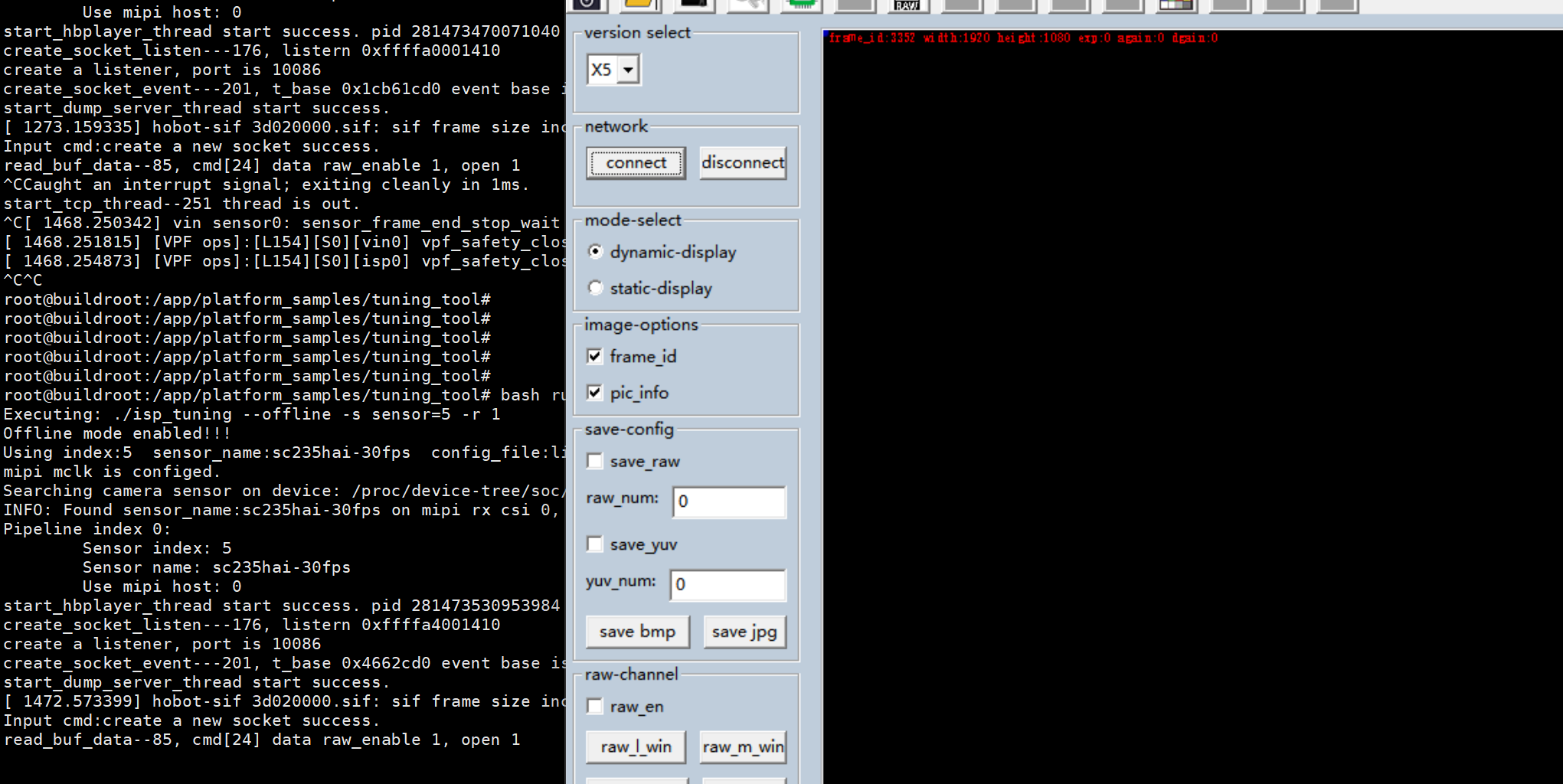
使用hbplayer连接,静止状态下不会黑屏
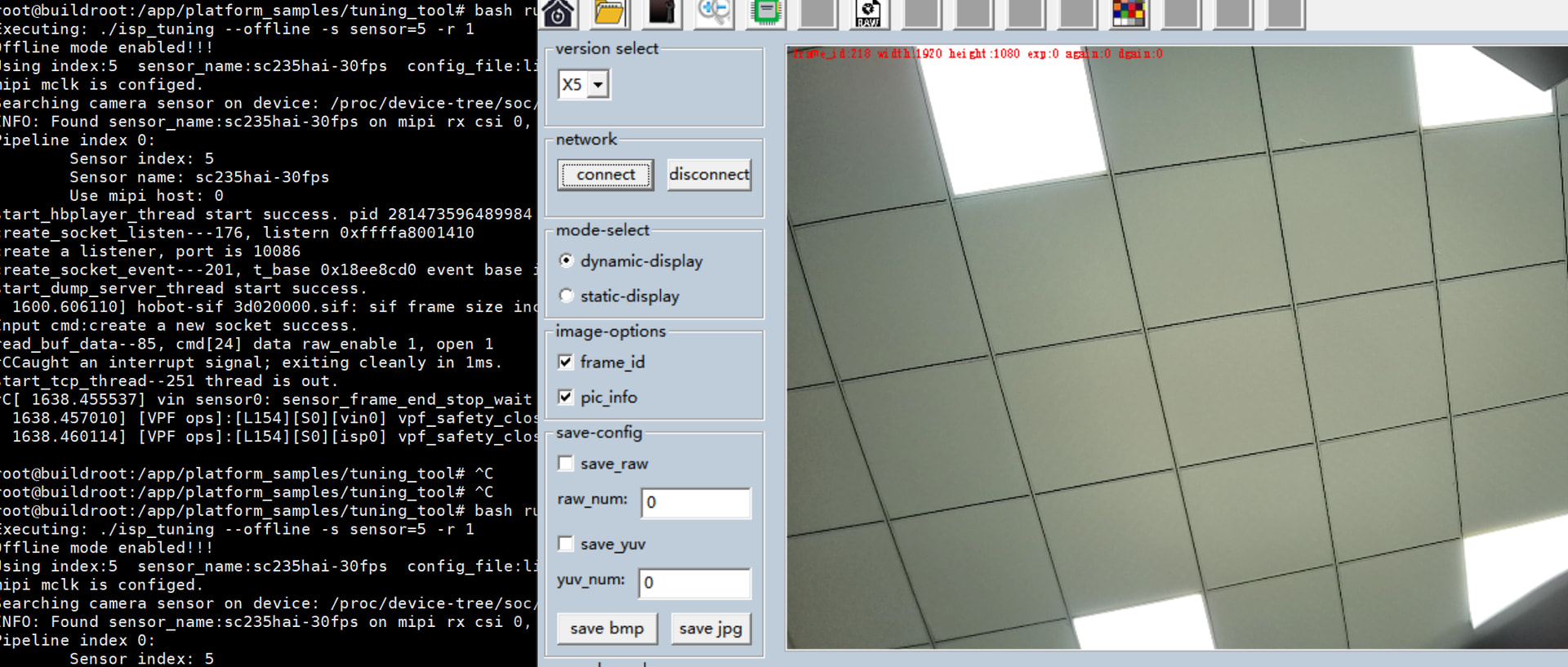
用手在模组上放晃一晃,然后就会黑屏,但是frame_id还是一直在跑,
Thank you for sharing the details about the black screen issue on the X5 platform with the SC235hai sensor. From your description:
frame_id continues to increment, indicating that the camera pipeline is still running and data is being captured.This suggests a potential hardware or driver-level issue related to motion detection or frame synchronization. Since the frame_id is still updating, it’s likely not a complete pipeline failure but rather an issue with how the display or rendering layer handles motion-triggered events.
hbplayer tool might have settings that are sensitive to motion changes — try adjusting its buffer or timeout parameters.v4l2-ctl or ffplay) to rule out hbplayer as the culprit.If you’re comfortable sharing more logs or screenshots of the terminal output during the black screen event, I can help analyze them further.
Let me know if you’d like assistance with any of these steps!

感谢您提供详细的故障现象和截图!从您的描述来看:
frame_id 仍在递增:这表明数据采集层未中断,但显示/渲染层异常 —— 很可能是显示缓冲区、帧同步或硬件连接在运动时触发了某种保护机制(如掉帧、超时、电源波动)。 当前最可能的原因:
 1. Display Buffer 或 V4L2 缓冲区溢出/丢帧
frame_id 在跑,但实际帧数据可能因缓冲区满或格式不匹配被丢弃,导致 display 层无有效帧可渲染。dmesg | grep -i v4l 或 journalctl -f 查看内核日志)。 2. 物理接触不良 / 供电不稳定 3. hbplayer 工具对动态帧处理敏感hbplayer 可能默认使用 dynamic-display 模式,在帧率突变或数据异常时自动关闭显示。static-display,或改用 ffplay / v4l2-ctl 直接播放测试。 推荐排查步骤:
更换显示工具测试
# 使用 ffplay 直接播放设备
ffmpeg -f v4l2 -i /dev/video0 -vf "scale=1920:1080" -vcodec h264 -f flv udp://127.0.0.1:1234
# 或用 v4l2-ctl 测试
v4l2-ctl --list-devices
v4l2-ctl --device=/dev/video0 --set-fmt-video=width=1920,height=1080,pixelformat=RGB24
查看内核日志是否有错误
dmesg | grep -i "error\|fail\|drop\|buffer"
journalctl -u hbplayer --no-pager -n 50
禁用 hbplayer 的 frame_id 优化功能
hbplayer 界面中取消勾选 frame_id 和 pic_info,观察是否仍黑屏。-s 参数跳过帧同步检测。测试静态图像
ffmpeg 生成一个静态 PNG 图像,通过 v4l2loopback 模拟摄像头输入,测试是否仍黑屏。检查硬件连接
 额外建议:
如果您能提供以下信息,将有助于进一步定位:
晃动时终端是否出现任何报错(哪怕只是警告)?
是否可以复现“黑屏”但 frame_id 递增的场景?
用 v4l2-ctl 或 ffplay 测试是否同样黑屏?
模块晃动时供电电压是否稳定?
 总结:当前问题大概率不是软件崩溃,而是硬件/驱动在运动状态下对帧同步或显示缓冲的处理异常。建议优先从“显示工具替换”+“硬件连接检查”入手,再深入日志分析。
如需我帮您解读具体日志内容,请直接贴出晃动时的终端输出(带时间戳),我会逐行分析!
感谢您的耐心分享,祝您早日解决问题! 
已解决。。。。。。。。。
感谢您的更新!
您提到“已解决”,这真是太好了!虽然我们没有看到具体的解决方案,但很高兴问题最终得到了处理。
如果您方便的话,分享一下究竟是什么导致了黑屏,以及您是如何解决的(比如是调整了 hbplayer 参数、更换了驱动、检查了硬件连接,还是固件升级等),将对社区其他遇到类似问题的用户非常有帮助!
同时,也欢迎您继续在论坛中提问或分享经验 —— 您的反馈正是推动社区进步的重要力量!
再次感谢您的耐心与贡献!
祝您开发顺利,项目圆满成功!
如需进一步协助,请随时告诉我!