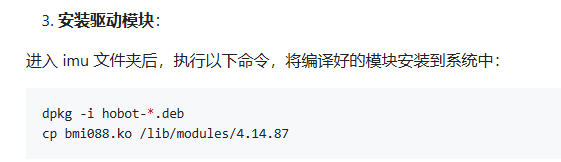
按照https://github.com/D-Robotics/rdk_imu的说明,先编译BMI088驱动,然后
modprobe bmi088
source /opt/tros/humble/setup.bash
source hobot_imu_sensor/install/setup.bash
ros2 launch imu_sensor imu_sensor.launch.py

root@ubuntu:~# ros2 launch imu_sensor imu_sensor.launch.py
[INFO] [launch]: All log files can be found below /root/.ros/log/2000-01-01-08-01-26-364061-ubuntu-3442
[INFO] [launch]: Default logging verbosity is set to INFO
config_file_path is  /root/hobot_imu_sensor/install/imu_sensor/lib/imu_sensor/config/bmi088.yaml
[INFO] [imu_sensor-1]: process started with pid [3454]
[imu_sensor-1] Error: Read failed
[imu_sensor-1] Error: Write failed
[imu_sensor-1] Error: Read failed
[imu_sensor-1] Error: Read failed
[imu_sensor-1] Error: Write failed
[imu_sensor-1] Error: Read failed
[imu_sensor-1] Error: Read failed
[imu_sensor-1] Error: Write failed
[imu_sensor-1] Error: Read failed
^C[WARNING] [launch]: user interrupted with ctrl-c (SIGINT)
^Z
[1]+  Stopped                 ros2 launch imu_sensor imu_sensor.launch.py

root@ubuntu:~# dmesg
[    8.311929] bmi088:i2c init
[    8.316157] bmi088:i2c start
[    8.319098]
               [I]\x016<BS_LOG><bmi08x_i2c_probe><227>client->name:bmi08xa / addr: 0x19
[    8.319124] ACC GPIO NUM:423
[    8.324166] The irq number is:53
[    8.328516] bmi088:i2c start
[    8.332186]
               [I]\x016<BS_LOG><bmi08x_i2c_probe><227>client->name:bmi08xg / addr: 0x69
[    8.332218] GYR GPIO NUM:349
[    8.342313] The irq number is:54
[    8.342477] sii902x 7-003b: Looking up iovcc-supply from device tree
[    8.345556] bmi088:START
[    8.348170] sii902x 7-003b: Looking up iovcc-supply property in node /soc/dsp_apb/i2c@320a0000/hdmi_bridge@3b failed
[    8.348205] sii902x 7-003b: supply iovcc not found, using dummy regulator
[    8.351115] sii902x 7-003b: Looking up cvcc12-supply from device tree
[    8.351143] sii902x 7-003b: Looking up cvcc12-supply property in node /soc/dsp_apb/i2c@320a0000/hdmi_bridge@3b failed
[    8.351171] sii902x 7-003b: supply cvcc12 not found, using dummy regulator
[    8.370359] i2c i2c-7: Added multiplexed i2c bus 8
[    8.386940] input: bmi08x as /devices/virtual/input/input1
[    8.402793] mtdblock_open: Access to 'miniboot' is not allowed.
[    8.403298] mtdblock_open: Access to 'ubootenv' is not allowed.
[    8.413313] input: bmi08x_acc_feat as /devices/virtual/input/input2
[    8.444695] input: bmi08x_gyr_feat as /devices/virtual/input/input3
[    8.456367] irq request 53
[    8.459391]
               [I]\x016<BS_LOG><bmi08x_request_irq><473>ACC IRQ requested for pin : 53

[    8.459403]
               [I]\x016<BS_LOG><bmi08x_probe><2188>ACC IRQ requested
[    8.459408]
               [I]\x016<BS_LOG><bmi08x_gyr_request_irq><492>GYR IRQ requested for pin : 54

[    8.459413]
               [I]\x016<BS_LOG><bmi08x_probe><2196>GYR IRQ requested
[    8.459418]
               [I]\x016<BS_LOG><bmi08x_probe><2198>sensor bmi08x probed successfully
[    8.461785] aicbsp_init

[   20.965909] usb0: MAC 12:b1:c5:ad:af:9f
[   20.966848] usb1: HOST MAC b2:af:88:6b:65:c5
[   20.966866] usb1: MAC f6:9a:c1:fa:e3:d7
[   80.541319]
               [I]\x016<BS_LOG><sensor_init_store><1023>accel initilized

[   80.541728]
               [I]\x016<BS_LOG><sensor_init_store><1032>gyro initilized

[   80.544035]
               [I]\x016<BS_LOG><sensor_init_store><1041>soft reset done
[   82.069596]
               [I]\x016<BS_LOG><sensor_init_store><1051>config stream loaded successfully

[   82.093466]
               [I]\x016<BS_LOG><sensor_init_store><1063>Accel power mode set to NORMAL
[   82.139071]
               [I]\x016<BS_LOG><sensor_init_store><1074>Gyro power mode set to NORMAL
[   82.139116]
               [I]\x016<BS_LOG><sensor_init_store><1078>Sensor successfully initilized

[   82.139141]
               [I]\x016<BS_LOG><sensor_init_store><1079>Acc chip ID : 0x1e, Gyro chip ID : 0xf
补充一些信息:
root@ubuntu:~/hobot_imu_sensor# cat /proc/bus/input/devices
I: Bus=0019 Vendor=0001 Product=0001 Version=0100
N: Name=“gpio-keys”
P: Phys=gpio-keys/input0
S: Sysfs=/devices/platform/gpio-keys/input/input0
U: Uniq=
H: Handlers=kbd event0
B: PROP=0
B: EV=100003
B: KEY=8000 0 0
I: Bus=0018 Vendor=0000 Product=0000 Version=0000
N: Name=“bmi08x”
P: Phys=
S: Sysfs=/devices/virtual/input/input1
U: Uniq=
H: Handlers=event1
B: PROP=0
B: EV=19
B: ABS=10000000000
B: MSC=4
I: Bus=0018 Vendor=0000 Product=0000 Version=0000
N: Name=“bmi08x_acc_feat”
P: Phys=
S: Sysfs=/devices/virtual/input/input2
U: Uniq=
H: Handlers=event2
B: PROP=0
B: EV=11
B: MSC=2
I: Bus=0018 Vendor=0000 Product=0000 Version=0000
N: Name=“bmi08x_gyr_feat”
P: Phys=
S: Sysfs=/devices/virtual/input/input3
U: Uniq=
H: Handlers=event3
B: PROP=0
B: EV=11
B: MSC=8
如果imu_virtual_path: “/sys/devices/virtual/input/input0/”,则直接出错
root@ubuntu:~/hobot_imu_sensor# ros2 launch imu_sensor imu_sensor.launch.py
[INFO] [launch]: All log files can be found below /root/.ros/log/2026-01-21-15-56-34-770495-ubuntu-13560
[INFO] [launch]: Default logging verbosity is set to INFO
config_file_path is /root/hobot_imu_sensor/install/imu_sensor/lib/imu_sensor/config/bmi088.yaml
[INFO] [imu_sensor-1]: process started with pid [13561]
[imu_sensor-1] bmi088 configuration:
[imu_sensor-1] i2c_bus: 4
[imu_sensor-1] acc_range: 12
[imu_sensor-1] gyro_range: 1000
[imu_sensor-1] acc_bandwidth: 40
[imu_sensor-1] gyro_bandwidth: 40
[imu_sensor-1] group_delay: 7
[imu_sensor-1] imu_data_path: /dev/input/event2
[imu_sensor-1] imu_virtual_path: /sys/devices/virtual/input/input0/
[imu_sensor-1] imu driver is already installed.
[imu_sensor-1] Failed to open /sys/devices/virtual/input/input0/sensor_init, ret: -1
[ERROR] [imu_sensor-1]: process has died [pid 13561, exit code 255, cmd ‘/root/hobot_imu_sensor/install/imu_sensor/lib/imu_sensor/imu_sensor --ros-args --log-level warn --ros-args --params-file /tmp/launch_params_ojlme5a1’].
如果imu_virtual_path: “/sys/devices/virtual/input/input1/”,则
root@ubuntu:~/hobot_imu_sensor# ros2 launch imu_sensor imu_sensor.launch.py
[INFO] [launch]: All log files can be found below /root/.ros/log/2026-01-21-15-57-21-600063-ubuntu-13651
[INFO] [launch]: Default logging verbosity is set to INFO
config_file_path is /root/hobot_imu_sensor/install/imu_sensor/lib/imu_sensor/config/bmi088.yaml
[INFO] [imu_sensor-1]: process started with pid [13660]
[ 5649.624218] Your ODR is 400HZ
[ 5968.254037] i2c_designware 341c0000.i2c: i2c_dw_handle_tx_abort: lost arbitration
[imu_sensor-1] Error: Read failed
[imu_sensor-1] Error: Write failed
[imu_sensor-1] Error: Read failed
[imu_sensor-1] Error: Read failed
[imu_sensor-1] Error: Write failed
[imu_sensor-1] Error: Read failed
[imu_sensor-1] Error: Read failed
[imu_sensor-1] Error: Write failed
[imu_sensor-1] Error: Read failed
您好,仓库中相关说明是适配X3的,如果在X5上需要使用BMI088 IMU模块的话,可以使用下面这个压缩包以及运行文档说明,这个压缩包对应采用的系统版本镜像为3.3.3 ,给您造成不便敬请谅解,后续会进一步更新github代码仓库
使用文档:IMU使用文档V1 - 飞书云文档
压缩包::
hobot_imu_sensor_3.3.3.zip (19.9 KB)
运行新的版本出错了。
root@ubuntu:~/x5# ros2 launch imu_sensor imu_sensor.launch.py
[INFO] [launch]: All log files can be found below /root/.ros/log/2026-01-21-17-00-23-284742-ubuntu-20166
[INFO] [launch]: Default logging verbosity is set to INFO
[INFO] [imu_sensor-1]: process started with pid [20167]
[imu_sensor-1] [INFO] [1768986023.525078396] [imu_sensor]: config_file_path is /root/x5/install/imu_sensor/share/imu_sensor/config/bmi088.yaml
[imu_sensor-1] bmi088 configuration:
[imu_sensor-1] i2c_bus: 5
[imu_sensor-1] acc_range: 12
[imu_sensor-1] gyro_range: 1000
[imu_sensor-1] acc_bandwidth: 40
[imu_sensor-1] gyro_bandwidth: 40
[imu_sensor-1] group_delay: 7
[imu_sensor-1] imu_data_path: /dev/input/event3
[imu_sensor-1] imu_virtual_path: /sys/devices/virtual/input/input1/
[imu_sensor-1] imu driver is already installed.
[imu_sensor-1] Failed to write /sys/devices/virtual/input/input1/data_sync, ret: -1
[ERROR] [imu_sensor-1]: process has died [pid 20167, exit code 255, cmd ‘/root/x5/install/imu_sensor/lib/imu_sensor/imu_sensor --ros-args -r __node:=imu_sensor --params-file /tmp/launch_params_jgysb_wz’].
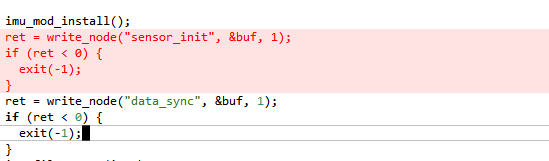
修改了下面代码后能运行了,
root@ubuntu:~/x5# ros2 launch imu_sensor imu_sensor.launch.py
[INFO] [launch]: All log files can be found below /root/.ros/log/2026-01-21-17-33-54-601068-ubuntu-3449
[INFO] [launch]: Default logging verbosity is set to INFO
[INFO] [imu_sensor-1]: process started with pid [3450]
[imu_sensor-1] [INFO] [1768988035.075153705] [imu_sensor]: config_file_path is /root/x5/install/imu_sensor/share/imu_sensor/config/bmi088.yaml
[imu_sensor-1] Error: Read failed
[imu_sensor-1] Error: Write failed
[imu_sensor-1] Error: Read failed
[imu_sensor-1] Error: Read failed
[imu_sensor-1] Error: Write failed
[imu_sensor-1] Error: Read failed
[imu_sensor-1] Error: Read failed
[imu_sensor-1] Error: Write failed
[imu_sensor-1] Error: Read failed
在运行ros2 topic echo /imu_data后发现只有加速度的数据,orientation数据无论怎么动始终为0.
header:
stamp:
sec: 1768987248
nanosec: 238279936
frame_id: imu_link
orientation:
x: 0.0
y: 0.0
z: 0.0
w: 1.0
orientation_covariance:
- 0.0
- 0.0
- 0.0
- 0.0
- 0.0
- 0.0
- 0.0
- 0.0
- 0.0
angular_velocity:
x: -0.026630796492099762
y: 0.004260927904397249
z: -0.009054470807313919
angular_velocity_covariance:
- 0.0
- 0.0
- 0.0
- 0.0
- 0.0
- 0.0
- 0.0
- 0.0
- 0.0
linear_acceleration:
x: 0.07541735470294952
y: -9.682151794433594
z: 1.867477297782898
linear_acceleration_covariance:
- 0.0
- 0.0
- 0.0
- 0.0
- 0.0
- 0.0
- 0.0
- 0.0
- 0.0
header:
stamp:
sec: 1768987248
nanosec: 240776448
frame_id: imu_link
orientation:
x: 0.0
y: 0.0
z: 0.0
w: 1.0
orientation_covariance:
- 0.0
- 0.0
- 0.0
- 0.0
- 0.0
- 0.0
- 0.0
- 0.0
- 0.0
angular_velocity:
x: -0.026630796492099762
y: 0.0010652319760993123
z: -0.008521855808794498
angular_velocity_covariance:
- 0.0
- 0.0
- 0.0
- 0.0
- 0.0
- 0.0
- 0.0
- 0.0
- 0.0
linear_acceleration:
x: 0.0825999528169632
y: -9.678560256958008
z: 1.8638859987258911
linear_acceleration_covariance:
- 0.0
- 0.0
- 0.0
- 0.0
- 0.0
- 0.0
- 0.0
- 0.0
- 0.0
你好,这是正常的,IMU只提供六轴的加速度和时间戳,位置相关的值需要自行结算
您好我也遇到了这个问题,方便加你微信问你是怎么解决的吗?用的镜像是哪个版本呀。然后我一直没法生成/sys/devices/virtual/input/input0/sensot
Crown
8
很奇怪,我没有办法正常生成设备文件,系统版本镜像用的也是3.3.3
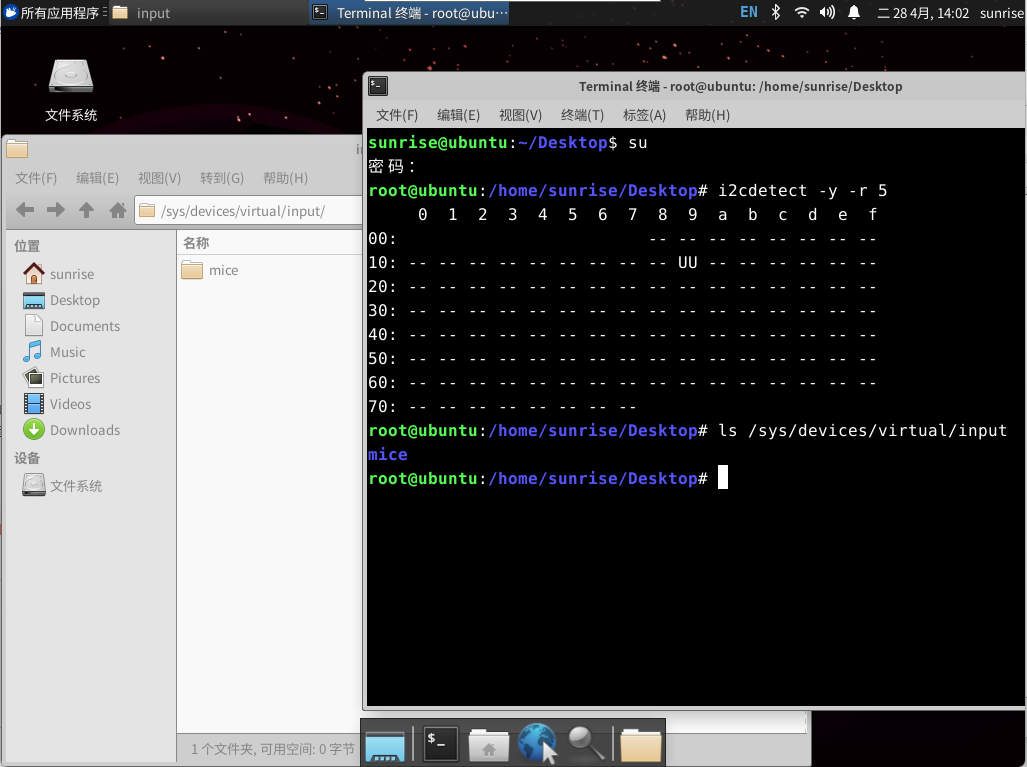
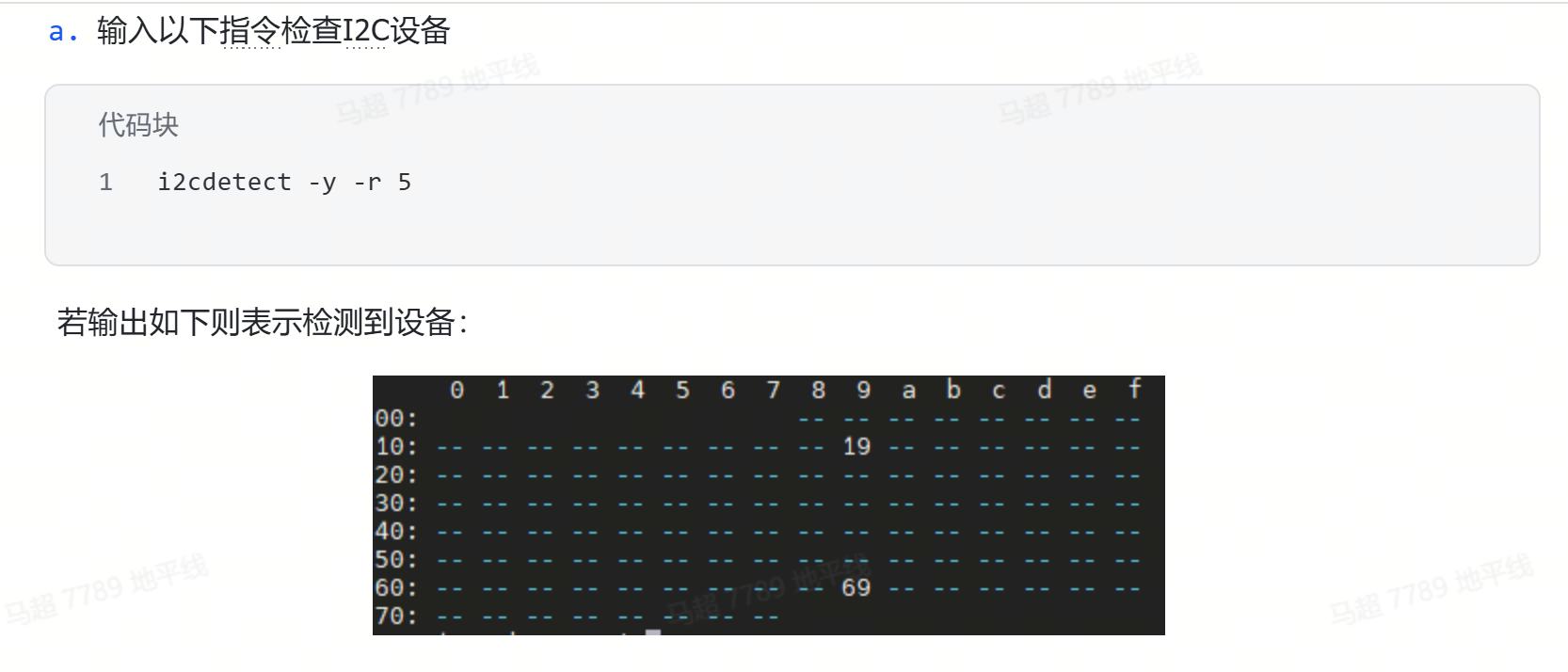
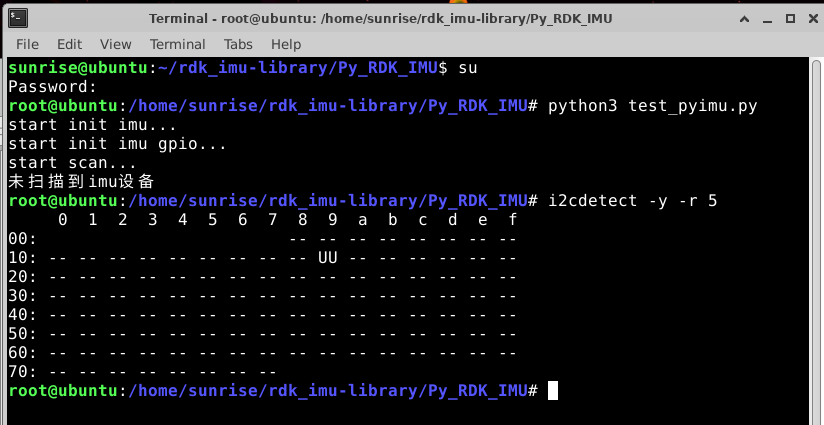
你好从日志看I2C扫描失败了?正常应该是
生成设备文件失败辛苦是具体描述一下参考哪个手册 或者 README运行到哪一步出现的问题
建议您这根据自己的情况问题单开一帖,方便具体分析
Crown
11
你好,经确认,这个应该是描述问题,只有3.4.1版本可以按照飞书提供的方式使用,现在最新系统镜像为 3.5.0 驱动有变动和更新,内部还需要排期来适配 ,可以切换Github分支到另一个免驱的版本先使用
Crown
13
好的,多谢大佬!3.3.3也可以使用这个免驱的版本吗
Crown
18
您好,我安装了3.4.1系统,用免驱版本和飞书都试了,还是识别不到imu,是不是买的IMU模块有问题
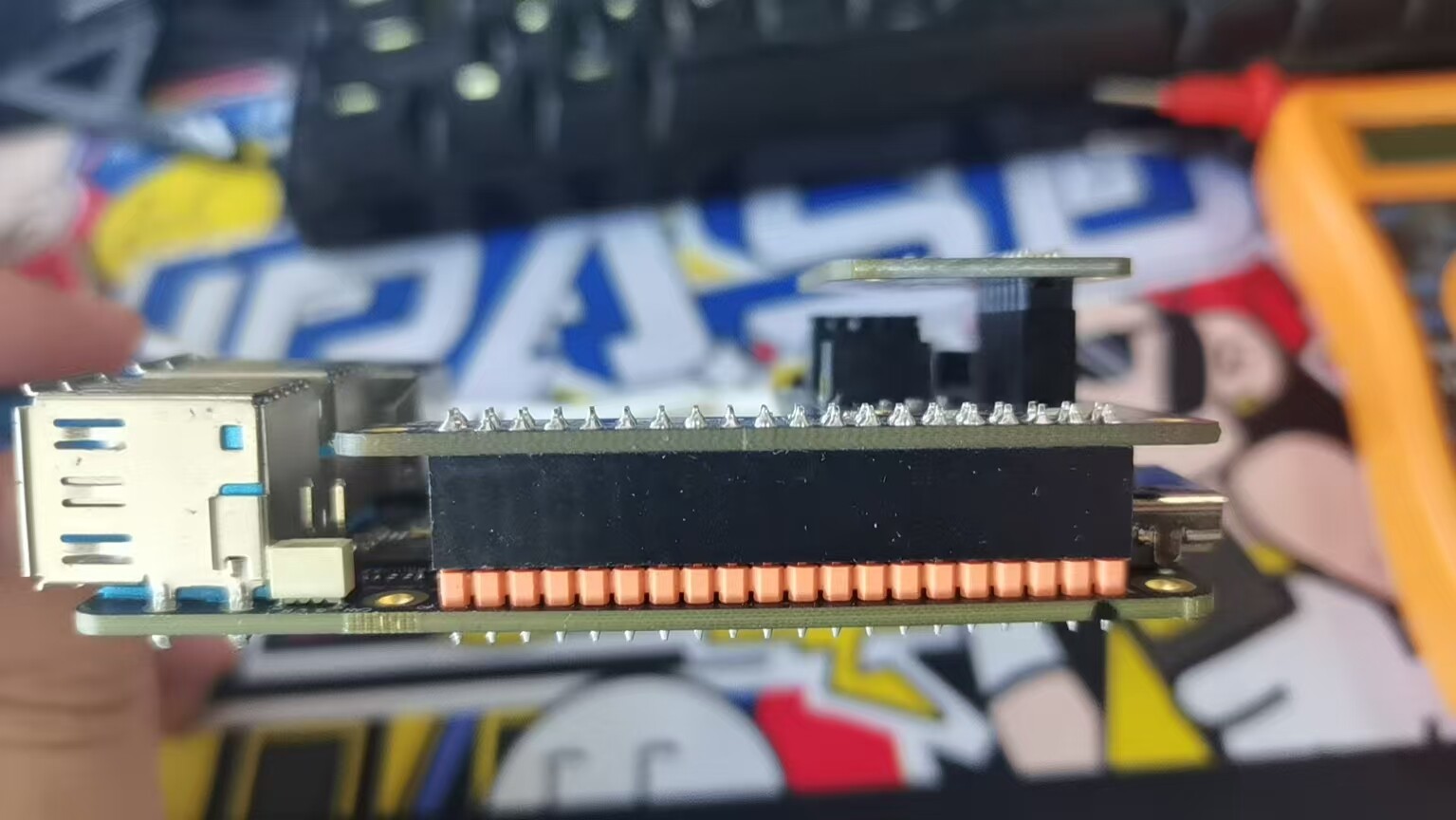
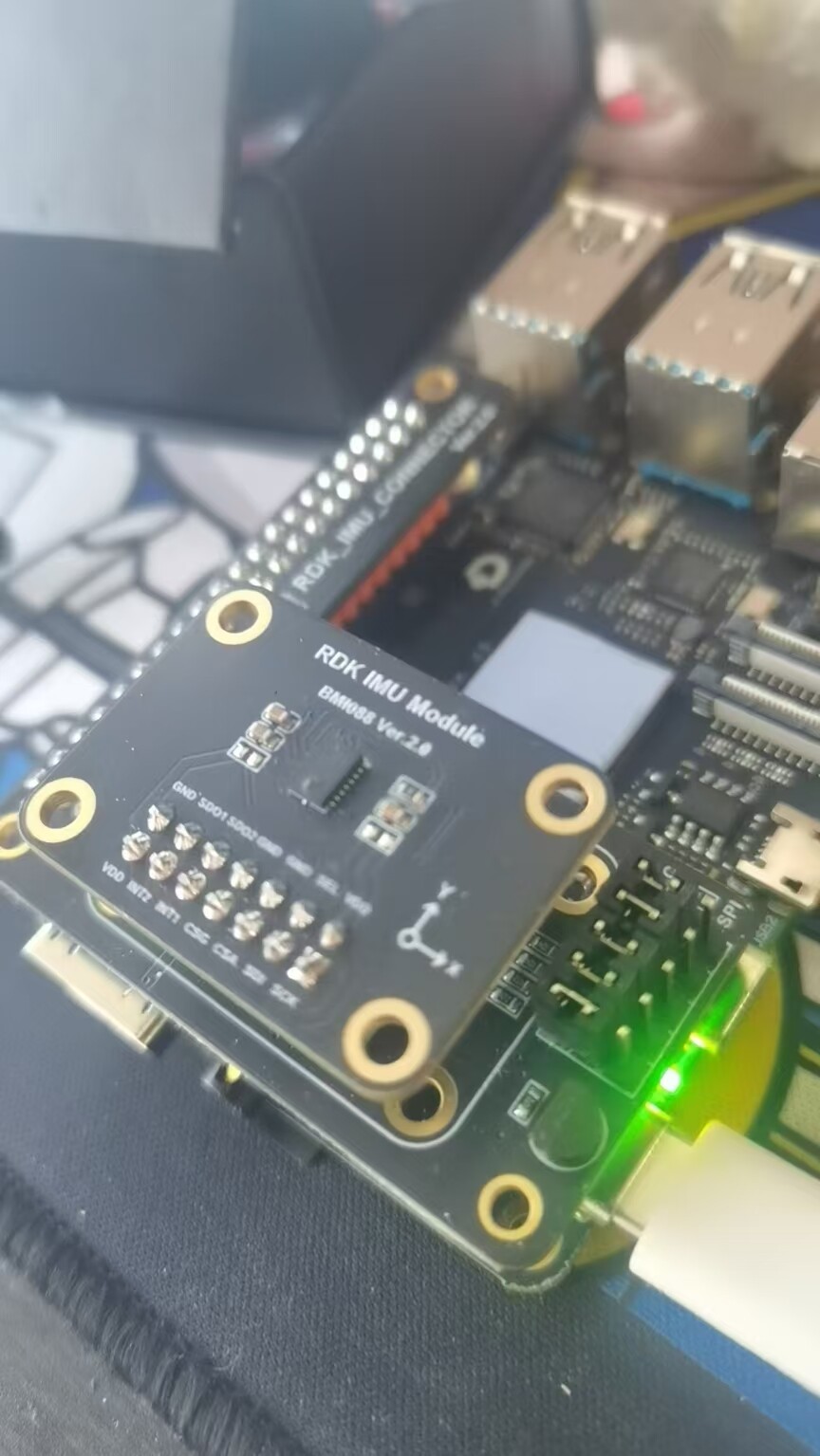
这个比较奇怪 可以试一下重新进行硬件连接,
确认srpi-config正确打开bmi088 i2c之后
或者是否有条件换一个x5测试呢
Crown
20
已经重新进行了硬件连接,srpi-config也正确打开bmi088 i2c了,现在只有一个X5没有条件测试,另外有个现象是:我用万用表测了40PIN管脚的3.3V那个管脚,只有0.4V,把IMU模块取下来测,就是正常3.3V的