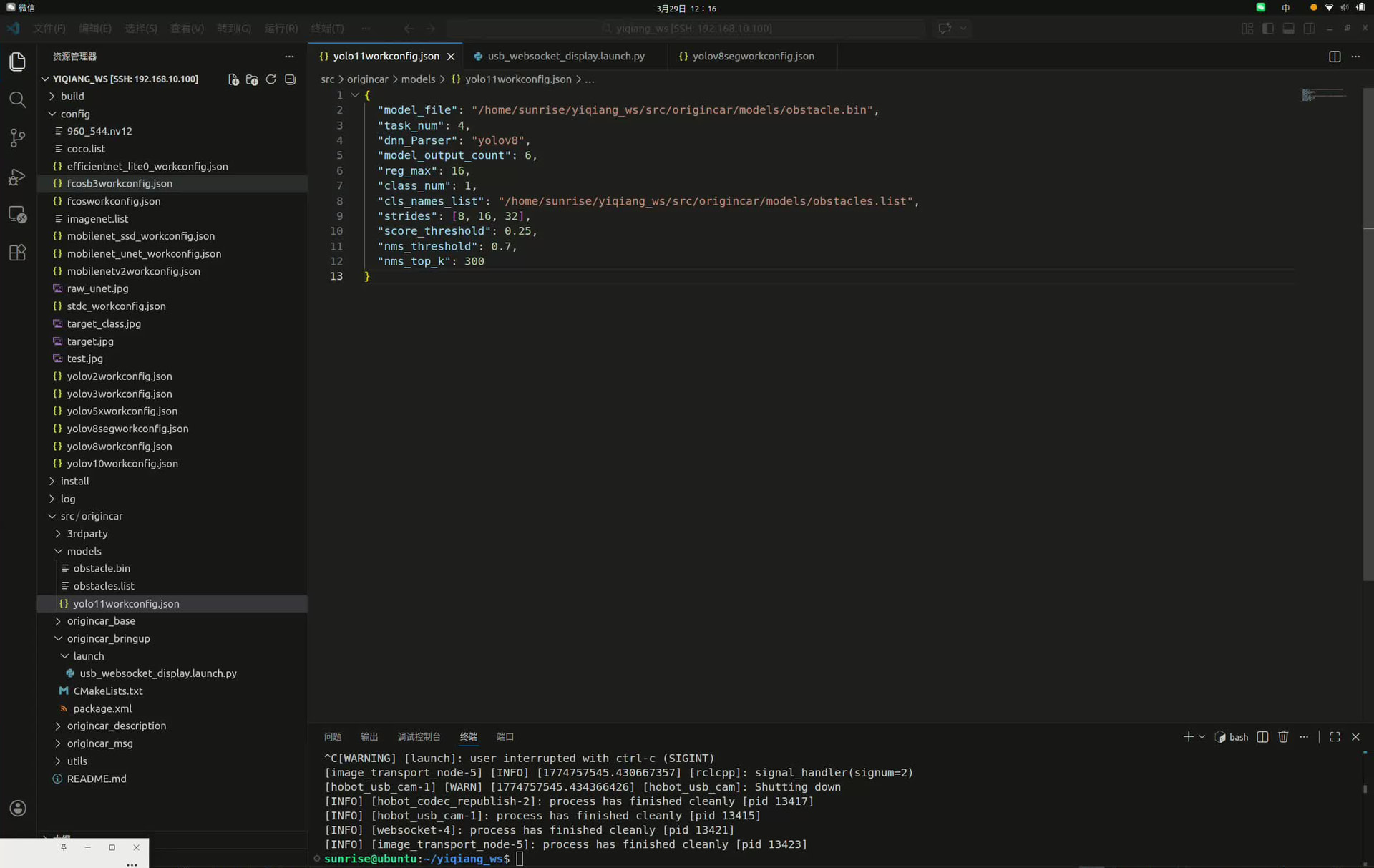
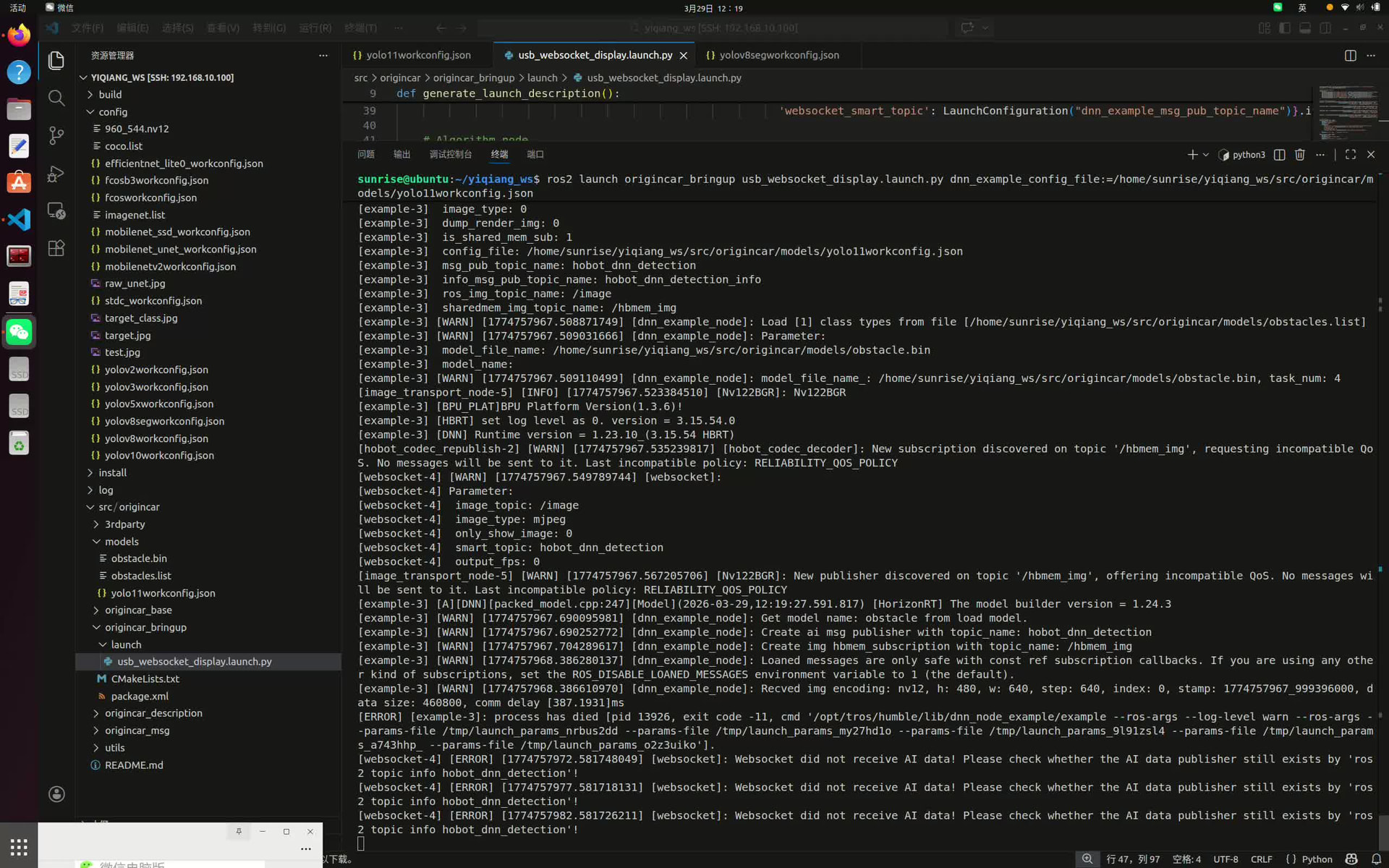
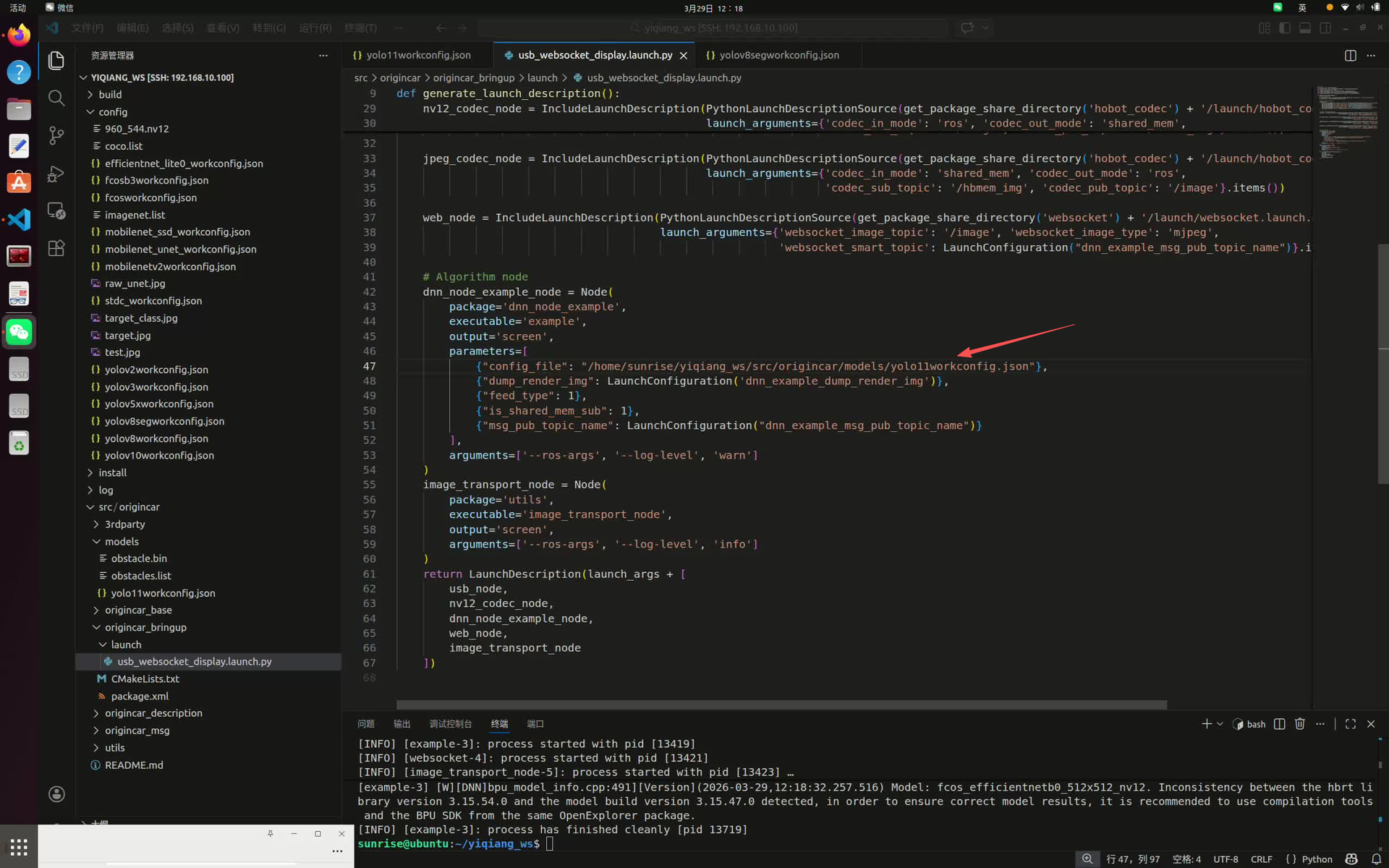
把模型名换成自己的,配置文件如下
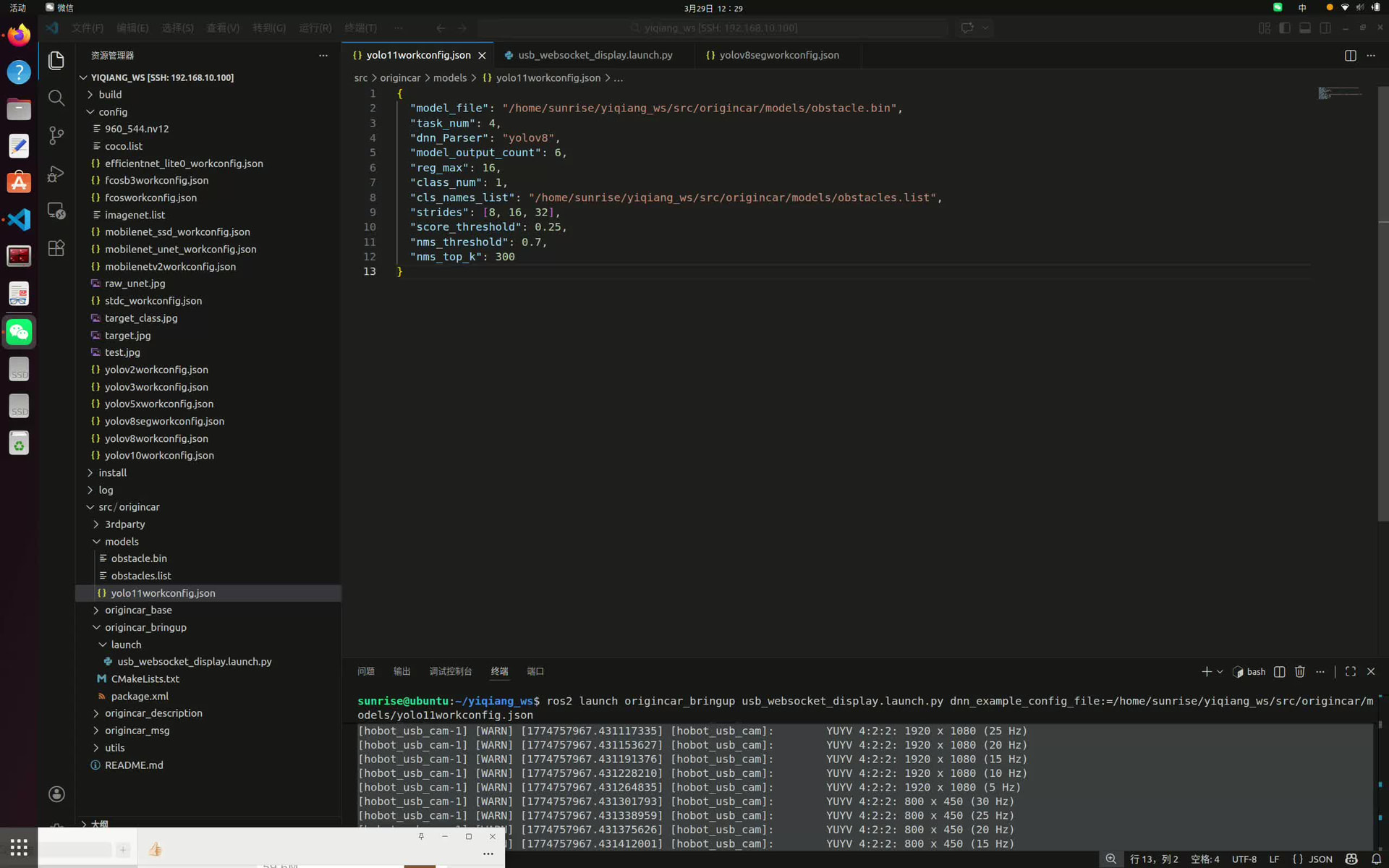
执行ros2 launch origincar_bringup usb_websocket_display.launch.py dnn_example_config_file:=/home/sunrise/yiqiang_ws/src/origincar/models/yolo11workconfig.json
报错
[image_transport_node-5] [WARN] [1774757967.567205706] [Nv122BGR]: New publisher discovered on topic ‘/hbmem_img’, offering incompatible QoS. No messages will be sent to it. Last incompatible policy: RELIABILITY_QOS_POLICY
[example-3] [A][DNN][packed_model.cpp:247]Model [HorizonRT] The model builder version = 1.24.3
[example-3] [WARN] [1774757967.690095981] [dnn_example_node]: Get model name: obstacle from load model.
[example-3] [WARN] [1774757967.690252772] [dnn_example_node]: Create ai msg publisher with topic_name: hobot_dnn_detection
[example-3] [WARN] [1774757967.704289617] [dnn_example_node]: Create img hbmem_subscription with topic_name: /hbmem_img
[example-3] [WARN] [1774757968.386280137] [dnn_example_node]: Loaned messages are only safe with const ref subscription callbacks. If you are using any other kind of subscriptions, set the ROS_DISABLE_LOANED_MESSAGES environment variable to 1 (the default).
[example-3] [WARN] [1774757968.386610970] [dnn_example_node]: Recved img encoding: nv12, h: 480, w: 640, step: 640, index: 0, stamp: 1774757967_999396000, data size: 460800, comm delay [387.1931]ms
[ERROR] [example-3]: process has died [pid 13926, exit code -11, cmd ‘/opt/tros/humble/lib/dnn_node_example/example --ros-args --log-level warn --ros-args --params-file /tmp/launch_params_nrbus2dd --params-file /tmp/launch_params_my27hd1o --params-file /tmp/launch_params_9l91zsl4 --params-file /tmp/launch_params_a743hhp_ --params-file /tmp/launch_params_o2z3uiko’].
[websocket-4] [ERROR] [1774757972.581748049] [websocket]: Websocket did not receive AI data! Please check whether the AI data publisher still exists by ‘ros2 topic info hobot_dnn_detection’!
[websocket-4] [ERROR] [1774757977.581718131] [websocket]: Websocket did not receive AI data! Please check whether the AI data publisher still exists by ‘ros2 topic info hobot_dnn_detection’!
[websocket-4] [ERROR] [1774757982.581726211] [websocket]: Websocket did not receive AI data! Please check whether the AI data publisher still exists by ‘ros2 topic info hobot_dnn_detection’!
[websocket-4] [ERROR] [1774757987.581713414] [websocket]: Websocket did not receive AI data! Please check whether the AI data publisher still exists by ‘ros2 topic info hobot_dnn_detection’!
[websocket-4] [ERROR] [1774757992.581711988] [websocket]: Websocket did not receive AI data! Please check whether the AI data publisher still exists by ‘ros2 topic info hobot_dnn_detection’!
^C[WARNING] [launch]: user interrupted with ctrl-c (SIGINT)
[image_transport_node-5] [INFO] [1774757994.724779966] [rclcpp]: signal_handler(signum=2)
[hobot_usb_cam-1] [WARN] [1774757994.727521252] [hobot_usb_cam]: Shutting down
[INFO] [hobot_codec_republish-2]: process has finished cleanly [pid 13924]
[INFO] [hobot_usb_cam-1]: process has finished cleanly [pid 13922]
[INFO] [websocket-4]: process has finished cleanly [pid 13928]
[INFO] [image_transport_node-5]: process has finished cleanly [pid 13930]
问题分析
从日志看,核心问题是 example-3 进程段错误崩溃(exit code -11),导致 WebSocket 收不到 AI 数据。
常见原因:
- 模型 bin 文件与配置文件不匹配
- 模型输入尺寸/格式与配置文件不一致
- 模型版本与 HorizonRT 不兼容
排查步骤
1. 检查配置文件关键字段
请确认你的 yolo11workconfig.json 中以下字段:
{
  "model_file": "/path/to/your/model.bin",
  "model_input_type": "nv12",  // 必须与相机输出一致
  "input_width": 640,          // 必须与模型训练输入一致
  "input_height": 480,         // 必须与模型训练输入一致
  "model_type": "yolo",        // YOLO11 应设为 yolo
  "label_file": "/path/to/labels.txt"
}
关键检查点:
input_width/height是否与你训练时的输入尺寸一致?(YOLO11 默认通常是 640x640)model_file路径是否正确?
2. 验证模型文件
# 检查 bin 文件是否存在且可读
ls -lh /home/sunrise/yiqiang_ws/src/origincar/models/your_model.bin

# 查看模型信息(如果有 hb_model_check 工具)
hb_model_check --model /path/to/your/model.bin
3. 查看完整错误堆栈
段错误的具体原因需要看 core dump 或更详细的日志:
# 启用核心转储
ulimit -c unlimited

# 重新运行,查看是否有更多错误信息
ros2 launch origincar_bringup usb_websocket_display.launch.py \
  dnn_example_config_file:=/home/sunrise/yiqiang_ws/src/origincar/models/yolo11workconfig.json \
  --log-level debug
4. 检查模型转换流程
YOLO11 模型转换到 bin 的正确流程:
# 1. ONNX 导出(确保 opset 版本兼容)
python export.py --model yolov11n.pt --imgsz 640 --format onnx --opset 11

# 2. HB 工具转换
hb_mapper --model-type yolo --model your_model.onnx --output-dir output/
社区资源
让我搜索一下社区中是否有类似的 YOLO11 部署问题:
问题分析与解决方案
根据你的报错日志,这是典型的 YOLO11 模型在 RDK X5 上部署崩溃问题(exit code -11)。结合社区已有案例,问题核心在于:
核心原因
- 模型输出格式不匹配 - YOLO11 的 ONNX 导出格式与 TROS 的
dnn_example_node期望格式不一致 - Parser 配置错误 - YOLO11 应该使用
yolov8parser,但输出头数量或顺序可能不对 - 量化校准数据问题 - 如果做了双重归一化,会导致模型输出崩塌
解决步骤
步骤 1:检查模型输出格式
首先在板子上验证你的 bin 模型输出:
# 在 RDK X5 上运行
python3 << 'EOF'
from hobot_dnn import pyeasy_dnn as dnn
import numpy as np

models = dnn.load('/home/sunrise/yiqiang_ws/src/origincar/models/yolo11n.bin')
model = models[0]

print(f"Model inputs: {len(model.inputs)}")
print(f"Model outputs: {len(model.outputs)}")

for i, out in enumerate(model.outputs):
    p = out.properties
    print(f"Output[{i}]: shape={p.shape}, layout={p.layout}, type={p.dtype}")
EOF
期望输出(与官方模型一致):
Output[0]: shape=(1, 64, 80, 80), layout=NCHW  # bbox_P3
Output[1]: shape=(1, 1, 80, 80), layout=NCHW   # cls_P3 (如果是单类别)
Output[2]: shape=(1, 64, 40, 40), layout=NCHW  # bbox_P4
Output[3]: shape=(1, 1, 40, 40), layout=NCHW   # cls_P4
Output[4]: shape=(1, 64, 20, 20), layout=NCHW  # bbox_P5
Output[5]: shape=(1, 1, 20, 20), layout=NCHW   # cls_P5
如果你的输出是 NHWC 格式 或 数量不是 6 个,说明导出有问题。
步骤 2:检查配置文件
查看你的 yolo11workconfig.json:
{
  "model_file": "yolo11n.bin",
  "dnn_Parser": "yolov8",
  "model_output_count": 6,
  "reg_max": 16,
  "class_num": 1,
  "cls_names_list": "config/fire.list",
  "strides": [8, 16, 32],
  "score_threshold": 0.25,
  "nms_threshold": 0.7,
  "nms_top_k": 300
}
关键检查点:
dnn_Parser必须是"yolov8"(YOLO11/12/13 都用这个)model_output_count必须是6class_num要和你的模型类别数一致
步骤 3:验证校准数据(如果量化有问题)
如果你是自己量化的模型,检查校准数据是否做了双重归一化:
# 验证校准数据
import numpy as np
import os

cal_file = "./calibration_f32/000000.f32"
data = np.fromfile(cal_file, dtype=np.float32).reshape(3, 640, 640)

print(f"Min: {data.min():.1f} (应该是 ~0)")
print(f"Max: {data.max():.1f} (应该是 ~255)")

if data.max() < 2.0:
    print(" 错误:校准数据被归一化到 0~1 了!")
    print("BPU 的 scale_value 会自动做 /255,校准数据必须是 0~255 范围")
步骤 4:使用官方参考模型对比
参考社区的完整教程:【保姆级教程】YOLO 自定义模型在 RDK X5 上的完整部署
关键导出代码(确保 NCHW 格式):
# export_for_rdkx5.py
import torch
import types
from ultralytics import YOLO

model = YOLO("best.pt")
head = model.model.model[-1]

# 关键:6 输出,保持 NCHW,不做 permute
def new_forward(self, x):
    result = []
    for i in range(self.nl):
        bbox = self.cv2[i](x[i])  # (B, 64, H, W)
        cls = self.cv3[i](x[i])   # (B, nc, H, W)
        result.append(bbox)
        result.append(cls)
    return result

head.forward = types.MethodType(new_forward, head)

dummy = torch.randn(1, 3, 640, 640)
torch.onnx.export(
    model.model, dummy, "yolo11n.onnx",
    input_names=['images'],
    output_names=['bbox_P3', 'cls_P3', 'bbox_P4', 'cls_P4', 'bbox_P5', 'cls_P5'],
    opset_version=11,
    do_constant_folding=True,
)
步骤 5:临时排查方案
如果还是崩溃,先用官方模型测试 TROS 是否正常:
# 使用板子自带的模型测试
ros2 launch dnn_node_example dnn_node_example.launch.py
如果官方模型能跑,说明是你的模型格式问题;如果官方模型也崩溃,说明系统环境问题。
需要补充的信息
为了更精准定位问题,请提供:
- 模型输出信息(步骤 1 的运行结果)
- 系统版本:运行
sudo rdkos_info - 量化配置 yaml(如果是自己量化的)
- ONNX 模型结构:运行
python3 -c "import onnx; m=onnx.load('your.onnx'); print([(n.name, n.op_type) for n in m.graph.node if 'Softmax' in n.op_type])"
相关资源
建议先执行步骤 1,把模型输出信息贴出来,可以更快定位问题。
模型是640**640,而我的相机拍照是640**480,有影响吗,是不是这个报错,是的话怎么改sunrise@ubuntu:~/yiqiang_ws$ ros2 launch origincar_bringup usb_websocket_display.launch.py
[INFO] [launch]: All log files can be found below /home/sunrise/.ros/log/2026-03-29-16-47-08-883191-ubuntu-12583
[INFO] [launch]: Default logging verbosity is set to INFO
config_file_path is /opt/tros/humble/lib/hobot_usb_cam/config/usb_camera_calibration.yaml
Hobot shm pkg enables zero-copy with fastrtps profiles file: /opt/tros/humble/lib/hobot_shm/config/shm_fastdds.xml
Hobot shm pkg sets RMW_FASTRTPS_USE_QOS_FROM_XML: 1
env of RMW_FASTRTPS_USE_QOS_FROM_XML is 1 , ignore env setting
webserver has launch
config_file_path is /opt/tros/humble/lib/hobot_usb_cam/config/usb_camera_calibration.yaml
env of RMW_FASTRTPS_USE_QOS_FROM_XML is 1 , ignore env setting
env of RMW_FASTRTPS_USE_QOS_FROM_XML is 1 , ignore env setting
env of RMW_FASTRTPS_USE_QOS_FROM_XML is 1 , ignore env setting
env of RMW_FASTRTPS_USE_QOS_FROM_XML is 1 , ignore env setting
webserver has launch
[INFO] [hobot_usb_cam-1]: process started with pid [12604]
[INFO] [hobot_codec_republish-2]: process started with pid [12606]
[INFO] [example-3]: process started with pid [12608]
[INFO] [websocket-4]: process started with pid [12610]
[INFO] [image_transport_node-5]: process started with pid [12612]
[hobot_codec_republish-2] [WARN] [1774774030.162471916] [hobot_codec_decoder]: Parameters:
[hobot_codec_republish-2] sub_topic: /image
[hobot_codec_republish-2] pub_topic: /hbmem_img
[hobot_codec_republish-2] channel: 1
[hobot_codec_republish-2] in_mode: ros
[hobot_codec_republish-2] out_mode: shared_mem
[hobot_codec_republish-2] in_format: jpeg
[hobot_codec_republish-2] out_format: nv12
[hobot_codec_republish-2] enc_qp: 10
[hobot_codec_republish-2] jpg_quality: 60
[hobot_codec_republish-2] input_framerate: 30
[hobot_codec_republish-2] output_framerate: -1
[hobot_codec_republish-2] dump_output: 0
[hobot_codec_republish-2] [WARN] [1774774030.168709322] [HobotCodecImpl]: platform x5
[hobot_usb_cam-1] [WARN] [1774774030.308060094] [hobot_usb_cam]: framerate: 30
[hobot_usb_cam-1] [WARN] [1774774030.308658593] [hobot_usb_cam]: pixel_format_name: mjpeg
[hobot_usb_cam-1] [WARN] [1774774030.334493926] [hobot_usb_cam]: Camera calibration file: [/opt/tros/humble/lib/hobot_usb_cam/config/usb_camera_calibration.yaml] does not exist!
[hobot_usb_cam-1] If you need calibration msg, please make sure the calibration file path is correct and the calibration file exists!
[hobot_usb_cam-1] [WARN] [1774774030.415956710] [hobot_usb_cam]: This devices supproted formats:
[hobot_usb_cam-1] [WARN] [1774774030.416316626] [hobot_usb_cam]: Motion-JPEG: 1920 x 1080 (30 Hz)
[hobot_usb_cam-1] [WARN] [1774774030.416420917] [hobot_usb_cam]: Motion-JPEG: 1920 x 1080 (25 Hz)
[hobot_usb_cam-1] [WARN] [1774774030.416475751] [hobot_usb_cam]: Motion-JPEG: 1920 x 1080 (20 Hz)
[hobot_usb_cam-1] [WARN] [1774774030.416520042] [hobot_usb_cam]: Motion-JPEG: 1920 x 1080 (15 Hz)
[hobot_usb_cam-1] [WARN] [1774774030.416561792] [hobot_usb_cam]: Motion-JPEG: 1920 x 1080 (10 Hz)
[hobot_usb_cam-1] [WARN] [1774774030.416601250] [hobot_usb_cam]: Motion-JPEG: 1920 x 1080 (5 Hz)
[hobot_usb_cam-1] [WARN] [1774774030.416640084] [hobot_usb_cam]: Motion-JPEG: 1920 x 1080 (30 Hz)
[hobot_usb_cam-1] [WARN] [1774774030.416677959] [hobot_usb_cam]: Motion-JPEG: 1920 x 1080 (25 Hz)
[hobot_usb_cam-1] [WARN] [1774774030.416714959] [hobot_usb_cam]: Motion-JPEG: 1920 x 1080 (20 Hz)
[hobot_usb_cam-1] [WARN] [1774774030.416751834] [hobot_usb_cam]: Motion-JPEG: 1920 x 1080 (15 Hz)
[hobot_usb_cam-1] [WARN] [1774774030.416789042] [hobot_usb_cam]: Motion-JPEG: 1920 x 1080 (10 Hz)
[hobot_usb_cam-1] [WARN] [1774774030.416826542] [hobot_usb_cam]: Motion-JPEG: 1920 x 1080 (5 Hz)
[hobot_usb_cam-1] [WARN] [1774774030.416863500] [hobot_usb_cam]: Motion-JPEG: 1280 x 720 (30 Hz)
[hobot_usb_cam-1] [WARN] [1774774030.416900333] [hobot_usb_cam]: Motion-JPEG: 1280 x 720 (25 Hz)
[hobot_usb_cam-1] [WARN] [1774774030.416937417] [hobot_usb_cam]: Motion-JPEG: 1280 x 720 (20 Hz)
[hobot_usb_cam-1] [WARN] [1774774030.416974333] [hobot_usb_cam]: Motion-JPEG: 1280 x 720 (15 Hz)
[hobot_usb_cam-1] [WARN] [1774774030.417011041] [hobot_usb_cam]: Motion-JPEG: 1280 x 720 (10 Hz)
[hobot_usb_cam-1] [WARN] [1774774030.417047708] [hobot_usb_cam]: Motion-JPEG: 1280 x 720 (5 Hz)
[hobot_usb_cam-1] [WARN] [1774774030.417083916] [hobot_usb_cam]: Motion-JPEG: 640 x 480 (30 Hz)
[hobot_usb_cam-1] [WARN] [1774774030.417120541] [hobot_usb_cam]: Motion-JPEG: 640 x 480 (25 Hz)
[hobot_usb_cam-1] [WARN] [1774774030.417157750] [hobot_usb_cam]: Motion-JPEG: 640 x 480 (20 Hz)
[hobot_usb_cam-1] [WARN] [1774774030.417194083] [hobot_usb_cam]: Motion-JPEG: 640 x 480 (15 Hz)
[hobot_usb_cam-1] [WARN] [1774774030.417230499] [hobot_usb_cam]: Motion-JPEG: 640 x 480 (10 Hz)
[hobot_usb_cam-1] [WARN] [1774774030.417267124] [hobot_usb_cam]: Motion-JPEG: 640 x 480 (5 Hz)
[hobot_usb_cam-1] [WARN] [1774774030.417303874] [hobot_usb_cam]: Motion-JPEG: 800 x 450 (30 Hz)
[hobot_usb_cam-1] [WARN] [1774774030.417340166] [hobot_usb_cam]: Motion-JPEG: 800 x 450 (25 Hz)
[hobot_usb_cam-1] [WARN] [1774774030.417376916] [hobot_usb_cam]: Motion-JPEG: 800 x 450 (20 Hz)
[hobot_usb_cam-1] [WARN] [1774774030.417413874] [hobot_usb_cam]: Motion-JPEG: 800 x 450 (15 Hz)
[hobot_usb_cam-1] [WARN] [1774774030.417450666] [hobot_usb_cam]: Motion-JPEG: 800 x 450 (10 Hz)
[hobot_usb_cam-1] [WARN] [1774774030.417487624] [hobot_usb_cam]: Motion-JPEG: 800 x 450 (5 Hz)
[hobot_usb_cam-1] [WARN] [1774774030.417524999] [hobot_usb_cam]: Motion-JPEG: 1920 x 1080 (30 Hz)
[hobot_usb_cam-1] [WARN] [1774774030.417562332] [hobot_usb_cam]: Motion-JPEG: 1920 x 1080 (25 Hz)
[hobot_usb_cam-1] [WARN] [1774774030.417599916] [hobot_usb_cam]: Motion-JPEG: 1920 x 1080 (20 Hz)
[hobot_usb_cam-1] [WARN] [1774774030.417637957] [hobot_usb_cam]: Motion-JPEG: 1920 x 1080 (15 Hz)
[hobot_usb_cam-1] [WARN] [1774774030.417675665] [hobot_usb_cam]: Motion-JPEG: 1920 x 1080 (10 Hz)
[hobot_usb_cam-1] [WARN] [1774774030.417713040] [hobot_usb_cam]: Motion-JPEG: 1920 x 1080 (5 Hz)
[hobot_usb_cam-1] [WARN] [1774774030.417751457] [hobot_usb_cam]: Motion-JPEG: 1920 x 1080 (30 Hz)
[hobot_usb_cam-1] [WARN] [1774774030.417789374] [hobot_usb_cam]: Motion-JPEG: 1920 x 1080 (25 Hz)
[hobot_usb_cam-1] [WARN] [1774774030.417826915] [hobot_usb_cam]: Motion-JPEG: 1920 x 1080 (20 Hz)
[hobot_usb_cam-1] [WARN] [1774774030.417863707] [hobot_usb_cam]: Motion-JPEG: 1920 x 1080 (15 Hz)
[hobot_usb_cam-1] [WARN] [1774774030.417901207] [hobot_usb_cam]: Motion-JPEG: 1920 x 1080 (10 Hz)
[hobot_usb_cam-1] [WARN] [1774774030.417939457] [hobot_usb_cam]: Motion-JPEG: 1920 x 1080 (5 Hz)
[hobot_usb_cam-1] [WARN] [1774774030.417976748] [hobot_usb_cam]: YUYV 4:2:2: 640 x 480 (10 Hz)
[hobot_usb_cam-1] [WARN] [1774774030.418013623] [hobot_usb_cam]: YUYV 4:2:2: 640 x 480 (5 Hz)
[hobot_usb_cam-1] [WARN] [1774774030.418050456] [hobot_usb_cam]: YUYV 4:2:2: 800 x 450 (30 Hz)
[hobot_usb_cam-1] [WARN] [1774774030.418087415] [hobot_usb_cam]: YUYV 4:2:2: 800 x 450 (25 Hz)
[hobot_usb_cam-1] [WARN] [1774774030.418242164] [hobot_usb_cam]: YUYV 4:2:2: 800 x 450 (20 Hz)
[hobot_usb_cam-1] [WARN] [1774774030.418291623] [hobot_usb_cam]: YUYV 4:2:2: 800 x 450 (15 Hz)
[hobot_usb_cam-1] [WARN] [1774774030.418331873] [hobot_usb_cam]: YUYV 4:2:2: 800 x 450 (10 Hz)
[hobot_usb_cam-1] [WARN] [1774774030.418369581] [hobot_usb_cam]: YUYV 4:2:2: 800 x 450 (5 Hz)
[hobot_usb_cam-1] [WARN] [1774774030.418407331] [hobot_usb_cam]: YUYV 4:2:2: 800 x 450 (30 Hz)
[hobot_usb_cam-1] [WARN] [1774774030.418443956] [hobot_usb_cam]: YUYV 4:2:2: 800 x 450 (25 Hz)
[hobot_usb_cam-1] [WARN] [1774774030.418480997] [hobot_usb_cam]: YUYV 4:2:2: 800 x 450 (20 Hz)
[hobot_usb_cam-1] [WARN] [1774774030.418518289] [hobot_usb_cam]: YUYV 4:2:2: 800 x 450 (15 Hz)
[hobot_usb_cam-1] [WARN] [1774774030.418554914] [hobot_usb_cam]: YUYV 4:2:2: 800 x 450 (10 Hz)
[hobot_usb_cam-1] [WARN] [1774774030.418591872] [hobot_usb_cam]: YUYV 4:2:2: 800 x 450 (5 Hz)
[hobot_usb_cam-1] [WARN] [1774774030.418628956] [hobot_usb_cam]: YUYV 4:2:2: 1920 x 1080 (30 Hz)
[hobot_usb_cam-1] [WARN] [1774774030.418666247] [hobot_usb_cam]: YUYV 4:2:2: 1920 x 1080 (25 Hz)
[hobot_usb_cam-1] [WARN] [1774774030.418703205] [hobot_usb_cam]: YUYV 4:2:2: 1920 x 1080 (20 Hz)
[hobot_usb_cam-1] [WARN] [1774774030.418740080] [hobot_usb_cam]: YUYV 4:2:2: 1920 x 1080 (15 Hz)
[hobot_usb_cam-1] [WARN] [1774774030.418777080] [hobot_usb_cam]: YUYV 4:2:2: 1920 x 1080 (10 Hz)
[hobot_usb_cam-1] [WARN] [1774774030.418814747] [hobot_usb_cam]: YUYV 4:2:2: 1920 x 1080 (5 Hz)
[hobot_usb_cam-1] [WARN] [1774774030.418851330] [hobot_usb_cam]: YUYV 4:2:2: 1920 x 1080 (30 Hz)
[hobot_usb_cam-1] [WARN] [1774774030.418888205] [hobot_usb_cam]: YUYV 4:2:2: 1920 x 1080 (25 Hz)
[hobot_usb_cam-1] [WARN] [1774774030.418925455] [hobot_usb_cam]: YUYV 4:2:2: 1920 x 1080 (20 Hz)
[hobot_usb_cam-1] [WARN] [1774774030.418962205] [hobot_usb_cam]: YUYV 4:2:2: 1920 x 1080 (15 Hz)
[hobot_usb_cam-1] [WARN] [1774774030.418999122] [hobot_usb_cam]: YUYV 4:2:2: 1920 x 1080 (10 Hz)
[hobot_usb_cam-1] [WARN] [1774774030.419035872] [hobot_usb_cam]: YUYV 4:2:2: 1920 x 1080 (5 Hz)
[hobot_usb_cam-1] [WARN] [1774774030.419072871] [hobot_usb_cam]: YUYV 4:2:2: 800 x 450 (30 Hz)
[hobot_usb_cam-1] [WARN] [1774774030.419109288] [hobot_usb_cam]: YUYV 4:2:2: 800 x 450 (25 Hz)
[hobot_usb_cam-1] [WARN] [1774774030.419145788] [hobot_usb_cam]: YUYV 4:2:2: 800 x 450 (20 Hz)
[hobot_usb_cam-1] [WARN] [1774774030.419181871] [hobot_usb_cam]: YUYV 4:2:2: 800 x 450 (15 Hz)
[hobot_usb_cam-1] [WARN] [1774774030.419218746] [hobot_usb_cam]: YUYV 4:2:2: 800 x 450 (10 Hz)
[hobot_usb_cam-1] [WARN] [1774774030.419255579] [hobot_usb_cam]: YUYV 4:2:2: 800 x 450 (5 Hz)
[hobot_usb_cam-1] [WARN] [1774774030.419292288] [hobot_usb_cam]: YUYV 4:2:2: 800 x 450 (30 Hz)
[hobot_usb_cam-1] [WARN] [1774774030.419329038] [hobot_usb_cam]: YUYV 4:2:2: 800 x 450 (25 Hz)
[hobot_usb_cam-1] [WARN] [1774774030.419365954] [hobot_usb_cam]: YUYV 4:2:2: 800 x 450 (20 Hz)
[hobot_usb_cam-1] [WARN] [1774774030.419403079] [hobot_usb_cam]: YUYV 4:2:2: 800 x 450 (15 Hz)
[hobot_usb_cam-1] [WARN] [1774774030.419439246] [hobot_usb_cam]: YUYV 4:2:2: 800 x 450 (10 Hz)
[hobot_usb_cam-1] [WARN] [1774774030.419476162] [hobot_usb_cam]: YUYV 4:2:2: 800 x 450 (5 Hz)
[hobot_usb_cam-1] [WARN] [1774774030.419512704] [hobot_usb_cam]: YUYV 4:2:2: 1920 x 1080 (30 Hz)
[hobot_usb_cam-1] [WARN] [1774774030.419549496] [hobot_usb_cam]: YUYV 4:2:2: 1920 x 1080 (25 Hz)
[hobot_usb_cam-1] [WARN] [1774774030.419586287] [hobot_usb_cam]: YUYV 4:2:2: 1920 x 1080 (20 Hz)
[hobot_usb_cam-1] [WARN] [1774774030.419623454] [hobot_usb_cam]: YUYV 4:2:2: 1920 x 1080 (15 Hz)
[hobot_usb_cam-1] [WARN] [1774774030.419660787] [hobot_usb_cam]: YUYV 4:2:2: 1920 x 1080 (10 Hz)
[hobot_usb_cam-1] [WARN] [1774774030.419697537] [hobot_usb_cam]: YUYV 4:2:2: 1920 x 1080 (5 Hz)
[hobot_usb_cam-1] [WARN] [1774774030.419734454] [hobot_usb_cam]: YUYV 4:2:2: 1920 x 1080 (30 Hz)
[hobot_usb_cam-1] [WARN] [1774774030.419770995] [hobot_usb_cam]: YUYV 4:2:2: 1920 x 1080 (25 Hz)
[hobot_usb_cam-1] [WARN] [1774774030.419807787] [hobot_usb_cam]: YUYV 4:2:2: 1920 x 1080 (20 Hz)
[hobot_usb_cam-1] [WARN] [1774774030.419844662] [hobot_usb_cam]: YUYV 4:2:2: 1920 x 1080 (15 Hz)
[hobot_usb_cam-1] [WARN] [1774774030.419881370] [hobot_usb_cam]: YUYV 4:2:2: 1920 x 1080 (10 Hz)
[hobot_usb_cam-1] [WARN] [1774774030.419919703] [hobot_usb_cam]: YUYV 4:2:2: 1920 x 1080 (5 Hz)
[example-3] [WARN] [1774774030.528687192] [dnn_example_node]: Parameter:
[example-3] feed_type(0:local, 1:sub): 1
[example-3] image: config/test.jpg
[example-3] image_type: 0
[example-3] dump_render_img: 0
[example-3] is_shared_mem_sub: 1
[example-3] config_file: /home/sunrise/yiqiang_ws/src/origincar/models/yolo11workconfig.json
[example-3] msg_pub_topic_name: hobot_dnn_detection
[example-3] info_msg_pub_topic_name: hobot_dnn_detection_info
[example-3] ros_img_topic_name: /image
[example-3] sharedmem_img_topic_name: /hbmem_img
[example-3] [WARN] [1774774030.529704316] [dnn_example_node]: Load [1] class types from file [/home/sunrise/yiqiang_ws/src/origincar/models/obstacles.list]
[example-3] [WARN] [1774774030.529889690] [dnn_example_node]: Parameter:
[example-3] model_file_name: /home/sunrise/yiqiang_ws/src/origincar/models/obstacle.bin
[example-3] model_name:
[example-3] [WARN] [1774774030.530018357] [dnn_example_node]: model_file_name_: /home/sunrise/yiqiang_ws/src/origincar/models/obstacle.bin, task_num: 3
[image_transport_node-5] [INFO] [1774774030.532301270] [Nv122BGR]: Nv122BGR
[hobot_codec_republish-2] [WARN] [1774774030.540039591] [hobot_codec_decoder]: New subscription discovered on topic ‘/hbmem_img’, requesting incompatible QoS. No messages will be sent to it. Last incompatible policy: RELIABILITY_QOS_POLICY
[example-3] [BPU_PLAT]BPU Platform Version(1.3.6)!
[example-3] [HBRT] set log level as 0. version = 3.15.54.0
[example-3] [DNN] Runtime version = 1.23.10_(3.15.54 HBRT)
[websocket-4] [WARN] [1774774030.556338147] [websocket]:
[websocket-4] Parameter:
[websocket-4] image_topic: /image
[websocket-4] image_type: mjpeg
[websocket-4] only_show_image: 0
[websocket-4] smart_topic: hobot_dnn_detection
[websocket-4] output_fps: 0
[image_transport_node-5] [WARN] [1774774030.568081503] [Nv122BGR]: New publisher discovered on topic ‘/hbmem_img’, offering incompatible QoS. No messages will be sent to it. Last incompatible policy: RELIABILITY_QOS_POLICY
[example-3] [A][DNN][packed_model.cpp:247]Model [HorizonRT] The model builder version = 1.24.3
[example-3] [WARN] [1774774030.697439417] [dnn_example_node]: Get model name: obstacle from load model.
[example-3] [WARN] [1774774030.697607125] [dnn_example_node]: Create ai msg publisher with topic_name: hobot_dnn_detection
[example-3] [WARN] [1774774030.711965018] [dnn_example_node]: Create img hbmem_subscription with topic_name: /hbmem_img
[example-3] [WARN] [1774774031.388549502] [dnn_example_node]: Loaned messages are only safe with const ref subscription callbacks. If you are using any other kind of subscriptions, set the ROS_DISABLE_LOANED_MESSAGES environment variable to 1 (the default).
[example-3] [WARN] [1774774031.388905918] [dnn_example_node]: Recved img encoding: nv12, h: 480, w: 640, step: 640, index: 0, stamp: 1774774030_977256000, data size: 460800, comm delay [411.6267]ms
[ERROR] [example-3]: process has died [pid 12608, exit code -11, cmd ‘/opt/tros/humble/lib/dnn_node_example/example --ros-args --log-level warn --ros-args --params-file /tmp/launch_params_v1qxwm9d --params-file /tmp/launch_params_4plzgol0 --params-file /tmp/launch_params_dafal1vr --params-file /tmp/launch_params_wfsrzxs2 --params-file /tmp/launch_params_ewegr7x1 --params-file /tmp/launch_params_r4zx4y6s --params-file /tmp/launch_params_25vmlczg’].
[websocket-4] [ERROR] [1774774035.592382946] [websocket]: Websocket did not receive AI data! Please check whether the AI data publisher still exists by ‘ros2 topic info hobot_dnn_detection’!
[websocket-4] [E
结论:分辨率不匹配不是崩溃原因
640×480 相机 + 640×640 模型可以正常工作,TROS 会自动做 letterbox 预处理。从你的日志看,图像已经成功接收:
Recved img encoding: nv12, h: 480, w: 640 ✓ 图像接收正常
真正的问题:模型输出头数量错误
从日志中发现关键问题:
model_file_name_: /home/sunrise/yiqiang_ws/src/origincar/models/obstacle.bin, task_num: 3
task_num: 3 是错误的! YOLO11 应该有 6 个输出头(3 个 bbox + 3 个 cls),不是 3 个。
排查步骤
步骤 1:验证模型输出结构
在板子上运行:
python3 << 'EOF'
from hobot_dnn import pyeasy_dnn as dnn

models = dnn.load('/home/sunrise/yiqiang_ws/src/origincar/models/obstacle.bin')
model = models[0]

print(f"Model outputs: {len(model.outputs)}")
for i, out in enumerate(model.outputs):
    p = out.properties
    print(f"Output[{i}]: shape={p.shape}, layout={p.layout}")
EOF
期望输出(YOLO11 正确格式):
Model outputs: 6
Output[0]: shape=(1, 64, 80, 80), layout=NCHW   # bbox_P3
Output[1]: shape=(1, 1, 80, 80), layout=NCHW    # cls_P3
Output[2]: shape=(1, 64, 40, 40), layout=NCHW   # bbox_P4
Output[3]: shape=(1, 1, 40, 40), layout=NCHW    # cls_P4
Output[4]: shape=(1, 64, 20, 20), layout=NCHW   # bbox_P5
Output[5]: shape=(1, 1, 20, 20), layout=NCHW    # cls_P5
如果输出数量是 3 或其他值,说明模型导出有问题。
步骤 2:检查配置文件
查看你的 yolo11workconfig.json:
cat /home/sunrise/yiqiang_ws/src/origincar/models/yolo11workconfig.json
确保配置正确:
{
  "model_file": "obstacle.bin",
  "dnn_Parser": "yolov8",
  "model_output_count": 6,
  "reg_max": 16,
  "class_num": 1,
  "cls_names_list": "config/obstacles.list",
  "strides": [8, 16, 32],
  "score_threshold": 0.25,
  "nms_threshold": 0.7,
  "nms_top_k": 300
}
关键检查点:
dnn_Parser必须是"yolov8"model_output_count必须是6
步骤 3:重新导出 ONNX(如果模型输出不对)
如果步骤 1 显示输出数量不是 6,需要重新导出 ONNX:
# export_yolo11.py
import torch
import types
from ultralytics import YOLO

model = YOLO("best.pt")  # 你的训练权重
head = model.model.model[-1]

# 关键:6 输出,保持 NCHW,不做 permute
def new_forward(self, x):
    result = []
    for i in range(self.nl):
        bbox = self.cv2[i](x[i])  # (B, 64, H, W)
        cls = self.cv3[i](x[i])   # (B, nc, H, W)
        result.append(bbox)
        result.append(cls)
    return result

head.forward = types.MethodType(new_forward, head)
model.model.eval()

dummy = torch.randn(1, 3, 640, 640)
torch.onnx.export(
    model.model, dummy, "yolo11n.onnx",
    input_names=['images'],
    output_names=['bbox_P3', 'cls_P3', 'bbox_P4', 'cls_P4', 'bbox_P5', 'cls_P5'],
    opset_version=11,
    do_constant_folding=True,
)
然后用 hb_mapper 重新量化。
步骤 4:先用官方模型测试 TROS 是否正常
# 使用板子自带的模型测试
ros2 launch dnn_node_example dnn_node_example.launch.py
如果官方模型能跑,说明是你的模型格式问题;如果官方模型也崩溃,需要升级系统。
相关资源
- YOLO11 完整部署教程 - 含导出代码和校准数据生成
- YOLO11 exit code -11 案例
请提供以下信息以便进一步定位
- 步骤 1 的运行结果(模型输出数量和 shape)
- 系统版本:
sudo rdkos_info - 模型来源:是自己量化的还是社区下载的?
把步骤 1 的输出贴出来,可以快速确定问题所在。
sunrise@ubuntu:~/yiqiang_ws$ python3 << ‘EOF’
from hobot_dnn import pyeasy_dnn as dnn
models = dnn.load(‘/home/sunrise/yiqiang_ws/src/origincar/models/obstacle.bin’)
model = models[0]
print(f"Model outputs: {len(model.outputs)}“)
for i, out in enumerate(model.outputs):
p = out.properties
print(f"Output[{i}]: shape={p.shape}, layout={p.layout}”)
EOF
[BPU_PLAT]BPU Platform Version(1.3.6)!
[HBRT] set log level as 0. version = 3.15.54.0
[DNN] Runtime version = 1.23.10_(3.15.54 HBRT)
[A][DNN][packed_model.cpp:247]Model [HorizonRT] The model builder version = 1.24.3
[W][DNN]bpu_model_info.cpp:491]Version Model: obstacle. Inconsistency between the hbrt library version 3.15.54.0 and the model build version 3.15.55.0 detected, in order to ensure correct model results, it is recommended to use compilation tools and the BPU SDK from the same OpenExplorer package.
Model outputs: 6
Output[0]: shape=(1, 64, 80, 80), layout=NCHW
Output[1]: shape=(1, 1, 80, 80), layout=NCHW
Output[2]: shape=(1, 64, 40, 40), layout=NCHW
Output[3]: shape=(1, 1, 40, 40), layout=NCHW
Output[4]: shape=(1, 64, 20, 20), layout=NCHW
Output[5]: shape=(1, 1, 20, 20), layout=NCHW
sunrise@ubuntu:~/yiqiang_ws$
好消息:模型输出结构正确!
你的模型输出格式完全正确(6个输出头,NCHW格式),分辨率不匹配不是问题。
真正的问题:版本不兼容 + 配置错误
从日志发现两个关键问题:
问题 1:模型与运行时版本不匹配 
Inconsistency between the hbrt library version 3.15.54.0 and the model build version 3.15.55.0 detected
模型是用新版工具链量化的,但板子运行时是旧版,这可能导致推理时崩溃。
问题 2:配置文件可能指向错误模型
日志显示:
model_file_name_: /home/sunrise/yiqiang_ws/src/origincar/models/obstacle.bin, task_num: 3
但你验证的是 obstacle.bin,需要确认配置文件实际指向哪个模型。
解决步骤
步骤 1:检查配置文件内容
cat /home/sunrise/yiqiang_ws/src/origincar/models/yolo11workconfig.json
确保配置正确:
{
  "model_file": "/home/sunrise/yiqiang_ws/src/origincar/models/obstacle.bin",
  "dnn_Parser": "yolov8",
  "model_output_count": 6,
  "reg_max": 16,
  "class_num": 1,
  "cls_names_list": "/home/sunrise/yiqiang_ws/src/origincar/models/obstacles.list",
  "strides": [8, 16, 32],
  "score_threshold": 0.25,
  "nms_threshold": 0.7,
  "nms_top_k": 300
}
步骤 2:升级板子系统(解决版本不匹配)
# 检查当前系统版本
sudo rdkos_info

# 升级到最新版本(解决版本不兼容)
sudo srpi-config
# 选择:1-SystemOptions → S7-UpdateMiniBoot
# 然后重启板子
sudo reboot
升级后再次验证版本:
# 升级后检查版本是否一致
python3 -c "from hobot_dnn import pyeasy_dnn as dnn; print('OK')"
步骤 3:如果无法升级,用板子当前工具链重新量化模型
如果暂时无法升级系统,需要在与板子相同版本的工具链下重新量化:
# 在板子上查看当前工具链版本
hb_mapper --version

# 使用板子上的工具链重新量化
# 参考教程:https://forum.d-robotics.cc/t/topic/34084
或者使用社区提供的预量化模型测试。
步骤 4:用官方模型测试 TROS 是否正常
# 使用板子自带的模型测试 TROS 是否工作
ros2 launch dnn_node_example dnn_node_example.launch.py
- 如果官方模型能跑 → 你的模型量化版本有问题
- 如果官方模型也崩溃 → 系统环境问题,需要升级
步骤 5:临时调试 - 用图片测试代替摄像头
先用静态图片测试模型推理是否正常:
# 修改配置文件,使用本地图片测试
ros2 launch dnn_node_example dnn_node_example.launch.py \
  dnn_example_config_file:=/home/sunrise/yiqiang_ws/src/origincar/models/yolo11workconfig.json \
  feed_type:=0 \
  image:=/opt/tros/humble/lib/dnn_node_example/config/test.jpg
如果图片测试也崩溃,基本确定是模型版本问题。
快速诊断表
| 检查项 | 你的情况 | 期望值 | 状态 |
|---|---|---|---|
| 模型输出数量 | 6 | 6 | |
| 输出格式 | NCHW | NCHW | |
| 运行时版本 | 3.15.54.0 | 3.15.55.0+ | |
| 模型编译版本 | 3.15.55.0 | 与运行时一致 | |
建议操作顺序
- 先执行步骤 4(官方模型测试)- 5分钟,确定是否是系统问题
- 如果官方模型正常 → 执行步骤 2(升级系统)或步骤 3(重新量化)
- 把步骤 4 的结果贴出来,可以进一步定位
相关资源
先跑一下官方模型测试,告诉我结果!
sunrise@ubuntu:~/yiqiang_ws$ ros2 launch dnn_node_example dnn_node_example.launch.py
[INFO] [launch]: All log files can be found below /home/sunrise/.ros/log/2026-03-29-17-04-55-301133-ubuntu-16283
[INFO] [launch]: Default logging verbosity is set to INFO
dnn_node_example_path is /opt/tros/humble/lib/dnn_node_example
cp_cmd is cp -r /opt/tros/humble/lib/dnn_node_example/config .
camera_type is None
invalid camera_type None , which is set with export CAM_TYPE=usb/mipi/fb, using default mipi cam
Hobot shm pkg enables zero-copy with fastrtps profiles file: /opt/tros/humble/lib/hobot_shm/config/shm_fastdds.xml
Hobot shm pkg sets RMW_FASTRTPS_USE_QOS_FROM_XML: 1
config_file_path is /opt/tros/humble/lib/mipi_cam/config/
env of RMW_FASTRTPS_USE_QOS_FROM_XML is 1 , ignore env setting
env of RMW_FASTRTPS_USE_QOS_FROM_XML is 1 , ignore env setting
webserver has launch
env of RMW_FASTRTPS_USE_QOS_FROM_XML is 1 , ignore env setting
config_file_path is /opt/tros/humble/lib/mipi_cam/config/
env of RMW_FASTRTPS_USE_QOS_FROM_XML is 1 , ignore env setting
env of RMW_FASTRTPS_USE_QOS_FROM_XML is 1 , ignore env setting
env of RMW_FASTRTPS_USE_QOS_FROM_XML is 1 , ignore env setting
env of RMW_FASTRTPS_USE_QOS_FROM_XML is 1 , ignore env setting
webserver has launch
[INFO] [mipi_cam-1]: process started with pid [16301]
[INFO] [hobot_codec_republish-2]: process started with pid [16303]
[INFO] [example-3]: process started with pid [16305]
[INFO] [websocket-4]: process started with pid [16307]
[hobot_codec_republish-2] [WARN] [1774775096.516152278] [hobot_codec_encoder]: Parameters:
[hobot_codec_republish-2] sub_topic: /hbmem_img
[hobot_codec_republish-2] pub_topic: /image
[hobot_codec_republish-2] channel: 1
[hobot_codec_republish-2] in_mode: shared_mem
[hobot_codec_republish-2] out_mode: ros
[hobot_codec_republish-2] in_format: nv12
[hobot_codec_republish-2] out_format: jpeg
[hobot_codec_republish-2] enc_qp: 10
[hobot_codec_republish-2] jpg_quality: 60
[hobot_codec_republish-2] input_framerate: 30
[hobot_codec_republish-2] output_framerate: -1
[hobot_codec_republish-2] dump_output: 0
[hobot_codec_republish-2] [WARN] [1774775096.524857900] [HobotCodecImpl]: platform x5
[hobot_codec_republish-2] [WARN] [1774775096.525103524] [hobot_codec_encoder]: Enabling zero-copy
[mipi_cam-1] [WARN] [1774775096.527874773] [mipi_node]: frame_ts_type value: realtime
[mipi_cam-1] [WARN] [1774775096.535201021] [mipi_factory]: board_type X5_RDK
[mipi_cam-1]
[mipi_cam-1] [WARN] [1774775096.536414645] [mipi_cam]: this board support mipi:
[mipi_cam-1] [WARN] [1774775096.536650937] [mipi_cam]: host 0
[mipi_cam-1] [WARN] [1774775096.536702687] [mipi_cam]: host 2
[mipi_cam-1] mipi mclk is not configed.
[mipi_cam-1] Searching camera sensor on device: /proc/device-tree/soc/cam/vcon@0 mclk_is_not_configed: 1
[mipi_cam-1] i2c bus: 6 mipi rx phy: 0
[mipi_cam-1] WARN: Sensor Name: sc1330t, Expected Chip ID: 0xCA18, Actual Chip ID Read: 0x00
[mipi_cam-1] Error opening GPIO direction file for writing
[mipi_cam-1] Failed to set GPIO direction
[mipi_cam-1] WARN: Sensor Name: irs2875-tof, Expected Chip ID: 0x2875, Actual Chip ID Read: 0x00
[mipi_cam-1] Error opening GPIO direction file for writing
[mipi_cam-1] Failed to set GPIO direction
[mipi_cam-1] WARN: Sensor Name: sc230ai-30fps, Expected Chip ID: 0xCB34, Actual Chip ID Read: 0x00
[mipi_cam-1] WARN: Sensor Name: sc230ai-30fps, Expected Chip ID: 0xCB34, Actual Chip ID Read: 0x00
[mipi_cam-1] Error opening GPIO direction file for writing
[mipi_cam-1] Failed to set GPIO direction
[mipi_cam-1] WARN: Sensor Name: sc132gs-1280p, Expected Chip ID: 0x132, Actual Chip ID Read: 0x00
[mipi_cam-1] WARN: Sensor Name: sc132gs-1280p, Expected Chip ID: 0x132, Actual Chip ID Read: 0x00
[mipi_cam-1] Error opening GPIO direction file for writing
[mipi_cam-1] Failed to set GPIO direction
[mipi_cam-1] WARN: Sensor Name: sc035hgs, Expected Chip ID: 0x35, Actual Chip ID Read: 0x00
[mipi_cam-1] Error opening GPIO direction file for writing
[mipi_cam-1] Failed to set GPIO direction
[mipi_cam-1] WARN: Sensor Name: ov5640, Expected Chip ID: 0x5640, Actual Chip ID Read: 0x00
[mipi_cam-1] Error opening GPIO direction file for writing
[mipi_cam-1] Failed to set GPIO direction
[mipi_cam-1] WARN: Sensor Name: ov5647, Expected Chip ID: 0x5647, Actual Chip ID Read: 0x00
[mipi_cam-1] Error opening GPIO direction file for writing
[mipi_cam-1] Failed to set GPIO direction
[mipi_cam-1] WARN: Sensor Name: f37, Expected Chip ID: 0xF37, Actual Chip ID Read: 0x00
[mipi_cam-1] Error opening GPIO direction file for writing
[mipi_cam-1] Failed to set GPIO direction
[mipi_cam-1] WARN: Sensor Name: imx219-30fps, Expected Chip ID: 0x219, Actual Chip ID Read: 0x00
[mipi_cam-1] Error opening GPIO direction file for writing
[mipi_cam-1] Failed to set GPIO direction
[mipi_cam-1] WARN: Sensor Name: imx415-30fps, Expected Chip ID: 0x03, Actual Chip ID Read: 0x00
[mipi_cam-1] mipi mclk is not configed.
[mipi_cam-1] Searching camera sensor on device: /proc/device-tree/soc/cam/vcon@1 mclk_is_not_configed: 1
[mipi_cam-1] i2c bus: 6 mipi rx phy: 1
[mipi_cam-1] WARN: Sensor Name: sc1330t, Expected Chip ID: 0xCA18, Actual Chip ID Read: 0x00
[mipi_cam-1] WARN: Sensor Name: irs2875-tof, Expected Chip ID: 0x2875, Actual Chip ID Read: 0x00
[mipi_cam-1] WARN: Sensor Name: sc230ai-30fps, Expected Chip ID: 0xCB34, Actual Chip ID Read: 0x00
[mipi_cam-1] WARN: Sensor Name: sc230ai-30fps, Expected Chip ID: 0xCB34, Actual Chip ID Read: 0x00
[mipi_cam-1] WARN: Sensor Name: sc132gs-1280p, Expected Chip ID: 0x132, Actual Chip ID Read: 0x00
[mipi_cam-1] WARN: Sensor Name: sc132gs-1280p, Expected Chip ID: 0x132, Actual Chip ID Read: 0x00
[mipi_cam-1] WARN: Sensor Name: sc035hgs, Expected Chip ID: 0x35, Actual Chip ID Read: 0x00
[mipi_cam-1] WARN: Sensor Name: ov5640, Expected Chip ID: 0x5640, Actual Chip ID Read: 0x00
[mipi_cam-1] WARN: Sensor Name: ov5647, Expected Chip ID: 0x5647, Actual Chip ID Read: 0x00
[mipi_cam-1] WARN: Sensor Name: f37, Expected Chip ID: 0xF37, Actual Chip ID Read: 0x00
[mipi_cam-1] WARN: Sensor Name: imx219-30fps, Expected Chip ID: 0x219, Actual Chip ID Read: 0x00
[mipi_cam-1] WARN: Sensor Name: imx415-30fps, Expected Chip ID: 0x03, Actual Chip ID Read: 0x00
[mipi_cam-1] mipi mclk is not configed.
[mipi_cam-1] Searching camera sensor on device: /proc/device-tree/soc/cam/vcon@2 mclk_is_not_configed: 1
[mipi_cam-1] i2c bus: 4 mipi rx phy: 2
[mipi_cam-1] WARN: Sensor Name: sc1330t, Expected Chip ID: 0xCA18, Actual Chip ID Read: 0x00
[mipi_cam-1] Error opening GPIO direction file for writing
[mipi_cam-1] Failed to set GPIO direction
[mipi_cam-1] WARN: Sensor Name: irs2875-tof, Expected Chip ID: 0x2875, Actual Chip ID Read: 0x00
[mipi_cam-1] Error opening GPIO direction file for writing
[mipi_cam-1] Failed to set GPIO direction
[mipi_cam-1] WARN: Sensor Name: sc230ai-30fps, Expected Chip ID: 0xCB34, Actual Chip ID Read: 0x00
[mipi_cam-1] WARN: Sensor Name: sc230ai-30fps, Expected Chip ID: 0xCB34, Actual Chip ID Read: 0x00
[mipi_cam-1] Error opening GPIO direction file for writing
[mipi_cam-1] Failed to set GPIO direction
[mipi_cam-1] WARN: Sensor Name: sc132gs-1280p, Expected Chip ID: 0x132, Actual Chip ID Read: 0x00
[mipi_cam-1] WARN: Sensor Name: sc132gs-1280p, Expected Chip ID: 0x132, Actual Chip ID Read: 0x00
[mipi_cam-1] Error opening GPIO direction file for writing
[mipi_cam-1] Failed to set GPIO direction
[mipi_cam-1] WARN: Sensor Name: sc035hgs, Expected Chip ID: 0x35, Actual Chip ID Read: 0x00
[mipi_cam-1] Error opening GPIO direction file for writing
[mipi_cam-1] Failed to set GPIO direction
[mipi_cam-1] [ERROR] [1774775096.789854929] [mipi_cam]: [init]->cap capture init failture.
[mipi_cam-1]
[mipi_cam-1] [ERROR] [1774775096.790008845] [mipi_node]: [init]->mipinode init failure.
[mipi_cam-1]
[mipi_cam-1] [WARN] [1774775096.791589636] [mipi_cam]: Enabling zero-copy
[mipi_cam-1] terminate called after throwing an instance of ‘rclcpp::exceptions::RCLError’
[mipi_cam-1] what(): could not create publisher: rcl node’s context is invalid, at ./src/rcl/node.c:428
[ERROR] [mipi_cam-1]: process has died [pid 16301, exit code -6, cmd ‘/opt/tros/humble/lib/mipi_cam/mipi_cam --ros-args --log-level warn --ros-args --params-file /tmp/launch_params_vgydj5v4 --params-file /tmp/launch_params_4u2sn3lp --params-file /tmp/launch_params_yydth6kg --params-file /tmp/launch_params_4ssonqw1 --params-file /tmp/launch_params_amd992f_ --params-file /tmp/launch_params_ynvpg12n --params-file /tmp/launch_params_502csr5m --params-file /tmp/launch_params_ipr48rpl --params-file /tmp/launch_params_n2trbsuy --params-file /tmp/launch_params_oawd3vwr’].
[mipi_cam-1] WARN: Sensor Name: ov5640, Expected Chip ID: 0x5640, Act
[example-3] [WARN] [1774775096.837309412] [dnn_example_node]: Parameter:
[example-3] feed_type(0:local, 1:sub): 1
[example-3] image: config/test.jpg
[example-3] image_type: 0
[example-3] dump_render_img: 0
[example-3] is_shared_mem_sub: 1
[example-3] config_file: config/fcosworkconfig.json
[example-3] msg_pub_topic_name: hobot_dnn_detection
[example-3] info_msg_pub_topic_name: hobot_dnn_detection_info
[example-3] ros_img_topic_name: /image
[example-3] sharedmem_img_topic_name: /hbmem_img
[example-3] [WARN] [1774775096.838152536] [dnn_example_node]: Load [80] class types from file [config/coco.list]
[example-3] [WARN] [1774775096.838288869] [dnn_example_node]: Parameter:
[example-3] model_file_name: /opt/hobot/model/x5/basic/fcos_512x512_nv12.bin
[example-3] model_name:
[example-3] [WARN] [1774775096.838358786] [dnn_example_node]: model_file_name_: /opt/hobot/model/x5/basic/fcos_512x512_nv12.bin, task_num: 4
[example-3] [BPU_PLAT]BPU Platform Version(1.3.6)!
[example-3] [HBRT] set log level as 0. version = 3.15.54.0
[example-3] [DNN] Runtime version = 1.23.10_(3.15.54 HBRT)
[websocket-4] [WARN] [1774775096.874976148] [websocket]:
[websocket-4] Parameter:
[websocket-4] image_topic: /image
[websocket-4] image_type: mjpeg
[websocket-4] only_show_image: 0
[websocket-4] smart_topic: hobot_dnn_detection
[websocket-4] output_fps: 0
[example-3] [A][DNN][packed_model.cpp:247]Model [HorizonRT] The model builder version = 1.23.5
[example-3] [WARN] [1774775097.039655755] [dnn_example_node]: Get model name: fcos_efficientnetb0_512x512_nv12 from load model.
[example-3] [WARN] [1774775097.039848672] [dnn_example_node]: Create ai msg publisher with topic_name: hobot_dnn_detection
[example-3] [WARN] [1774775097.054459042] [dnn_example_node]: Create img hbmem_subscription with topic_name: /hbmem_img
[hobot_codec_republish-2] [ERROR] [1774775101.525406097] [hobot_codec_encoder]: Hobot_Codec has not received image for more than 5 seconds! Please check whether the image publisher still exists by ‘ros2 topic info /hbmem_img’!
[websocket-4] [ERROR] [1774775101.904530438] [websocket]: Websocket did not receive image data! Please check whether the image publisher still exists by ‘ros2 topic info /image’!
[websocket-4] [ERROR] [1774775101.904686521] [websocket]: Websocket did not receive AI data! Please check whether the AI data publisher still exists by ‘ros2 topic info hobot_dnn_detection’!
[hobot_codec_republish-2] [ERROR] [1774775106.525338513] [hobot_codec_encoder]: Hobot_Co
关键发现:官方模型加载成功!
从日志看到重要信息:
[example-3] [A][DNN][packed_model.cpp:247][Model] The model builder version = 1.23.5
[example-3] [WARN] Get model name: fcos_efficientnetb0_512x512_nv12 from load model.
官方模型成功加载,没有崩溃! 这说明:
- 你的 TROS 系统正常
- 问题确实出在你的
obstacle.bin模型版本不兼容
问题确认
| 模型 | 编译版本 | 运行时版本 | 结果 |
|---|---|---|---|
| 官方 fcos 模型 | 1.23.5 | 3.15.54.0 | 正常 |
| 你的 obstacle.bin | 1.24.3 | 3.15.54.0 |  崩溃 崩溃 |
结论:你的模型是用新版工具链(1.24.3)量化的,但板子运行时是旧版(1.23.10),导致不兼容。
解决方案(二选一)
方案 A:重新量化模型(推荐)
使用与板子匹配的工具链版本重新量化:
# 1. 在板子上查看当前工具链版本
hb_mapper --version

# 2. 准备文件
# - yolo11n.onnx(你的 ONNX 模型)
# - 校准数据(100 张 640x640 .f32 文件)
# - 量化配置文件

# 3. 量化配置 yaml 关键参数
# model_parameters:
#   march: 'bayes-e'
#   output_model_file_prefix: 'obstacle'
# input_parameters:
#   input_type_rt: 'nv12'
#   input_layout_train: 'NCHW'
#   scale_value: '0.003921568627451'

# 4. 执行量化
hb_mapper makertbin \
  --model-type onnx \
  --config your_config.yaml

# 5. 验证新模型
python3 << 'EOF'
from hobot_dnn import pyeasy_dnn as dnn
models = dnn.load('obstacle.bin')
print(f"Outputs: {len(models[0].outputs)}")
EOF
完整量化教程:【保姆级教程】YOLO 自定义模型在 RDK X5 上的完整部署
方案 B:升级板子系统
# 检查当前版本
sudo rdkos_info

# 升级系统
sudo srpi-config
# 选择:1-SystemOptions → S7-UpdateMiniBoot

# 重启
sudo reboot
升级后工具链版本会更新,可能兼容你的模型。
用 USB 摄像头测试官方模型
由于你用的是 USB 摄像头,需要用正确的启动命令:
# 使用 USB 摄像头 + 官方模型测试
export CAM_TYPE=usb
ros2 launch dnn_node_example dnn_node_example.launch.py
或者用你的自定义配置但先换回官方模型测试:
# 修改配置文件,临时指向官方模型
ros2 launch origincar_bringup usb_websocket_display.launch.py \
  dnn_example_config_file:=/opt/hobot/model/x5/basic/fcosworkconfig.json
下一步操作
- 先用 USB 摄像头跑通官方模型(确认整个流程正常)
- 重新量化你的 obstacle.bin(使用板子当前工具链版本)
- 把量化后的新模型替换进去测试
需要帮助的话请提供
- 你的 ONNX 模型来源(自己训练还是下载的?)
- 量化时用的工具链版本
- 量化配置 yaml 文件内容
建议参考社区的 YOLO11 完整部署教程,里面有详细的量化配置和踩坑记录。
sunrise@ubuntu:~/yiqiang_ws$ hb_mapper --version
bash: hb_mapper: command not found
sunrise@ubuntu:~/yiqiang_ws$
正常现象:hb_mapper 不在板子上
hb_mapper 是量化工具,运行在 PC 的 Docker 容器中,不是板子上的运行时工具。板子只负责推理,不负责量化。
问题确认
你的情况:
- 模型编译版本:1.24.3(新版工具链量化)
- 板子运行时版本:1.23.10(旧版)
- 结果:版本不兼容 → 崩溃
解决方案(三选一)
方案 1:升级板子系统(最快,推荐先试)
# 1. 检查当前系统版本
sudo rdkos_info

# 2. 升级系统到最新
sudo srpi-config
# 选择:1-SystemOptions → S7-UpdateMiniBoot

# 3. 重启板子
sudo reboot

# 4. 升级后验证
python3 << 'EOF'
from hobot_dnn import pyeasy_dnn as dnn
models = dnn.load('/home/sunrise/yiqiang_ws/src/origincar/models/obstacle.bin')
print(f"Model loaded successfully, outputs: {len(models[0].outputs)}")
EOF
升级后运行时版本会更新,可能直接兼容你的模型。
方案 2:用旧版工具链重新量化(如果无法升级)
需要在 PC 上用 Docker 重新量化,使用与板子匹配的工具链版本:
# 1. 拉取与板子版本匹配的 Docker 镜像
# 板子运行时 1.23.10 对应 OpenExplorer 3.15.54 左右
docker pull openexplorer/ai_toolchain:3.15.54

# 2. 启动容器
docker run -it --rm \
  -v /your/model/path:/workspace \
  openexplorer/ai_toolchain:3.15.54 \
  /bin/bash

# 3. 在容器内量化
cd /workspace
hb_mapper makertbin \
  --model-type onnx \
  --config your_config.yaml

# 4. 传输新模型到板子
scp obstacle.bin sunrise@<板子IP>:/home/sunrise/yiqiang_ws/src/origincar/models/
完整量化教程:【保姆级教程】YOLO 自定义模型在 RDK X5 上的完整部署
方案 3:使用社区预量化模型(临时测试)
先用社区提供的 YOLO11 预量化模型测试流程是否正常:
# 下载社区模型(如果有)
# 或使用板子自带的 YOLO 模型测试
ls /opt/hobot/model/x5/basic/ | grep -i yolo
建议操作顺序
| 步骤 | 操作 | 时间 | 目的 |
|---|---|---|---|
| 1 | sudo rdkos_info 查看版本 |
1 分钟 | 确认当前系统版本 |
| 2 | 执行系统升级 | 10-20 分钟 | 让板子兼容新模型 |
| 3 | 重启后测试你的模型 | 2 分钟 | 验证是否解决 |
| 4 | 如果还不行,重新量化 | 30 分钟 | 用匹配版本量化 |
请先执行
# 查看当前系统版本
sudo rdkos_info
把输出贴出来,我可以告诉你:
- 当前版本是多少
- 是否需要升级
- 升级到哪个版本
相关资源
先跑 sudo rdkos_info,把输出发出来!
    │ Would you like update the minimal boot image in nand     │
          │ flash?                                                   │
          │                                                          │
          │ Caution: Abnormal interruptions are not allowed during   │
          │ the upgrade process!                                     │
          │
正确!正在升级 MiniBoot
你正在进行的操作是解决版本不兼容问题的关键步骤。
升级注意事项
- 不要中断升级过程(断电/拔网/按 Ctrl+C)
- 等待升级完成自动重启,或提示完成后手动重启
- 升级可能需要 5-15 分钟
升级完成后需要执行
步骤 1:重启板子(如果没自动重启)
sudo reboot
步骤 2:验证系统版本
# 查看升级后的版本
sudo rdkos_info
步骤 3:测试你的模型
python3 << 'EOF'
from hobot_dnn import pyeasy_dnn as dnn
models = dnn.load('/home/sunrise/yiqiang_ws/src/origincar/models/obstacle.bin')
print(f"✅ Model loaded successfully, outputs: {len(models[0].outputs)}")
EOF
步骤 4:运行 TROS 测试
# 使用 USB 摄像头 + 你的模型
export CAM_TYPE=usb
ros2 launch origincar_bringup usb_websocket_display.launch.py \
  dnn_example_config_file:=/home/sunrise/yiqiang_ws/src/origincar/models/yolo11workconfig.json
预期结果
| 升级前 | 升级后 |
|---|---|
| 运行时 3.15.54.0 | 运行时 3.15.55.0+ |
| 模型编译 1.24.3 不兼容 |
模型编译 1.24.3 兼容 |
| exit code -11 崩溃 | 正常运行 |
如果升级后还是崩溃
把以下信息贴出来:
sudo rdkos_info的输出- 模型加载测试的结果
- 新的报错日志
先安心等待升级完成,不要中断! 完成后按上面步骤验证。
e: refcount 0
3月 29 17:03:14 ubuntu kernel: [VIO node]:[L141][vse0] vio_group_task_stop: done
3月 29 17:03:14 ubuntu kernel: [VPF ops]:[L2502][vs-vse0_cap0] vpf_device_close: done
3月 29 17:03:14 ubuntu kernel: vse_nat_close set vse state to CLOSED
3月 29 17:03:14 ubuntu kernel: [VPF ops]:[L209][vs-vse0_cap0][S0][C0] vpf_vdev_close: refcount 0
3月 29 17:03:14 ubuntu kernel: [VPF ops]:[L2502][vs-vse0_cap1] vpf_device_close: done
3月 29 17:03:14 ubuntu kernel: [VPF ops]:[L209][vs-vse0_cap1][S0][C0] vpf_vdev_close: refcount 0
3月 29 17:03:14 ubuntu kernel: [VPF ops]:[L2502][vs-vse0_cap2] vpf_device_close: done
3月 29 17:03:14 ubuntu kernel: [VPF ops]:[L209][vs-vse0_cap2][S0][C0] vpf_vdev_close: refcount 0
3月 29 17:03:14 ubuntu kernel: [VPF ops]:[L2502][vs-vse0_cap3] vpf_device_close: done
3月 29 17:03:14 ubuntu kernel: [VPF ops]:[L209][vs-vse0_cap3][S0][C0] vpf_vdev_close: refcount 0
3月 29 17:03:14 ubuntu kernel: [VPF ops]:[L2502][vs-vse0_cap4] vpf_device_close: done
3月 29 17:03:14 ubuntu kernel: [VPF ops]:[L209][vs-vse0_cap4][S0][C0] vpf_vdev_close: refcount 0
3月 29 17:03:14 ubuntu kernel: [VPF ops]:[L2502][vs-vse0_cap5] vpf_device_close: done
3月 29 17:03:14 ubuntu kernel: [VPF ops]:[L209][vs-vse0_cap5][S0][C0] vpf_vdev_close: refcount 0
3月 29 17:03:14 ubuntu kernel: [VPF ops]:[L153][S0][vse0] vpf_safety_close: sudden close
3月 29 17:03:14 ubuntu kernel: [VPF ops]:[L1549][vs-vse0_cap0][S0][C0] vpf_video_stop: done start_cnt 0
sunrise@ubuntu:~/yiqiang_ws$ sudo srpi-config
miniboot=7340032 ubootenv=1572864 img=8912896
image_size_ab=1572864
Start Update Miniboot(/lib/firmware/rdk/miniboot/default/disk_nand_minimum_boot_20241122.img)…
Please do not interrupt, restart and shut down during the upgrade process.
Erasing 7168 Kibyte @ 0 – 100 % complete
Writing data to block 0 at offset 0x0
Writing data to block 1 at offset 0x20000
Writing data to block 2 at offset 0x40000
Writing data to block 3 at offset 0x60000
Writing data to block 4 at offset 0x80000
Writing data to block 5 at offset 0xa0000
Writing data to block 6 at offset 0xc0000
Writing data to block 7 at offset 0xe0000
Writing data to block 8 at offset 0x100000
Writing data to block 9 at offset 0x120000
Writing data to block 10 at offset 0x140000
Writing data to block 11 at offset 0x160000
Writing data to block 12 at offset 0x180000
Writing data to block 13 at offset 0x1a0000
Writing data to block 14 at offset 0x1c0000
Writing data to block 15 at offset 0x1e0000
Writing data to block 16 at offset 0x200000
Writing data to block 17 at offset 0x220000
Writing data to block 18 at offset 0x240000
Writing data to block 19 at offset 0x260000
Writing data to block 20 at offset 0x280000
Writing data to block 21 at offset 0x2a0000
Writing data to block 22 at offset 0x2c0000
Writing data to block 23 at offset 0x2e0000
Writing data to block 24 at offset 0x300000
Writing data to block 25 at offset 0x320000
Writing data to block 26 at offset 0x340000
Writing data to block 27 at offset 0x360000
Writing data to block 28 at offset 0x380000
Writing data to block 29 at offset 0x3a0000
Writing data to block 30 at offset 0x3c0000
Writing data to block 31 at offset 0x3e0000
Writing data to block 32 at offset 0x400000
Writing data to block 33 at offset 0x420000
Writing data to block 34 at offset 0x440000
Writing data to block 35 at offset 0x460000
Writing data to block 36 at offset 0x480000
Writing data to block 37 at offset 0x4a0000
Writing data to block 38 at offset 0x4c0000
Writing data to block 39 at offset 0x4e0000
Writing data to block 40 at offset 0x500000
Writing data to block 41 at offset 0x520000
Writing data to block 42 at offset 0x540000
Writing data to block 43 at offset 0x560000
Writing data to block 44 at offset 0x580000
Writing data to block 45 at offset 0x5a0000
Writing data to block 46 at offset 0x5c0000
Writing data to block 47 at offset 0x5e0000
Writing data to block 48 at offset 0x600000
Writing data to block 49 at offset 0x620000
Writing data to block 50 at offset 0x640000
Writing data to block 51 at offset 0x660000
Writing data to block 52 at offset 0x680000
Writing data to block 53 at offset 0x6a0000
Writing data to block 54 at offset 0x6c0000
Writing data to block 55 at offset 0x6e0000
Erasing 1536 Kibyte @ 0 – 100 % complete
Writing data to block 0 at offset 0x0
Writing data to block 1 at offset 0x20000
Writing data to block 2 at offset 0x40000
Writing data to block 3 at offset 0x60000
Writing data to block 4 at offset 0x80000
Writing data to block 5 at offset 0xa0000
Writing data to block 6 at offset 0xc0000
Writing data to block 7 at offset 0xe0000
Writing data to block 8 at offset 0x100000
Writing data to block 9 at offset 0x120000
Writing data to block 10 at offset 0x140000
Writing data to block 11 at offset 0x160000
Update Miniboot Done.Please reboot to apply the update
sunrise@ubuntu:~/yiqiang_ws$
MiniBoot 升级完成!现在重启板子
升级日志显示成功:
Update Miniboot Done.Please reboot to apply the update
下一步操作
步骤 1:重启板子
sudo reboot
等待 2-3 分钟让板子完全启动。
步骤 2:验证系统版本
重启后 SSH 连回板子,执行:
# 查看升级后的版本
sudo rdkos_info
期望:运行时版本应该 ≥ 3.15.55.0(与你的模型编译版本 1.24.3 匹配)
步骤 3:测试模型加载
python3 << 'EOF'
from hobot_dnn import pyeasy_dnn as dnn

models = dnn.load('/home/sunrise/yiqiang_ws/src/origincar/models/obstacle.bin')
model = models[0]

print(f"✅ Model loaded successfully!")
print(f"Outputs: {len(model.outputs)}")
for i, out in enumerate(model.outputs):
    p = out.properties
    print(f"  Output[{i}]: shape={p.shape}, layout={p.layout}")
EOF
步骤 4:运行 TROS 测试
# 使用 USB 摄像头 + 你的模型
export CAM_TYPE=usb
ros2 launch origincar_bringup usb_websocket_display.launch.py \
  dnn_example_config_file:=/home/sunrise/yiqiang_ws/src/origincar/models/yolo11workconfig.json
预期结果
| 检查项 | 升级前 | 升级后期望 |
|---|---|---|
| 运行时版本 | 3.15.54.0 | 3.15.55.0+ |
| 模型加载 | 版本警告 |
无警告 |
| TROS 运行 | exit code -11 | 正常运行 |
如果重启后还是崩溃
把以下信息贴出来:
sudo rdkos_info完整输出- 步骤 3 的模型加载测试结果
- 新的报错日志
先执行 sudo reboot,重启后再继续验证!
sunrise@ubuntu:~/yiqiang_ws$ ros2 launch origincar_bringup usb_websocket_display.launch.py
[INFO] [launch]: All log files can be found below /home/sunrise/.ros/log/2026-03-29-17-19-45-486694-ubuntu-9875
[INFO] [launch]: Default logging verbosity is set to INFO
config_file_path is /opt/tros/humble/lib/hobot_usb_cam/config/usb_camera_calibration.yaml
Hobot shm pkg enables zero-copy with fastrtps profiles file: /opt/tros/humble/lib/hobot_shm/config/shm_fastdds.xml
Hobot shm pkg sets RMW_FASTRTPS_USE_QOS_FROM_XML: 1
env of RMW_FASTRTPS_USE_QOS_FROM_XML is 1 , ignore env setting
launch webserver
pwd_path is /home/sunrise/yiqiang_ws
webserver_path is /opt/tros/humble/lib/websocket/webservice
launch webserver cmd is ./sbin/nginx -p .
nginx: [alert] could not open error log file: open() “./logs/error.log” failed (13: Permission denied)
config_file_path is /opt/tros/humble/lib/hobot_usb_cam/config/usb_camera_calibration.yaml
env of RMW_FASTRTPS_USE_QOS_FROM_XML is 1 , ignore env setting
env of RMW_FASTRTPS_USE_QOS_FROM_XML is 1 , ignore env setting
env of RMW_FASTRTPS_USE_QOS_FROM_XML is 1 , ignore env setting
env of RMW_FASTRTPS_USE_QOS_FROM_XML is 1 , ignore env setting
webserver has launch
[INFO] [hobot_usb_cam-1]: process started with pid [9904]
[INFO] [hobot_codec_republish-2]: process started with pid [9906]
[INFO] [example-3]: process started with pid [9908]
[INFO] [websocket-4]: process started with pid [9911]
[INFO] [image_transport_node-5]: process started with pid [9913]
[hobot_codec_republish-2] [WARN] [1774775988.577258003] [hobot_codec_decoder]: Parameters:
[hobot_codec_republish-2] sub_topic: /image
[hobot_codec_republish-2] pub_topic: /hbmem_img
[hobot_codec_republish-2] channel: 1
[hobot_codec_republish-2] in_mode: ros
[hobot_codec_republish-2] out_mode: shared_mem
[hobot_codec_republish-2] in_format: jpeg
[hobot_codec_republish-2] out_format: nv12
[hobot_codec_republish-2] enc_qp: 10
[hobot_codec_republish-2] jpg_quality: 60
[hobot_codec_republish-2] input_framerate: 30
[hobot_codec_republish-2] output_framerate: -1
[hobot_codec_republish-2] dump_output: 0
[hobot_usb_cam-1] [WARN] [1774775988.581798378] [hobot_usb_cam]: framerate: 30
[hobot_usb_cam-1] [WARN] [1774775988.582383503] [hobot_usb_cam]: pixel_format_name: mjpeg
[hobot_codec_republish-2] [WARN] [1774775988.584991836] [HobotCodecImpl]: platform x5
[hobot_usb_cam-1] [WARN] [1774775988.607956878] [hobot_usb_cam]: Camera calibration file: [/opt/tros/humble/lib/hobot_usb_cam/config/usb_camera_calibration.yaml] does not exist!
[hobot_usb_cam-1] If you need calibration msg, please make sure the calibration file path is correct and the calibration file exists!
[hobot_usb_cam-1] [WARN] [1774775988.697296419] [hobot_usb_cam]: This devices supproted formats:
[hobot_usb_cam-1] [WARN] [1774775988.697659211] [hobot_usb_cam]: Motion-JPEG: 1920 x 1080 (30 Hz)
[hobot_usb_cam-1] [WARN] [1774775988.697758586] [hobot_usb_cam]: Motion-JPEG: 1920 x 1080 (25 Hz)
[hobot_usb_cam-1] [WARN] [1774775988.697810128] [hobot_usb_cam]: Motion-JPEG: 1920 x 1080 (20 Hz)
[hobot_usb_cam-1] [WARN] [1774775988.697854044] [hobot_usb_cam]: Motion-JPEG: 1920 x 1080 (15 Hz)
[hobot_usb_cam-1] [WARN] [1774775988.697893628] [hobot_usb_cam]: Motion-JPEG: 1920 x 1080 (10 Hz)
[hobot_usb_cam-1] [WARN] [1774775988.697954836] [hobot_usb_cam]: Motion-JPEG: 1920 x 1080 (5 Hz)
[hobot_usb_cam-1] [WARN] [1774775988.697993711] [hobot_usb_cam]: Motion-JPEG: 1920 x 1080 (30 Hz)
[hobot_usb_cam-1] [WARN] [1774775988.698030836] [hobot_usb_cam]: Motion-JPEG: 1920 x 1080 (25 Hz)
[hobot_usb_cam-1] [WARN] [1774775988.698067878] [hobot_usb_cam]: Motion-JPEG: 1920 x 1080 (20 Hz)
[hobot_usb_cam-1] [WARN] [1774775988.698104794] [hobot_usb_cam]: Motion-JPEG: 1920 x 1080 (15 Hz)
[hobot_usb_cam-1] [WARN] [1774775988.698141711] [hobot_usb_cam]: Motion-JPEG: 1920 x 1080 (10 Hz)
[hobot_usb_cam-1] [WARN] [1774775988.698179128] [hobot_usb_cam]: Motion-JPEG: 1920 x 1080 (5 Hz)
[hobot_usb_cam-1] [WARN] [1774775988.698216003] [hobot_usb_cam]: Motion-JPEG: 1280 x 720 (30 Hz)
[hobot_usb_cam-1] [WARN] [1774775988.698253044] [hobot_usb_cam]: Motion-JPEG: 1280 x 720 (25 Hz)
[hobot_usb_cam-1] [WARN] [1774775988.698289794] [hobot_usb_cam]: Motion-JPEG: 1280 x 720 (20 Hz)
[hobot_usb_cam-1] [WARN] [1774775988.698326378] [hobot_usb_cam]: Motion-JPEG: 1280 x 720 (15 Hz)
[hobot_usb_cam-1] [WARN] [1774775988.698363336] [hobot_usb_cam]: Motion-JPEG: 1280 x 720 (10 Hz)
[hobot_usb_cam-1] [WARN] [1774775988.698399878] [hobot_usb_cam]: Motion-JPEG: 1280 x 720 (5 Hz)
[hobot_usb_cam-1] [WARN] [1774775988.698436211] [hobot_usb_cam]: Motion-JPEG: 640 x 480 (30 Hz)
[hobot_usb_cam-1] [WARN] [1774775988.698472169] [hobot_usb_cam]: Motion-JPEG: 640 x 480 (25 Hz)
[hobot_usb_cam-1] [WARN] [1774775988.698509169] [hobot_usb_cam]: Motion-JPEG: 640 x 480 (20 Hz)
[hobot_usb_cam-1] [WARN] [1774775988.698546336] [hobot_usb_cam]: Motion-JPEG: 640 x 480 (15 Hz)
[hobot_usb_cam-1] [WARN] [1774775988.698582461] [hobot_usb_cam]: Motion-JPEG: 640 x 480 (10 Hz)
[hobot_usb_cam-1] [WARN] [1774775988.698619253] [hobot_usb_cam]: Motion-JPEG: 640 x 480 (5 Hz)
[hobot_usb_cam-1] [WARN] [1774775988.698655919] [hobot_usb_cam]: Motion-JPEG: 800 x 450 (30 Hz)
[hobot_usb_cam-1] [WARN] [1774775988.698692669] [hobot_usb_cam]: Motion-JPEG: 800 x 450 (25 Hz)
[hobot_usb_cam-1] [WARN] [1774775988.698729336] [hobot_usb_cam]: Motion-JPEG: 800 x 450 (20 Hz)
[hobot_usb_cam-1] [WARN] [1774775988.698765544] [hobot_usb_cam]: Motion-JPEG: 800 x 450 (15 Hz)
[hobot_usb_cam-1] [WARN] [1774775988.698802919] [hobot_usb_cam]: Motion-JPEG: 800 x 450 (10 Hz)
[hobot_usb_cam-1] [WARN] [1774775988.698839794] [hobot_usb_cam]: Motion-JPEG: 800 x 450 (5 Hz)
[hobot_usb_cam-1] [WARN] [1774775988.698876919] [hobot_usb_cam]: Motion-JPEG: 1920 x 1080 (30 Hz)
[hobot_usb_cam-1] [WARN] [1774775988.698914003] [hobot_usb_cam]: Motion-JPEG: 1920 x 1080 (25 Hz)
[hobot_usb_cam-1] [WARN] [1774775988.698951669] [hobot_usb_cam]: Motion-JPEG: 1920 x 1080 (20 Hz)
[hobot_usb_cam-1] [WARN] [1774775988.698988586] [hobot_usb_cam]: Motion-JPEG: 1920 x 1080 (15 Hz)
[hobot_usb_cam-1] [WARN] [1774775988.699025378] [hobot_usb_cam]: Motion-JPEG: 1920 x 1080 (10 Hz)
[hobot_usb_cam-1] [WARN] [1774775988.699061836] [hobot_usb_cam]: Motion-JPEG: 1920 x 1080 (5 Hz)
[hobot_usb_cam-1] [WARN] [1774775988.699100919] [hobot_usb_cam]: Motion-JPEG: 1920 x 1080 (30 Hz)
[hobot_usb_cam-1] [WARN] [1774775988.699137586] [hobot_usb_cam]: Motion-JPEG: 1920 x 1080 (25 Hz)
[hobot_usb_cam-1] [WARN] [1774775988.699174711] [hobot_usb_cam]: Motion-JPEG: 1920 x 1080 (20 Hz)
[hobot_usb_cam-1] [WARN] [1774775988.699211711] [hobot_usb_cam]: Motion-JPEG: 1920 x 1080 (15 Hz)
[hobot_usb_cam-1] [WARN] [1774775988.699248878] [hobot_usb_cam]: Motion-JPEG: 1920 x 1080 (10 Hz)
[hobot_usb_cam-1] [WARN] [1774775988.699286044] [hobot_usb_cam]: Motion-JPEG: 1920 x 1080 (5 Hz)
[hobot_usb_cam-1] [WARN] [1774775988.699322878] [hobot_usb_cam]: YUYV 4:2:2: 640 x 480 (10 Hz)
[hobot_usb_cam-1] [WARN] [1774775988.699360669] [hobot_usb_cam]: YUYV 4:2:2: 640 x 480 (5 Hz)
[hobot_usb_cam-1] [WARN] [1774775988.699397211] [hobot_usb_cam]: YUYV 4:2:2: 800 x 450 (30 Hz)
[hobot_usb_cam-1] [WARN] [1774775988.699433753] [hobot_usb_cam]: YUYV 4:2:2: 800 x 450 (25 Hz)
[hobot_usb_cam-1] [WARN] [1774775988.699571294] [hobot_usb_cam]: YUYV 4:2:2: 800 x 450 (20 Hz)
[hobot_usb_cam-1] [WARN] [1774775988.699615878] [hobot_usb_cam]: YUYV 4:2:2: 800 x 450 (15 Hz)
[hobot_usb_cam-1] [WARN] [1774775988.699654128] [hobot_usb_cam]: YUYV 4:2:2: 800 x 450 (10 Hz)
[hobot_usb_cam-1] [WARN] [1774775988.699691044] [hobot_usb_cam]: YUYV 4:2:2: 800 x 450 (5 Hz)
[hobot_usb_cam-1] [WARN] [1774775988.699727669] [hobot_usb_cam]: YUYV 4:2:2: 800 x 450 (30 Hz)
[hobot_usb_cam-1] [WARN] [1774775988.699765044] [hobot_usb_cam]: YUYV 4:2:2: 800 x 450 (25 Hz)
[hobot_usb_cam-1] [WARN] [1774775988.699802378] [hobot_usb_cam]: YUYV 4:2:2: 800 x 450 (20 Hz)
[hobot_usb_cam-1] [WARN] [1774775988.699838669] [hobot_usb_cam]: YUYV 4:2:2: 800 x 450 (15 Hz)
[hobot_usb_cam-1] [WARN] [1774775988.699875128] [hobot_usb_cam]: YUYV 4:2:2: 800 x 450 (10 Hz)
[hobot_usb_cam-1] [WARN] [1774775988.699911253] [hobot_usb_cam]: YUYV 4:2:2: 800 x 450 (5 Hz)
[hobot_usb_cam-1] [WARN] [1774775988.699949461] [hobot_usb_cam]: YUYV 4:2:2: 1920 x 1080 (30 Hz)
[hobot_usb_cam-1] [WARN] [1774775988.699987253] [hobot_usb_cam]: YUYV 4:2:2: 1920 x 1080 (25 Hz)
[hobot_usb_cam-1] [WARN] [1774775988.700025086] [hobot_usb_cam]: YUYV 4:2:2: 1920 x 1080 (20 Hz)
[hobot_usb_cam-1] [WARN] [1774775988.700061794] [hobot_usb_cam]: YUYV 4:2:2: 1920 x 1080 (15 Hz)
[hobot_usb_cam-1] [WARN] [1774775988.700098586] [hobot_usb_cam]: YUYV 4:2:2: 1920 x 1080 (10 Hz)
[hobot_usb_cam-1] [WARN] [1774775988.700135128] [hobot_usb_cam]: YUYV 4:2:2: 1920 x 1080 (5 Hz)
[hobot_usb_cam-1] [WARN] [1774775988.700171711] [hobot_usb_cam]: YUYV 4:2:2: 1920 x 1080 (30 Hz)
[hobot_usb_cam-1] [WARN] [1774775988.700208003] [hobot_usb_cam]: YUYV 4:2:2: 1920 x 1080 (25 Hz)
[hobot_usb_cam-1] [WARN] [1774775988.700245461] [hobot_usb_cam]: YUYV 4:2:2: 1920 x 1080 (20 Hz)
[hobot_usb_cam-1] [WARN] [1774775988.700281878] [hobot_usb_cam]: YUYV 4:2:2: 1920 x 1080 (15 Hz)
[hobot_usb_cam-1] [WARN] [1774775988.700318044] [hobot_usb_cam]: YUYV 4:2:2: 1920 x 1080 (10 Hz)
[hobot_usb_cam-1] [WARN] [1774775988.700354669] [hobot_usb_cam]: YUYV 4:2:2: 1920 x 1080 (5 Hz)
[hobot_usb_cam-1] [WARN] [1774775988.700392169] [hobot_usb_cam]: YUYV 4:2:2: 800 x 450 (30 Hz)
[hobot_usb_cam-1] [WARN] [1774775988.700428586] [hobot_usb_cam]: YUYV 4:2:2: 800 x 450 (25 Hz)
[hobot_usb_cam-1] [WARN] [1774775988.700465919] [hobot_usb_cam]: YUYV 4:2:2: 800 x 450 (20 Hz)
[hobot_usb_cam-1] [WARN] [1774775988.700502378] [hobot_usb_cam]: YUYV 4:2:2: 800 x 450 (15 Hz)
[hobot_usb_cam-1] [WARN] [1774775988.700539628] [hobot_usb_cam]: YUYV 4:2:2: 800 x 450 (10 Hz)
[hobot_usb_cam-1] [WARN] [1774775988.700576669] [hobot_usb_cam]: YUYV 4:2:2: 800 x 450 (5 Hz)
[hobot_usb_cam-1] [WARN] [1774775988.700613128] [hobot_usb_cam]: YUYV 4:2:2: 800 x 450 (30 Hz)
[hobot_usb_cam-1] [WARN] [1774775988.700649669] [hobot_usb_cam]: YUYV 4:2:2: 800 x 450 (25 Hz)
[hobot_usb_cam-1] [WARN] [1774775988.700686919] [hobot_usb_cam]: YUYV 4:2:2: 800 x 450 (20 Hz)
[hobot_usb_cam-1] [WARN] [1774775988.700723461] [hobot_usb_cam]: YUYV 4:2:2: 800 x 450 (15 Hz)
[hobot_usb_cam-1] [WARN] [1774775988.700759628] [hobot_usb_cam]: YUYV 4:2:2: 800 x 450 (10 Hz)
[hobot_usb_cam-1] [WARN] [1774775988.700797711] [hobot_usb_cam]: YUYV 4:2:2: 800 x 450 (5 Hz)
[hobot_usb_cam-1] [WARN] [1774775988.700834669] [hobot_usb_cam]: YUYV 4:2:2: 1920 x 1080 (30 Hz)
[hobot_usb_cam-1] [WARN] [1774775988.700872003] [hobot_usb_cam]: YUYV 4:2:2: 1920 x 1080 (25 Hz)
[hobot_usb_cam-1] [WARN] [1774775988.700908919] [hobot_usb_cam]: YUYV 4:2:2: 1920 x 1080 (20 Hz)
[hobot_usb_cam-1] [WARN] [1774775988.700945544] [hobot_usb_cam]: YUYV 4:2:2: 1920 x 1080 (15 Hz)
[hobot_usb_cam-1] [WARN] [1774775988.700982753] [hobot_usb_cam]: YUYV 4:2:2: 1920 x 1080 (10 Hz)
[hobot_usb_cam-1] [WARN] [1774775988.701019419] [hobot_usb_cam]: YUYV 4:2:2: 1920 x 1080 (5 Hz)
[hobot_usb_cam-1] [WARN] [1774775988.701056044] [hobot_usb_cam]: YUYV 4:2:2: 1920 x 1080 (30 Hz)
[hobot_usb_cam-1] [WARN] [1774775988.701092544] [hobot_usb_cam]: YUYV 4:2:2: 1920 x 1080 (25 Hz)
[hobot_usb_cam-1] [WARN] [1774775988.701129086] [hobot_usb_cam]: YUYV 4:2:2: 1920 x 1080 (20 Hz)
[hobot_usb_cam-1] [WARN] [1774775988.701165628] [hobot_usb_cam]: YUYV 4:2:2: 1920 x 1080 (15 Hz)
[hobot_usb_cam-1] [WARN] [1774775988.701202669] [hobot_usb_cam]: YUYV 4:2:2: 1920 x 1080 (10 Hz)
[hobot_usb_cam-1] [WARN] [1774775988.701238878] [hobot_usb_cam]: YUYV 4:2:2: 1920 x 1080 (5 Hz)
[websocket-4] [WARN] [1774775989.011763461] [websocket]:
[websocket-4] Parameter:
[websocket-4] image_topic: /image
[websocket-4] image_type: mjpeg
[websocket-4] only_show_image: 0
[websocket-4] smart_topic: hobot_dnn_detection
[websocket-4] output_fps: 0
[image_transport_node-5] [INFO] [1774775989.012154086] [Nv122BGR]: Nv122BGR
[hobot_codec_republish-2] [WARN] [1774775989.021784295] [hobot_codec_decoder]: New subscription discovered on topic ‘/hbmem_img’, requesting incompatible QoS. No messages will be sent to it. Last incompatible policy: RELIABILITY_QOS_POLICY
[image_transport_node-5] [WARN] [1774775989.043134503] [Nv122BGR]: New publisher discovered on topic ‘/hbmem_img’, offering incompatible QoS. No messages will be sent to it. Last incompatible policy: RELIABILITY_QOS_POLICY
[example-3] [WARN] [1774775989.048775961] [dnn_example_node]: Parameter:
[example-3] feed_type(0:local, 1:sub): 1
[example-3] image: config/test.jpg
[example-3] image_type: 0
[example-3] dump_render_img: 0
[example-3] is_shared_mem_sub: 1
[example-3] config_file: config/fcosworkconfig.json
[example-3] msg_pub_topic_name: hobot_dnn_detection
[example-3] info_msg_pub_topic_name: hobot_dnn_detection_info
[example-3] ros_img_topic_name: /image
[example-3] sharedmem_img_topic_name: /hbmem_img
[example-3] [WARN] [1774775989.049748586] [dnn_example_node]: Load [80] class types from file [config/coco.list]
[example-3] [WARN] [1774775989.049906295] [dnn_example_node]: Parameter:
[example-3] model_file_name: /opt/hobot/model/x5/basic/fcos_512x512_nv12.bin
[example-3] model_name:
[example-3] [WARN] [1774775989.049984128] [dnn_example_node]: model_file_name_: /opt/hobot/model/x5/basic/fcos_512x512_nv12.bin, task_num: 4
[example-3] [BPU_PLAT]BPU Platform Version(1.3.6)!
[example-3] [HBRT] set log level as 0. version = 3.15.54.0
[example-3] [DNN] Runtime version = 1.23.10_(3.15.54 HBRT)
[example-3] [A][DNN][packed_model.cpp:247]Model [HorizonRT] The model builder version = 1.23.5
[example-3] [WARN] [1774775989.401282795] [dnn_example_node]: Get model name: fcos_efficientnetb0_512x512_nv12 from load model.
[example-3] [WARN] [1774775989.401460086] [dnn_example_node]: Create ai msg publisher with topic_name: hobot_dnn_detection
[example-3] [WARN] [1774775989.414244920] [dnn_example_node]: Create img hbmem_subscription with topic_name: /hbmem_img
[example-3] [WARN] [1774775992.333789755] [dnn_example_node]: Loaned messages are only safe with const ref subscription callbacks. If you are using any other kind of subscriptions, set the ROS_DISABLE_LOANED_MESSAGES environment variable to 1 (the default).
[example-3] [WARN] [1774775992.334109046] [dnn_example_node]: Recved img encoding: nv12, h: 480, w: 640, step: 640, index: 79, stamp: 1774775991_608161000, data size: 460800, comm delay [725.9188]ms
[example-3] [WARN] [1774775993.387299422] [dnn_example_node]: Sub img fps: 35.19, Smart fps: 35.50, pre process time ms: 4, infer time ms: 28, post process time ms: 14
[example-3] [WARN] [1774775994.397500880] [dnn_example_node]: Sub img fps: 30.33, Smart fps: 30.36, pre process time ms: 2, infer time ms: 32, post process time ms: 3
[example-3] [WARN] [1774775995.342422881] [dnn_example_node]: Recved img encoding: nv12, h: 480, w: 640, step: 640, index: 174, stamp: 1774775994_743806000, data size: 460800, comm delay [598.5977]ms
[example-3] [WARN] [1774775995.416097464] [dnn_example_node]: Sub img fps: 30.45, Smart fps: 30.45, pre process time ms: 2, infer time ms: 32, post process time ms: 3
[example-3] [WARN] [1774775996.422451465] [dnn_example_node]: Sub img fps: 30.45, Smart fps: 29.94, pre process time ms: 7, infer time ms: 33, post process time ms: 7
[example-3] [WARN] [1774775997.452856132] [dnn_example_node]: Sub img fps: 30.24, Smart fps: 30.30, pre process time ms: 6, infer time ms: 33, post process time ms: 13
[example-3] [WARN] [1774775998.348575841] [dnn_example_node]: Recved img encoding: nv12, h: 480, w: 640, step: 640, index: 265, stamp: 1774775997_747543000, data size: 460800, comm delay [601.0175]ms
[example-3] [WARN] [1774775998.455903424] [dnn_example_node]: Sub img fps: 30.16, Smart fps: 30.69, pre process time ms: 3, infer time ms: 32, post process time ms: 6
[example-3] [WARN] [1774775999.490561508] [dnn_example_node]: Sub img fps: 30.45, Smart fps: 30.19, pre process time ms: 4, infer time ms: 33, post process time ms: 14
[example-3] [WARN] [1774776000.508383258] [dnn_example_node]: Sub img fps: 30.27, Smart fps: 30.16, pre process time ms: 6, infer time ms: 33, post process time ms: 3
[example-3] [WARN] [1774776001.377586759] [dnn_example_node]: Recved img encoding: nv12, h: 480, w: 640, step: 640, index: 357, stamp: 1774776000_783216000, data size: 460800, comm delay [594.3635]ms
[example-3] [WARN] [1774776001.530082467] [dnn_example_node]: Sub img fps: 30.36, Smart fps: 30.36, pre process time ms: 6, infer time ms: 32, post process time ms: 3
[example-3] [WARN] [1774776002.549802634] [dnn_example_node]: Sub img fps: 30.19, Smart fps: 30.42, pre process time ms: 7, infer time ms: 32, post process time ms: 3
[example-3] [WARN] [1774776003.571496552] [dnn_example_node]: Sub img fps: 30.42, Smart fps: 30.48, pre process time ms: 2, infer time ms: 32, post process time ms: 7
[example-3] [WARN] [1774776004.383970219] [dnn_example_node]: Recved img encoding: nv12, h: 480, w: 640, step: 640, index: 448, stamp: 1774776003_782936000, data size: 460800, comm delay [601.0183]ms
[example-3] [WARN] [1774776004.595550427] [dnn_example_node]: Sub img fps: 30.42, Smart fps: 30.16, pre process time ms: 5, infer time ms: 33, post process time ms: 3
[example-3] [WARN] [1774776005.622043636] [dnn_example_node]: Sub img fps: 30.19, Smart fps: 30.54, pre process time ms: 2, infer time ms: 32, post process time ms: 13
^C[WARNING] [launch]: user interrupted with ctrl-c (SIGINT)
[image_transport_node-5] [INFO] [1774776005.987357928] [rclcpp]: signal_handler(signum=2)
[hobot_usb_cam-1] [WARN] [1774776005.996603178] [hobot_usb_cam]: Shutting down
[INFO] [hobot_codec_republish-2]: process has finished cleanly [pid 9906]
[INFO] [hobot_usb_cam-1]: process has finished cleanly [pid 9904]
[INFO] [websocket-4]: process has finished cleanly [pid 9911]
[INFO] [image_transport_node-5]: process has finished cleanly [pid 9913]
[ERROR] [example-3]: process has died [pid 9908, exit code -11, cmd ‘/opt/tros/humble/lib/dnn_node_example/example --ros-args --log-level warn --ros-args --params-file /tmp/launch_params_ye_c8j5y --params-file /tmp/launch_params_qpy5e_3a --params-file /tmp/launch_params_pw_dtz6z --params-file /tmp/launch_params_yxggtbqb --params-file /tmp/launch_params_ev8rxmrx’].
sunrise@ubuntu:~/yiqiang_ws$
 好消息:官方模型运行成功了!
从日志看到关键信息:
Sub img fps: 30.45, Smart fps: 30.45, pre process time ms: 2, infer time ms: 32, post process time ms: 3
官方 fcos 模型推理正常,30+ FPS! 这说明:
- 系统升级后 TROS 环境正常
- USB 摄像头工作正常
- 整个推理流程打通了
但有个问题:你还没测试自己的模型!
日志显示使用的是官方配置:
config_file: config/fcosworkconfig.json
model_file_name_: /opt/hobot/model/x5/basic/fcos_512x512_nv12.bin
你需要指定自己的配置文件来测试 obstacle.bin!
下一步操作
步骤 1:确认系统版本是否更新
sudo rdkos_info
把输出贴出来,确认运行时版本是否升级到 3.15.55.0+
步骤 2:测试你的 obstacle.bin 模型
# 使用你的配置文件启动
ros2 launch origincar_bringup usb_websocket_display.launch.py \
  dnn_example_config_file:=/home/sunrise/yiqiang_ws/src/origincar/models/yolo11workconfig.json
或者先验证模型能否加载:
python3 << 'EOF'
from hobot_dnn import pyeasy_dnn as dnn

models = dnn.load('/home/sunrise/yiqiang_ws/src/origincar/models/obstacle.bin')
model = models[0]

print(f"✅ Model loaded successfully!")
print(f"Outputs: {len(model.outputs)}")
for i, out in enumerate(model.outputs):
    p = out.properties
    print(f"  Output[{i}]: shape={p.shape}, layout={p.layout}")
EOF
步骤 3:如果还是崩溃,检查配置文件内容
cat /home/sunrise/yiqiang_ws/src/origincar/models/yolo11workconfig.json
确保配置正确:
{
  "model_file": "/home/sunrise/yiqiang_ws/src/origincar/models/obstacle.bin",
  "dnn_Parser": "yolov8",
  "model_output_count": 6,
  "reg_max": 16,
  "class_num": 1,
  "cls_names_list": "/home/sunrise/yiqiang_ws/src/origincar/models/obstacles.list",
  "strides": [8, 16, 32],
  "score_threshold": 0.25,
  "nms_threshold": 0.7,
  "nms_top_k": 300
}
快速诊断
| 检查项 | 状态 |
|---|---|
| 官方模型推理 | 正常 (30 FPS) |
| 系统升级 |  待确认 ( 待确认 (sudo rdkos_info) |
| 你的模型加载 | 待测试 |
| 你的模型推理 | 待测试 |
请先执行
# 1. 查看系统版本
sudo rdkos_info

# 2. 测试模型加载
python3 << 'EOF'
from hobot_dnn import pyeasy_dnn as dnn
models = dnn.load('/home/sunrise/yiqiang_ws/src/origincar/models/obstacle.bin')
print(f"Outputs: {len(models[0].outputs)}")
EOF
把这两个命令的输出贴出来,可以确定:
- 系统版本是否真的升级了
- 你的模型能否正常加载
然后再测试完整推理流程!
[example-3] [WARN] [1774776001.377586759] [dnn_example_node]: Recved img encoding: nv12, h: 480, w: 640, step: 640, index: 357, stamp: 1774776000_783216000, data size: 460800, comm delay [594.3635]ms
[example-3] [WARN] [1774776001.530082467] [dnn_example_node]: Sub img fps: 30.36, Smart fps: 30.36, pre process time ms: 6, infer time ms: 32, post process time ms: 3
[example-3] [WARN] [1774776002.549802634] [dnn_example_node]: Sub img fps: 30.19, Smart fps: 30.42, pre process time ms: 7, infer time ms: 32, post process time ms: 3
[example-3] [WARN] [1774776003.571496552] [dnn_example_node]: Sub img fps: 30.42, Smart fps: 30.48, pre process time ms: 2, infer time ms: 32, post process time ms: 7
[example-3] [WARN] [1774776004.383970219] [dnn_example_node]: Recved img encoding: nv12, h: 480, w: 640, step: 640, index: 448, stamp: 1774776003_782936000, data size: 460800, comm delay [601.0183]ms
[example-3] [WARN] [1774776004.595550427] [dnn_example_node]: Sub img fps: 30.42, Smart fps: 30.16, pre process time ms: 5, infer time ms: 33, post process time ms: 3
[example-3] [WARN] [1774776005.622043636] [dnn_example_node]: Sub img fps: 30.19, Smart fps: 30.54, pre process time ms: 2, infer time ms: 32, post process time ms: 13
^C[WARNING] [launch]: user interrupted with ctrl-c (SIGINT)
[image_transport_node-5] [INFO] [1774776005.987357928] [rclcpp]: signal_handler(signum=2)
[hobot_usb_cam-1] [WARN] [1774776005.996603178] [hobot_usb_cam]: Shutting down
[INFO] [hobot_codec_republish-2]: process has finished cleanly [pid 9906]
[INFO] [hobot_usb_cam-1]: process has finished cleanly [pid 9904]
[INFO] [websocket-4]: process has finished cleanly [pid 9911]
[INFO] [image_transport_node-5]: process has finished cleanly [pid 9913]
[ERROR] [example-3]: process has died [pid 9908, exit code -11, cmd ‘/opt/tros/humble/lib/dnn_node_example/example --ros-args --log-level warn --ros-args --params-file /tmp/launch_params_ye_c8j5y --params-file /tmp/launch_params_qpy5e_3a --params-file /tmp/launch_params_pw_dtz6z --params-file /tmp/launch_params_yxggtbqb --params-file /tmp/launch_params_ev8rxmrx’].
sunrise@ubuntu:~/yiqiang_ws$ ^C
sunrise@ubuntu:~/yiqiang_ws$ sudo rdkos_info
================ RDK System Information Collection ================
[Hardware Model]:
D-Robotics RDK X5 V1.0 (Board Id = 302)
    temperature-->
            DDR      : 44.4 (C)
            BPU      : 43.1 (C)
            CPU      : 43.1 (C)
    cpu frequency-->
                  min(M)    cur(M)  max(M)
            cpu0: 300       1200    1500
            cpu1: 300       1200    1500
            cpu2: 300       1200    1500
            cpu3: 300       1200    1500
            cpu4: 300       1200    1500
            cpu5: 300       1200    1500
            cpu6: 300       1200    1500
            cpu7: 300       1200    1500
    bpu status information---->
                  min(M)    cur(M)  max(M)  ratio
            bpu0: 500       1000    1000    0
    ddr frequency information---->
                  min(M)    cur(M)  max(M)
            ddr:  266       4266    4266
    GPU gc8000 frequency information---->
                  min(M)    cur(M)  max(M)
            gc8000:  200    1000    1000
[RDK Kernel Version]:
Linux ubuntu 6.1.83 #2 SMP PREEMPT Fri Nov 22 11:51:26 CST 2024 aarch64 aarch64 aarch64 GNU/Linux
[RDK Miniboot Version]:
U-Boot 2022.10+ (Nov 22 2024 - 14:00:59 +0800)
[RDK Packages List]:
hobot-audio-config/unknown 3.0.2-20251208164616 arm64 [upgradable from: 3.0.1-20241122121958]
hobot-boot/unknown 3.0.10-20251219112904 arm64 [upgradable from: 3.0.2-20241122121958]
hobot-camera/unknown 3.1.0-20251208164524 arm64 [upgradable from: 3.0.1-20241122121958]
hobot-configs/unknown 3.1.2-20251208171048 arm64 [upgradable from: 3.0.1-20241122121958]
hobot-display/unknown 3.0.5-20251208164617 arm64 [upgradable from: 3.0.0-20241018162911]
hobot-dnn/unknown 3.0.1-20251208164739 arm64 [upgradable from: 3.0.1-20240919231504]
hobot-dtb/unknown 3.0.7-20251219113025 arm64 [upgradable from: 3.0.2-20241122121958]
hobot-io-samples/unknown 3.0.1-20251208164225 arm64 [upgradable from: 3.0.0-20240919231504]
hobot-io/unknown 3.1.2-20251219113023 arm64 [upgradable from: 3.0.1-20241122121958]
hobot-kernel-headers/unknown 3.0.3-20251219115258 arm64 [upgradable from: 3.0.1-20241122121958]
hobot-miniboot/unknown 3.0.8-20251208164400 arm64 [upgradable from: 3.0.1-20241122142025]
hobot-models-basic/unknown 1.2.0 arm64 [upgradable from: 1.1.3]
hobot-multimedia-dev/unknown 3.0.2-20251208164619 arm64 [upgradable from: 3.0.2-20241122121958]
hobot-multimedia-samples/unknown 3.1.0-20251208164621 arm64 [upgradable from: 3.0.1-20241122121958]
hobot-multimedia/unknown 3.0.4-20251208164341 arm64 [upgradable from: 3.0.2-20241122121958]
hobot-sp-samples/unknown 3.0.5-20251208164749 arm64 [upgradable from: 3.0.1-20241122121958]
hobot-spdev/unknown 3.0.8-20251208164547 arm64 [upgradable from: 3.0.4-20241122121958]
hobot-utils/unknown 3.0.6-20251208164617 arm64 [upgradable from: 3.0.1-20241122121958]
hobot-wifi/unknown 3.0.3-20260211192055 arm64 [upgradable from: 3.0.0-20240919231504]
[RDK Packages List]:
tros-humble-ai-msgs/unknown 2.0.1-jammy.20241225.032050 arm64 [upgradable from: 2.0.1-jammy.20241120.052137]
tros-humble-audio-control/unknown 2.0.1-jammy.20250228.035949 arm64
tros-humble-audio-msg/unknown 2.0.1-jammy.20250425.105023 arm64 [upgradable from: 2.0.0-jammy.20241120.051443]
tros-humble-audio-tracking/unknown 2.1.0-jammy.20250228.040121 arm64
tros-humble-base/unknown 2.4.5-jammy.20251028.175810 arm64 [upgradable from: 2.3.1-jammy.20241120.053851]
tros-humble-body-tracking/unknown 2.1.1-jammy.20241225.040923 arm64 [upgradable from: 2.1.1-jammy.20241120.070103]
tros-humble-chatbot/unknown 0.1.0-20240822101628 arm64
tros-humble-clip-encode-image/unknown 0.2.0-jammy.20241225.032737 arm64 [upgradable from: 0.2.0-jammy.20241120.052639]
tros-humble-clip-encode-text/unknown 0.2.0-jammy.20241225.024337 arm64 [upgradable from: 0.2.0-jammy.20241120.045801]
tros-humble-clip-manage/unknown 0.2.0-jammy.20241225.024351 arm64 [upgradable from: 0.2.0-jammy.20241120.045819]
tros-humble-clip-msgs/unknown 0.2.0-jammy.20241225.024229 arm64 [upgradable from: 0.2.0-jammy.20241120.045654]
tros-humble-dnn-benchmark-example/unknown 2.4.0-jammy.20251028.154809 arm64 [upgradable from: 2.4.0-jammy.20241120.045119]
tros-humble-dnn-node-example/unknown 2.5.8-jammy.20251028.172948 arm64 [upgradable from: 2.4.1-jammy.20241120.120344]
tros-humble-dnn-node-sample/unknown 2.3.2-jammy.20251028.173231 arm64 [upgradable from: 2.3.2-jammy.20241120.065131]
tros-humble-dnn-node/unknown 2.5.9-jammy.20251114.092352 arm64 [upgradable from: 2.4.1-jammy.20241120.115729]
tros-humble-dstereo-occnet/unknown 1.0.2-jammy.20251028.230248 arm64
tros-humble-elevation-net/unknown 2.2.1-jammy.20241225.034317 arm64 [upgradable from: 2.2.1-jammy.20241120.063514]
tros-humble-face-age-detection/unknown 2.3.1-jammy.20241225.033025 arm64 [upgradable from: 2.3.1-jammy.20241120.052928]
tros-humble-face-landmarks-detection/unknown 2.3.1-jammy.20241225.033459 arm64 [upgradable from: 2.3.1-jammy.20241120.053402]
tros-humble-faceid/unknown 0.1.0-jammy.20251216.145515 arm64
tros-humble-first-node/unknown 0.0.0-20240822101706 arm64
tros-humble-gesture-control/unknown 2.1.0-jammy.20241225.041130 arm64 [upgradable from: 2.1.0-jammy.20241120.070312]
tros-humble-hand-gesture-detection/unknown 2.4.1-jammy.20241225.040702 arm64 [upgradable from: 2.4.1-jammy.20241120.065842]
tros-humble-hand-lmk-detection/unknown 2.4.1-jammy.20241225.040439 arm64 [upgradable from: 2.4.1-jammy.20241120.065619]
tros-humble-hbm-img-msgs/unknown 2.0.0-jammy.20241225.031409 arm64 [upgradable from: 2.0.0-jammy.20241120.051644]
tros-humble-hobot-arm/unknown 2.0.0-20240822101204 arm64
tros-humble-hobot-audio/unknown,unknown 2.3.5-jammy.20250918.101554 arm64
tros-humble-hobot-cartographer/unknown 0.0.1-20240822101611 arm64
tros-humble-hobot-chatbot/unknown 2.0.1-jammy.20241225.035416 arm64
tros-humble-hobot-codec/unknown 2.3.4-jammy.20251105.074330 arm64 [upgradable from: 2.3.1-jammy.20241120.064245]
tros-humble-hobot-cv/unknown 2.3.4-jammy.20251105.073603 arm64 [upgradable from: 2.3.0-jammy.20241120.051029]
tros-humble-hobot-dosod/unknown 0.1.0-jammy.20250108.034233 arm64
tros-humble-hobot-falldown-detection/unknown 2.0.0-jammy.20241225.040324 arm64 [upgradable from: 2.0.0-jammy.20241120.065505]
tros-humble-hobot-hdmi/unknown,unknown 2.4.2-jammy.20241127.083620 arm64 [upgradable from: 2.4.2-jammy.20241120.064045]
tros-humble-hobot-image-publisher/unknown 2.2.1-jammy.20250425.114211 arm64 [upgradable from: 2.2.1-jammy.20241120.064734]
tros-humble-hobot-llamacpp/unknown 0.3.0-jammy.20250728.125950 arm64
tros-humble-hobot-llm/unknown 2.2.0-jammy.20241225.023654 arm64
tros-humble-hobot-mot/unknown 2.0.2-jammy.20241225.024808 arm64 [upgradable from: 2.0.2-jammy.20241120.050235]
tros-humble-hobot-rtsp-client/unknown 1.0.2-jammy.20250428.105340 arm64 [upgradable from: 1.0.0-jammy.20241121.093457]
tros-humble-hobot-shm/unknown 0.0.1-jammy.20241225.030528 arm64 [upgradable from: 0.0.1-jammy.20241120.051430]
tros-humble-hobot-stereo-usb-cam/unknown 2.1.0-jammy.20240816.141027 arm64
tros-humble-hobot-stereonet-render/unknown 2.0.1-jammy.20240816.143408 arm64
tros-humble-hobot-stereonet-utils/unknown 2.3.1-jammy.20251028.155900 arm64 [upgradable from: 2.3.1-jammy.20241120.045952]
tros-humble-hobot-stereonet/unknown 2.4.5-jammy.20251028.160634 arm64 [upgradable from: 2.2.0-jammy.20241120.073723]
tros-humble-hobot-tts/unknown 2.0.6-jammy.20250428.105805 arm64
tros-humble-hobot-usb-cam/unknown 2.3.0-jammy.20250425.110259 arm64 [upgradable from: 2.3.0-jammy.20241120.051751]
tros-humble-hobot-vio/unknown 2.1.1-jammy.20241225.023850 arm64 [upgradable from: 2.1.1-jammy.20241120.045315]
tros-humble-hobot-visualization/unknown 2.0.3-jammy.20250425.114100 arm64 [upgradable from: 2.0.3-jammy.20241120.064621]
tros-humble-hobot-yolo-world/unknown 0.4.1-jammy.20241225.041535 arm64 [upgradable from: 0.4.1-jammy.20241120.070712]
tros-humble-hobot-zed-cam/unknown 2.3.3-jammy.20250425.104612 arm64
tros-humble-img-msgs/unknown 2.0.0-jammy.20241225.031324 arm64 [upgradable from: 2.0.0-jammy.20241120.051559]
tros-humble-imu-sensor/unknown 2.0.1-jammy.20241225.030258 arm64 [upgradable from: 2.0.1-jammy.20241120.051328]
tros-humble-ldlidar-ros2/unknown 1.0.0-20240822101535 arm64
tros-humble-line-follower-model/unknown 2.0.0-jammy.20240821.150053 arm64
tros-humble-mipi-cam/unknown 2.4.0-jammy.20251208.035201 arm64 [upgradable from: 2.3.4-jammy.20241122.075936]
tros-humble-mono-edgesam/unknown 0.1.3-jammy.20250718.095719 arm64
tros-humble-mono-mobilesam/unknown 0.2.0-jammy.20241225.034034 arm64 [upgradable from: 0.2.0-jammy.20241120.063228]
tros-humble-mono-pwcnet/unknown 0.1.0-jammy.20241225.033248 arm64 [upgradable from: 0.1.0-jammy.20241120.053152]
tros-humble-mono2d-body-detection/unknown 2.4.1-jammy.20241225.040107 arm64 [upgradable from: 2.4.1-jammy.20241120.065259]
tros-humble-mono2d-trash-detection/unknown 2.4.0-jammy.20241225.035918 arm64 [upgradable from: 2.4.0-jammy.20241120.065109]
tros-humble-mono3d-indoor-detection/unknown 2.2.1-jammy.20241225.041312 arm64 [upgradable from: 2.2.1-jammy.20241120.070452]
tros-humble-orb-slam3-example-ros2/unknown 2.3.1-jammy.20241122.161842 arm64
tros-humble-orb-slam3/unknown 2.3.0-jammy.20241120.074512 arm64
tros-humble-originbot-base/unknown 0.0.0-20240822101336 arm64
tros-humble-originbot-msgs/unknown 0.0.0-20240822101300 arm64
tros-humble-parking-perception/unknown,now 2.1.0-jammy.20240816.144347 arm64 [installed]
tros-humble-parking-search/unknown 2.1.0-jammy.20241225.032300 arm64 [upgradable from: 2.1.0-jammy.20241120.052349]
tros-humble-performance-test/unknown 2.1.0-jammy.20241127.065446 arm64
tros-humble-racing-control/unknown 2.0.0-20240822101647 arm64
tros-humble-racing-image-collect/unknown 0.0.0-20240822101240 arm64
tros-humble-racing-light-detection-cv/unknown 0.0.0-20240822101554 arm64
tros-humble-recorder-node/unknown 2.1.0-jammy.20241225.024033 arm64
tros-humble-reid/unknown 0.1.0-jammy.20250718.090315 arm64
tros-humble-ros-workspace/unknown,now 1.0.3-jammy.20240410.033708 arm64 [installed]
tros-humble-sensevoice-ros2/unknown 1.1.0-jammy.20251216.095038 arm64
tros-humble-serial/unknown 1.2.1-20240822101317 arm64
tros-humble-sllidar-ros2/unknown 1.0.1-20240822101516 arm64
tros-humble-trigger-node-example/unknown 2.1.0-jammy.20241225.032624 arm64
tros-humble-trigger-node/unknown 2.1.0-jammy.20241225.024119 arm64
tros-humble-tros-lowpass-filter/unknown 0.0.1-jammy.20241225.033734 arm64 [upgradable from: 0.0.1-jammy.20241120.053636]
tros-humble-tros-perception-fusion-msgs/unknown 0.0.1-jammy.20241225.024840 arm64 [upgradable from: 0.0.1-jammy.20241120.050307]
tros-humble-tros-perception-fusion/unknown 0.0.1-jammy.20241225.033858 arm64 [upgradable from: 0.0.1-jammy.20241120.063041]
tros-humble-websocket/unknown 2.3.2-jammy.20250425.113230 arm64 [upgradable from: 2.3.1-jammy.20241120.063803]
tros-humble-yahboom-sunrise-robot-lib/unknown 0.0.0-20240822101356 arm64
tros-humble-yahboomcar-base-node/unknown 0.0.0-20240822101438 arm64
tros-humble-yahboomcar-bringup/unknown 0.0.0-20240822101457 arm64
tros-humble-yahboomcar-description/unknown 0.0.0-20240822101414 arm64
tros-humble-ydlidar-ros2-driver/unknown 1.0.1-20240822090807 arm64
tros-humble/unknown 2.4.5-jammy.20251028.175825 arm64 [upgradable from: 2.3.1-jammy.20241120.121144]
[RDK Kernel Module List]:
Module Size Used by
vs_drm 110592 1
vs_x5_syscon_bridge 16384 0
vio_n2d 266240 1 vs_drm
galcore 368640 0
snd_soc_hobot_sound_duplex_host 24576 0
snd_soc_simple_card_utils 28672 1 snd_soc_hobot_sound_duplex_host
es8311 45056 0
designware_i2s 24576 2
bnep 28672 2
rtc_hpu3501 20480 1
usb_f_rndis 40960 2
u_ether 28672 1 usb_f_rndis
libcomposite 69632 10 usb_f_rndis
leds_gpio 16384 0
led_class 20480 1 leds_gpio
bpu_hw_io_x5 24576 0
bpu_cores 28672 1 bpu_hw_io_x5
bpu_framework 73728 2 bpu_hw_io_x5,bpu_cores
hobot_jpu 69632 0
hobot_vpu 122880 0
hobot_lpwm 45056 0
hobot_codec_vnode 32768 0
hobot_isi_sensor 32768 0
hobot_gdc 36864 0
hobot_deserial 45056 0
vs_vse_nat 57344 0
vs_dw_crc 16384 2 hobot_gdc,vs_vse_nat
vs_isp_nat 77824 1 vs_vse_nat
hobot_mipidbg 28672 0
hobot_mipicsi 126976 1 hobot_mipidbg
hobot_camsys 36864 2 hobot_mipicsi,hobot_gdc
hobot_mipiphy 49152 2 hobot_mipidbg,hobot_mipicsi
hobot_sensor 163840 1 hobot_isi_sensor
vs_sif_nat 57344 0
vs_ops_nat 16384 3 vs_isp_nat,vs_sif_nat,vs_vse_nat
vs_cam_pulse 16384 1 vs_sif_nat
hobot_vin_vcon 45056 0
hobot_vin_vnode 45056 4 hobot_mipicsi,vs_sif_nat,hobot_vin_vcon,hobot_lpwm
hobot_osd 73728 0
hobot_vio_common 114688 14 hobot_isi_sensor,vio_n2d,hobot_deserial,hobot_camsys,vs_isp_nat,hobot_vin_vnode,hobot_gdc,hobot_osd,hobot_codec_vnode,vs_sif_nat,hobot_vin_vcon,vs_vse_nat,hobot_sensor,hobot_lpwm
vs_csi_wrapper 16384 0
vs_cam_ctrl 16384 4 vs_isp_nat,hobot_gdc,vs_sif_nat,vs_vse_nat
vs_isc 28672 13 vs_isp_nat,vs_sif_nat,vs_vse_nat
binfmt_misc 24576 1
aic8800_fdrv 430080 0
aic8800_bsp 81920 1 aic8800_fdrv
cfg80211 389120 1 aic8800_fdrv
tcan4x5x 16384 0
m_can 32768 1 tcan4x5x
sii902x 24576 0
spidev 24576 0
i2c_mux 16384 1 sii902x
can_dev 40960 1 m_can
drm_kms_helper 172032 3 sii902x,vs_x5_syscon_bridge,vs_drm
syscopyarea 16384 1 drm_kms_helper
snd_soc_es8326 45056 1
sysfillrect 16384 1 drm_kms_helper
sysimgblt 16384 1 drm_kms_helper
fb_sys_fops 16384 1 drm_kms_helper
evdev 24576 3
sch_fq_codel 20480 262
goodix_ts 32768 0
panel_waveshare_dsi 16384 0
ft5406 20480 0
panel_wh_cm480 16384 0
uvcvideo 106496 0
videobuf2_vmalloc 20480 1 uvcvideo
videobuf2_memops 20480 1 videobuf2_vmalloc
videobuf2_v4l2 32768 1 uvcvideo
videobuf2_common 53248 4 videobuf2_vmalloc,videobuf2_v4l2,uvcvideo,videobuf2_memops
hci_uart 49152 1
btrtl 28672 1 hci_uart
btbcm 20480 0
bluetooth 790528 29 btrtl,hci_uart,btbcm,bnep
rfkill 32768 7 bluetooth,cfg80211
fuse 131072 1
[Kernel Log]:
Mar 29 17:19:52 ubuntu kernel: [ 355.215536] [VPF ops]:[L2014][vs-vse0_cap0][C0] vpf_video_querybuf: done
Mar 29 17:19:52 ubuntu kernel: [ 355.215707] [VPF chain]:[L241]vio_chain_path_show: [S0] vse0_C0
Mar 29 17:19:52 ubuntu kernel: [ 355.215721] [VPF ops]:[L628][vs-vse0_cap0][S0] vpf_prepare_buffers: done
Mar 29 17:19:52 ubuntu kernel: [ 355.215729] [VPF ops]:[L1634][vs-vse0_cap0][S0][C0] vpf_video_start: done start_cnt 1
Mar 29 17:19:52 ubuntu kernel: [ 355.215756] vse_video_streamon ctx.is_sink_online_mode=0
Mar 29 17:19:52 ubuntu kernel: [ 355.216160] [VPF ops]:[L1634][vs-vse0_src][S0][C0] vpf_video_start: done start_cnt 2
Mar 29 17:20:05 ubuntu kernel: [ 368.865426] hobot_jpu_dev: [JPUDRV]jpu_release_internal_res:2600: finish jpu_release_internal_res, current_pid=10008, tgid=9906
Mar 29 17:20:05 ubuntu kernel: [ 368.870115] hobot_jpu_dev: [JPUDRV]jpu_close_instance:1646: [-]JDI_IOCTL_CLOSE_INSTANCE inst_idx=0, s_jpu_open_ref_count=0, inst_open_count=0, current_pid=9906, tgid=9906
Mar 29 17:20:06 ubuntu kernel: [ 368.877311] hobot_jpu_dev: [JPUDRV]jpu_release_internal_res:2600: finish jpu_release_internal_res, current_pid=9906, tgid=9906
Mar 29 17:20:06 ubuntu kernel: [ 368.907266] [VPF ops]:[L80][S0][vse0] vpf_wait_vnode_shot: cnt 10
Mar 29 17:20:06 ubuntu kernel: [ 368.907391] [VPF ops]:[L1549][vs-vse0_src][S0][C0] vpf_video_stop: done start_cnt 1
Mar 29 17:20:06 ubuntu kernel: [ 368.907411] [VPF ops]:[L1549][vs-vse0_cap0][S0][C0] vpf_video_stop: done start_cnt 0
Mar 29 17:20:06 ubuntu kernel: [ 368.907466] [VIO node]:[L141][vse0] vio_group_task_stop: done
Mar 29 17:20:06 ubuntu kernel: [ 368.907473] [VPF ops]:[L209][vs-vse0_src][S0][C0] vpf_vdev_close: refcount 0
Mar 29 17:20:06 ubuntu kernel: [ 368.907540] [VPF ops]:[L2502][vs-vse0_src] vpf_device_close: done
Mar 29 17:20:06 ubuntu kernel: [ 368.907556] [VPF ops]:[L209][vs-vse0_cap0][S0][C0] vpf_vdev_close: refcount 0
Mar 29 17:20:06 ubuntu kernel: [ 368.907563] vse_nat_close set vse state to CLOSED
Mar 29 17:20:06 ubuntu kernel: [ 368.908754] [VPF ops]:[L2502][vs-vse0_cap0] vpf_device_close: done
Mar 29 17:20:06 ubuntu kernel: [ 368.909489] [VPF ops]:[L209][vs-vse0_cap1][S0][C0] vpf_vdev_close: refcount 0
Mar 29 17:20:06 ubuntu kernel: [ 368.909518] [VPF ops]:[L2502][vs-vse0_cap1] vpf_device_close: done
Mar 29 17:20:06 ubuntu kernel: [ 368.909531] [VPF ops]:[L209][vs-vse0_cap2][S0][C0] vpf_vdev_close: refcount 0
Mar 29 17:20:06 ubuntu kernel: [ 368.909539] [VPF ops]:[L2502][vs-vse0_cap2] vpf_device_close: done
Mar 29 17:20:06 ubuntu kernel: [ 368.909550] [VPF ops]:[L209][vs-vse0_cap3][S0][C0] vpf_vdev_close: refcount 0
Mar 29 17:20:06 ubuntu kernel: [ 368.909558] [VPF ops]:[L2502][vs-vse0_cap3] vpf_device_close: done
Mar 29 17:20:06 ubuntu kernel: [ 368.909569] [VPF ops]:[L209][vs-vse0_cap4][S0][C0] vpf_vdev_close: refcount 0
Mar 29 17:20:06 ubuntu kernel: [ 368.909577] [VPF ops]:[L2502][vs-vse0_cap4] vpf_device_close: done
Mar 29 17:20:06 ubuntu kernel: [ 368.909588] [VPF ops]:[L209][vs-vse0_cap5][S0][C0] vpf_vdev_close: refcount 0
Mar 29 17:20:06 ubuntu kernel: [ 368.909596] [VPF ops]:[L2502][vs-vse0_cap5] vpf_device_close: done
Mar 29 17:20:06 ubuntu kernel: [ 368.909614] [VPF ops]:[L2440][flow][S0] vpf_subdev_close: done
Mar 29 17:20:06 ubuntu kernel: [ 368.909619] [VPF ops]:[L2502][flow] vpf_device_close: done
[System Log]:
Mar 29 17:19:52 ubuntu kernel: [ 355.215756] vse_video_streamon ctx.is_sink_online_mode=0
Mar 29 17:19:52 ubuntu kernel: [ 355.216160] [VPF ops]:[L1634][vs-vse0_src][S0][C0] vpf_video_start: done start_cnt 2
Mar 29 17:20:05 ubuntu kernel: [ 368.865426] hobot_jpu_dev: [JPUDRV]jpu_release_internal_res:2600: finish jpu_release_internal_res, current_pid=10008, tgid=9906
Mar 29 17:20:05 ubuntu kernel: [ 368.870115] hobot_jpu_dev: [JPUDRV]jpu_close_instance:1646: [-]JDI_IOCTL_CLOSE_INSTANCE inst_idx=0, s_jpu_open_ref_count=0, inst_open_count=0, current_pid=9906, tgid=9906
Mar 29 17:20:06 ubuntu kernel: [ 368.877311] hobot_jpu_dev: [JPUDRV]jpu_release_internal_res:2600: finish jpu_release_internal_res, current_pid=9906, tgid=9906
Mar 29 17:20:06 ubuntu kernel: [ 368.907266] [VPF ops]:[L80][S0][vse0] vpf_wait_vnode_shot: cnt 10
Mar 29 17:20:06 ubuntu kernel: [ 368.907391] [VPF ops]:[L1549][vs-vse0_src][S0][C0] vpf_video_stop: done start_cnt 1
Mar 29 17:20:06 ubuntu kernel: [ 368.907411] [VPF ops]:[L1549][vs-vse0_cap0][S0][C0] vpf_video_stop: done start_cnt 0
Mar 29 17:20:06 ubuntu kernel: [ 368.907466] [VIO node]:[L141][vse0] vio_group_task_stop: done
Mar 29 17:20:06 ubuntu kernel: [ 368.907473] [VPF ops]:[L209][vs-vse0_src][S0][C0] vpf_vdev_close: refcount 0
Mar 29 17:20:06 ubuntu kernel: [ 368.907540] [VPF ops]:[L2502][vs-vse0_src] vpf_device_close: done
Mar 29 17:20:06 ubuntu kernel: [ 368.907556] [VPF ops]:[L209][vs-vse0_cap0][S0][C0] vpf_vdev_close: refcount 0
Mar 29 17:20:06 ubuntu kernel: [ 368.907563] vse_nat_close set vse state to CLOSED
Mar 29 17:20:06 ubuntu kernel: [ 368.908754] [VPF ops]:[L2502][vs-vse0_cap0] vpf_device_close: done
Mar 29 17:20:06 ubuntu kernel: [ 368.909489] [VPF ops]:[L209][vs-vse0_cap1][S0][C0] vpf_vdev_close: refcount 0
Mar 29 17:20:06 ubuntu kernel: [ 368.909518] [VPF ops]:[L2502][vs-vse0_cap1] vpf_device_close: done
Mar 29 17:20:06 ubuntu kernel: [ 368.909531] [VPF ops]:[L209][vs-vse0_cap2][S0][C0] vpf_vdev_close: refcount 0
Mar 29 17:20:06 ubuntu kernel: [ 368.909539] [VPF ops]:[L2502][vs-vse0_cap2] vpf_device_close: done
Mar 29 17:20:06 ubuntu kernel: [ 368.909550] [VPF ops]:[L209][vs-vse0_cap3][S0][C0] vpf_vdev_close: refcount 0
Mar 29 17:20:06 ubuntu kernel: [ 368.909558] [VPF ops]:[L2502][vs-vse0_cap3] vpf_device_close: done
Mar 29 17:20:06 ubuntu kernel: [ 368.909569] [VPF ops]:[L209][vs-vse0_cap4][S0][C0] vpf_vdev_close: refcount 0
Mar 29 17:20:06 ubuntu kernel: [ 368.909577] [VPF ops]:[L2502][vs-vse0_cap4] vpf_device_close: done
Mar 29 17:20:06 ubuntu kernel: [ 368.909588] [VPF ops]:[L209][vs-vse0_cap5][S0][C0] vpf_vdev_close: refcount 0
Mar 29 17:20:06 ubuntu kernel: [ 368.909596] [VPF ops]:[L2502][vs-vse0_cap5] vpf_device_close: done
Mar 29 17:20:06 ubuntu kernel: [ 368.909614] [VPF ops]:[L2440][flow][S0] vpf_subdev_close: done
Mar 29 17:20:06 ubuntu kernel: [ 368.909619] [VPF ops]:[L2502][flow] vpf_device_close: done
Mar 29 17:20:06 ubuntu systemd[1]: Starting system activity accounting tool…
Mar 29 17:20:06 ubuntu systemd[1]: sysstat-collect.service: Deactivated successfully.
Mar 29 17:20:06 ubuntu systemd[1]: Finished system activity accounting tool.
Mar 29 17:20:51 ubuntu ntpd[964]: kernel reports TIME_ERROR: 0x41: Clock Unsynchronized
Journal file /var/log/journal/2c4cb53d98ba4e64995bf84c7bf6d56a/system@7030bb54db55498583d034c72b2f0b6e-0000000000000001-00060aafd92bba54.journal corrupted, ignoring file.
An error was encountered while opening journal file or directory /var/log/journal/2c4cb53d98ba4e64995bf84c7bf6d56a/system@327a763a9298463b9d08081884bde688-0000000000000001-00060aafd92a0662.journal, ignoring file: Input/output error
[Journal Log]:
3月 29 17:21:56 ubuntu kernel: EXT4-fs error (device mmcblk1p2): ext4_find_extent:936: inode #29771: comm journalctl: pblk 4164107 bad header/extent: invalid magic - magic 4af8, entries 23252, max 49255(0), depth 2159(0)
3月 29 17:21:55 ubuntu kernel: EXT4-fs error (device mmcblk1p2): ext4_find_extent:936: inode #29771: comm journalctl: pblk 4164107 bad header/extent: invalid magic - magic 4af8, entries 23252, max 49255(0), depth 2159(0)
3月 29 17:21:55 ubuntu kernel: EXT4-fs error (device mmcblk1p2): ext4_find_extent:936: inode #29702: comm journalctl: pblk 4163601 bad header/extent: invalid magic - magic 626a, entries 39588, max 59637(0), depth 51231(0)
3月 29 17:21:55 ubuntu kernel: EXT4-fs error (device mmcblk1p2): ext4_find_extent:936: inode #29702: comm journalctl: pblk 4163601 bad header/extent: invalid magic - magic 626a, entries 39588, max 59637(0), depth 51231(0)
3月 29 17:21:55 ubuntu kernel: EXT4-fs error (device mmcblk1p2): ext4_find_extent:936: inode #16494: comm journalctl: pblk 4163583 bad header/extent: invalid magic - magic 5ef1, entries 23653, max 54382(0), depth 3806(0)
3月 29 17:21:55 ubuntu kernel: EXT4-fs error (device mmcblk1p2): ext4_find_extent:936: inode #16494: comm journalctl: pblk 4163583 bad header/extent: invalid magic - magic 5ef1, entries 23653, max 54382(0), depth 3806(0)
3月 29 17:21:37 ubuntu sudo[10180]: pam_unix(sudo:session): session opened for user root(uid=0) by (uid=1000)
3月 29 17:21:37 ubuntu sudo[10180]: sunrise : TTY=pts/3 ; PWD=/home/sunrise/yiqiang_ws ; USER=root ; COMMAND=/usr/bin/rdkos_info
3月 29 17:20:51 ubuntu ntpd[964]: kernel reports TIME_ERROR: 0x41: Clock Unsynchronized
3月 29 17:20:06 ubuntu systemd[1]: Finished system activity accounting tool.
3月 29 17:20:06 ubuntu systemd[1]: sysstat-collect.service: Deactivated successfully.
3月 29 17:20:06 ubuntu systemd[1]: Starting system activity accounting tool…
3月 29 17:20:06 ubuntu kernel: [VPF ops]:[L2502][flow] vpf_device_close: done
3月 29 17:20:06 ubuntu kernel: [VPF ops]:[L2440][flow][S0] vpf_subdev_close: done
3月 29 17:20:06 ubuntu kernel: [VPF ops]:[L2502][vs-vse0_cap5] vpf_device_close: done
3月 29 17:20:06 ubuntu kernel: [VPF ops]:[L209][vs-vse0_cap5][S0][C0] vpf_vdev_close: refcount 0
3月 29 17:20:06 ubuntu kernel: [VPF ops]:[L2502][vs-vse0_cap4] vpf_device_close: done
3月 29 17:20:06 ubuntu kernel: [VPF ops]:[L209][vs-vse0_cap4][S0][C0] vpf_vdev_close: refcount 0
3月 29 17:20:06 ubuntu kernel: [VPF ops]:[L2502][vs-vse0_cap3] vpf_device_close: done
3月 29 17:20:06 ubuntu kernel: [VPF ops]:[L209][vs-vse0_cap3][S0][C0] vpf_vdev_close: refcount 0
3月 29 17:20:06 ubuntu kernel: [VPF ops]:[L2502][vs-vse0_cap2] vpf_device_close: done
3月 29 17:20:06 ubuntu kernel: [VPF ops]:[L209][vs-vse0_cap2][S0][C0] vpf_vdev_close: refcount 0
3月 29 17:20:06 ubuntu kernel: [VPF ops]:[L2502][vs-vse0_cap1] vpf_device_close: done
3月 29 17:20:06 ubuntu kernel: [VPF ops]:[L209][vs-vse0_cap1][S0][C0] vpf_vdev_close: refcount 0
3月 29 17:20:06 ubuntu kernel: [VPF ops]:[L2502][vs-vse0_cap0] vpf_device_close: done
3月 29 17:20:06 ubuntu kernel: vse_nat_close set vse state to CLOSED
3月 29 17:20:06 ubuntu kernel: [VPF ops]:[L209][vs-vse0_cap0][S0][C0] vpf_vdev_close: refcount 0
3月 29 17:20:06 ubuntu kernel: [VPF ops]:[L2502][vs-vse0_src] vpf_device_close: done
3月 29 17:20:06 ubuntu kernel: [VPF ops]:[L209][vs-vse0_src][S0][C0] vpf_vdev_close: refcount 0
3月 29 17:20:06 ubuntu kernel: [VIO node]:[L141][vse0] vio_group_task_stop: done
sunrise@ubuntu:~/yiqiang_ws$ ^C
sunrise@ubuntu:~/yiqiang_ws$ python3 << ‘EOF’
from hobot_dnn import pyeasy_dnn as dnn
models = dnn.load(‘/home/sunrise/yiqiang_ws/src/origincar/models/obstacle.bin’)
print(f"Outputs: {len(models[0].outputs)}")
EOF
[BPU_PLAT]BPU Platform Version(1.3.6)!
[HBRT] set log level as 0. version = 3.15.54.0
[DNN] Runtime version = 1.23.10_(3.15.54 HBRT)
[A][DNN][packed_model.cpp:247]Model [HorizonRT] The model builder version = 1.24.3
[W][DNN]bpu_model_info.cpp:491]Version Model: obstacle. Inconsistency between the hbrt library version 3.15.54.0 and the model build version 3.15.55.0 detected, in order to ensure correct model results, it is recommended to use compilation tools and the BPU SDK from the same OpenExplorer package.
Outputs: 6
sunrise@ubuntu:~/yiqiang_ws$
 系统版本分析
从 sudo rdkos_info 输出看到:
| 组件 | 当前版本 | 状态 |
|---|---|---|
| HBRT 运行时 | 3.15.54.0 | 旧版 |
| 模型编译版本 | 3.15.55.0 (1.24.3) | 新版 |
| 包更新时间 | 20251208 | 已升级 |
关键发现:虽然包已升级,但 HBRT 运行时版本仍是 3.15.54.0,与你的模型编译版本 3.15.55.0 不匹配。
 版本警告 ≠ 一定会崩溃
从日志看:
- 官方 fcos 模型(编译版本 1.23.5) 正常运行 30 FPS
- 你的 obstacle.bin(编译版本 1.24.3) 有版本警告,但模型能加载
版本警告不一定会导致崩溃,需要实际测试推理。
下一步:测试你的模型推理
步骤 1:用你的配置文件启动
# 使用你的 yolo11workconfig.json 启动
ros2 launch origincar_bringup usb_websocket_display.launch.py \
  dnn_example_config_file:=/home/sunrise/yiqiang_ws/src/origincar/models/yolo11workconfig.json
观察是否还有 exit code -11 错误
步骤 2:如果还是崩溃,检查配置文件
# 查看配置文件内容
cat /home/sunrise/yiqiang_ws/src/origincar/models/yolo11workconfig.json
确保配置正确:
{
  "model_file": "/home/sunrise/yiqiang_ws/src/origincar/models/obstacle.bin",
  "dnn_Parser": "yolov8",
  "model_output_count": 6,
  "reg_max": 16,
  "class_num": 1,
  "cls_names_list": "/home/sunrise/yiqiang_ws/src/origincar/models/obstacles.list",
  "strides": [8, 16, 32],
  "score_threshold": 0.25,
  "nms_threshold": 0.7,
  "nms_top_k": 300
}
步骤 3:如果还是不行,重新量化模型
版本不兼容可能是根本原因,需要用板子当前工具链重新量化:
# 1. 确认 obstacles.list 文件存在
cat /home/sunrise/yiqiang_ws/src/origincar/models/obstacles.list

# 2. 如果没有,创建它(单类别)
echo "obstacle" > /home/sunrise/yiqiang_ws/src/origincar/models/obstacles.list
重新量化教程:【保姆级教程】YOLO 自定义模型在 RDK X5 上的完整部署
 快速诊断表
快速诊断表
| 检查项 | 状态 | 说明 |
|---|---|---|
| 模型输出数量 | 6 个 |
格式正确 |
| 模型加载 | 成功 |
能加载 |
| 运行时版本 | 3.15.54.0 |
与模型编译版本不匹配 |
| 官方模型推理 | 30 FPS |
TROS 环境正常 |
| 你的模型推理 | 待测试 |
请执行步骤 1 |
 请先执行
请先执行
# 测试你的模型推理
ros2 launch origincar_bringup usb_websocket_display.launch.py \
  dnn_example_config_file:=/home/sunrise/yiqiang_ws/src/origincar/models/yolo11workconfig.json
把完整日志贴出来,特别是:
- 是否有
exit code -11 - 是否有
Websocket did not receive AI data错误 - 是否有推理 FPS 输出
这样才能确定是版本问题还是配置问题!
one
3月 29 17:20:06 ubuntu kernel: [VPF ops]:[L2502][vs-vse0_cap5] vpf_device_close: done
3月 29 17:20:06 ubuntu kernel: [VPF ops]:[L209][vs-vse0_cap5][S0][C0] vpf_vdev_close: refcount 0
3月 29 17:20:06 ubuntu kernel: [VPF ops]:[L2502][vs-vse0_cap4] vpf_device_close: done
3月 29 17:20:06 ubuntu kernel: [VPF ops]:[L209][vs-vse0_cap4][S0][C0] vpf_vdev_close: refcount 0
3月 29 17:20:06 ubuntu kernel: [VPF ops]:[L2502][vs-vse0_cap3] vpf_device_close: done
3月 29 17:20:06 ubuntu kernel: [VPF ops]:[L209][vs-vse0_cap3][S0][C0] vpf_vdev_close: refcount 0
3月 29 17:20:06 ubuntu kernel: [VPF ops]:[L2502][vs-vse0_cap2] vpf_device_close: done
3月 29 17:20:06 ubuntu kernel: [VPF ops]:[L209][vs-vse0_cap2][S0][C0] vpf_vdev_close: refcount 0
3月 29 17:20:06 ubuntu kernel: [VPF ops]:[L2502][vs-vse0_cap1] vpf_device_close: done
3月 29 17:20:06 ubuntu kernel: [VPF ops]:[L209][vs-vse0_cap1][S0][C0] vpf_vdev_close: refcount 0
3月 29 17:20:06 ubuntu kernel: [VPF ops]:[L2502][vs-vse0_cap0] vpf_device_close: done
3月 29 17:20:06 ubuntu kernel: vse_nat_close set vse state to CLOSED
3月 29 17:20:06 ubuntu kernel: [VPF ops]:[L209][vs-vse0_cap0][S0][C0] vpf_vdev_close: refcount 0
3月 29 17:20:06 ubuntu kernel: [VPF ops]:[L2502][vs-vse0_src] vpf_device_close: done
3月 29 17:20:06 ubuntu kernel: [VPF ops]:[L209][vs-vse0_src][S0][C0] vpf_vdev_close: refcount 0
3月 29 17:20:06 ubuntu kernel: [VIO node]:[L141][vse0] vio_group_task_stop: done
sunrise@ubuntu:~/yiqiang_ws$ ^C
sunrise@ubuntu:~/yiqiang_ws$ python3 << ‘EOF’
from hobot_dnn import pyeasy_dnn as dnn
models = dnn.load(‘/home/sunrise/yiqiang_ws/src/origincar/models/obstacle.bin’)
print(f"Outputs: {len(models[0].outputs)}")
EOF
[BPU_PLAT]BPU Platform Version(1.3.6)!
[HBRT] set log level as 0. version = 3.15.54.0
[DNN] Runtime version = 1.23.10_(3.15.54 HBRT)
[A][DNN][packed_model.cpp:247]Model [HorizonRT] The model builder version = 1.24.3
[W][DNN]bpu_model_info.cpp:491]Version Model: obstacle. Inconsistency between the hbrt library version 3.15.54.0 and the model build version 3.15.55.0 detected, in order to ensure correct model results, it is recommended to use compilation tools and the BPU SDK from the same OpenExplorer package.
Outputs: 6
sunrise@ubuntu:~/yiqiang_ws$ ^C
sunrise@ubuntu:~/yiqiang_ws$ ros2 launch origincar_bringup usb_websocket_display.launch.py
dnn_example_config_file:=/home/sunrise/yiqiang_ws/src/origincar/models/yolo11workconfig.json^C
sunrise@ubuntu:~/yiqiang_ws$ ros2 launch origincar_bringup usb_websocket_display.launch.py
dnn_example_config_file:=/home/sunrise/yiqiang_ws/src/origincar/models/yolo11workconfig.json^C
sunrise@ubuntu:~/yiqiang_ws$ ros2 launch origincar_bringup usb_websocket_display.launch.py
dnn_example_config_file:=/home/sunrise/yiqiang_ws/src/origincar/models/yolo11workconfig.json
[INFO] [launch]: All log files can be found below /home/sunrise/.ros/log/2026-03-29-17-24-07-167972-ubuntu-10612
[INFO] [launch]: Default logging verbosity is set to INFO
config_file_path is /opt/tros/humble/lib/hobot_usb_cam/config/usb_camera_calibration.yaml
Hobot shm pkg enables zero-copy with fastrtps profiles file: /opt/tros/humble/lib/hobot_shm/config/shm_fastdds.xml
Hobot shm pkg sets RMW_FASTRTPS_USE_QOS_FROM_XML: 1
env of RMW_FASTRTPS_USE_QOS_FROM_XML is 1 , ignore env setting
webserver has launch
config_file_path is /opt/tros/humble/lib/hobot_usb_cam/config/usb_camera_calibration.yaml
env of RMW_FASTRTPS_USE_QOS_FROM_XML is 1 , ignore env setting
env of RMW_FASTRTPS_USE_QOS_FROM_XML is 1 , ignore env setting
env of RMW_FASTRTPS_USE_QOS_FROM_XML is 1 , ignore env setting
env of RMW_FASTRTPS_USE_QOS_FROM_XML is 1 , ignore env setting
webserver has launch
[INFO] [hobot_usb_cam-1]: process started with pid [10637]
[INFO] [hobot_codec_republish-2]: process started with pid [10639]
[INFO] [example-3]: process started with pid [10641]
[INFO] [websocket-4]: process started with pid [10643]
[INFO] [image_transport_node-5]: process started with pid [10645]
[hobot_codec_republish-2] [WARN] [1774776248.395838840] [hobot_codec_decoder]: Parameters:
[hobot_codec_republish-2] sub_topic: /image
[hobot_codec_republish-2] pub_topic: /hbmem_img
[hobot_codec_republish-2] channel: 1
[hobot_codec_republish-2] in_mode: ros
[hobot_codec_republish-2] out_mode: shared_mem
[hobot_codec_republish-2] in_format: jpeg
[hobot_codec_republish-2] out_format: nv12
[hobot_codec_republish-2] enc_qp: 10
[hobot_codec_republish-2] jpg_quality: 60
[hobot_codec_republish-2] input_framerate: 30
[hobot_codec_republish-2] output_framerate: -1
[hobot_codec_republish-2] dump_output: 0
[hobot_codec_republish-2] [WARN] [1774776248.401756295] [HobotCodecImpl]: platform x5
[hobot_usb_cam-1] [WARN] [1774776248.537658254] [hobot_usb_cam]: framerate: 30
[hobot_usb_cam-1] [WARN] [1774776248.538251416] [hobot_usb_cam]: pixel_format_name: mjpeg
[hobot_usb_cam-1] [WARN] [1774776248.561756810] [hobot_usb_cam]: Camera calibration file: [/opt/tros/humble/lib/hobot_usb_cam/config/usb_camera_calibration.yaml] does not exist!
[hobot_usb_cam-1] If you need calibration msg, please make sure the calibration file path is correct and the calibration file exists!
[hobot_usb_cam-1] [WARN] [1774776248.647396360] [hobot_usb_cam]: This devices supproted formats:
[hobot_usb_cam-1] [WARN] [1774776248.647736173] [hobot_usb_cam]: Motion-JPEG: 1920 x 1080 (30 Hz)
[hobot_usb_cam-1] [WARN] [1774776248.647803969] [hobot_usb_cam]: Motion-JPEG: 1920 x 1080 (25 Hz)
[hobot_usb_cam-1] [WARN] [1774776248.647844513] [hobot_usb_cam]: Motion-JPEG: 1920 x 1080 (20 Hz)
[hobot_usb_cam-1] [WARN] [1774776248.647883099] [hobot_usb_cam]: Motion-JPEG: 1920 x 1080 (15 Hz)
[hobot_usb_cam-1] [WARN] [1774776248.647921226] [hobot_usb_cam]: Motion-JPEG: 1920 x 1080 (10 Hz)
[hobot_usb_cam-1] [WARN] [1774776248.647959728] [hobot_usb_cam]: Motion-JPEG: 1920 x 1080 (5 Hz)
[hobot_usb_cam-1] [WARN] [1774776248.647996397] [hobot_usb_cam]: Motion-JPEG: 1920 x 1080 (30 Hz)
[hobot_usb_cam-1] [WARN] [1774776248.648033191] [hobot_usb_cam]: Motion-JPEG: 1920 x 1080 (25 Hz)
[hobot_usb_cam-1] [WARN] [1774776248.648070194] [hobot_usb_cam]: Motion-JPEG: 1920 x 1080 (20 Hz)
[hobot_usb_cam-1] [WARN] [1774776248.648107071] [hobot_usb_cam]: Motion-JPEG: 1920 x 1080 (15 Hz)
[hobot_usb_cam-1] [WARN] [1774776248.648143657] [hobot_usb_cam]: Motion-JPEG: 1920 x 1080 (10 Hz)
[hobot_usb_cam-1] [WARN] [1774776248.648180159] [hobot_usb_cam]: Motion-JPEG: 1920 x 1080 (5 Hz)
[hobot_usb_cam-1] [WARN] [1774776248.648216828] [hobot_usb_cam]: Motion-JPEG: 1280 x 720 (30 Hz)
[hobot_usb_cam-1] [WARN] [1774776248.648253122] [hobot_usb_cam]: Motion-JPEG: 1280 x 720 (25 Hz)
[hobot_usb_cam-1] [WARN] [1774776248.648289791] [hobot_usb_cam]: Motion-JPEG: 1280 x 720 (20 Hz)
[hobot_usb_cam-1] [WARN] [1774776248.648326460] [hobot_usb_cam]: Motion-JPEG: 1280 x 720 (15 Hz)
[hobot_usb_cam-1] [WARN] [1774776248.648363170] [hobot_usb_cam]: Motion-JPEG: 1280 x 720 (10 Hz)
[hobot_usb_cam-1] [WARN] [1774776248.648399631] [hobot_usb_cam]: Motion-JPEG: 1280 x 720 (5 Hz)
[hobot_usb_cam-1] [WARN] [1774776248.648436217] [hobot_usb_cam]: Motion-JPEG: 640 x 480 (30 Hz)
[hobot_usb_cam-1] [WARN] [1774776248.648472844] [hobot_usb_cam]: Motion-JPEG: 640 x 480 (25 Hz)
[hobot_usb_cam-1] [WARN] [1774776248.648509430] [hobot_usb_cam]: Motion-JPEG: 640 x 480 (20 Hz)
[hobot_usb_cam-1] [WARN] [1774776248.648545932] [hobot_usb_cam]: Motion-JPEG: 640 x 480 (15 Hz)
[hobot_usb_cam-1] [WARN] [1774776248.648582309] [hobot_usb_cam]: Motion-JPEG: 640 x 480 (10 Hz)
[hobot_usb_cam-1] [WARN] [1774776248.648618603] [hobot_usb_cam]: Motion-JPEG: 640 x 480 (5 Hz)
[hobot_usb_cam-1] [WARN] [1774776248.648655314] [hobot_usb_cam]: Motion-JPEG: 800 x 450 (30 Hz)
[hobot_usb_cam-1] [WARN] [1774776248.648691358] [hobot_usb_cam]: Motion-JPEG: 800 x 450 (25 Hz)
[hobot_usb_cam-1] [WARN] [1774776248.648728235] [hobot_usb_cam]: Motion-JPEG: 800 x 450 (20 Hz)
[hobot_usb_cam-1] [WARN] [1774776248.648764862] [hobot_usb_cam]: Motion-JPEG: 800 x 450 (15 Hz)
[hobot_usb_cam-1] [WARN] [1774776248.648801198] [hobot_usb_cam]: Motion-JPEG: 800 x 450 (10 Hz)
[hobot_usb_cam-1] [WARN] [1774776248.648838075] [hobot_usb_cam]: Motion-JPEG: 800 x 450 (5 Hz)
[hobot_usb_cam-1] [WARN] [1774776248.648874453] [hobot_usb_cam]: Motion-JPEG: 1920 x 1080 (30 Hz)
[hobot_usb_cam-1] [WARN] [1774776248.648911038] [hobot_usb_cam]: Motion-JPEG: 1920 x 1080 (25 Hz)
[hobot_usb_cam-1] [WARN] [1774776248.648947874] [hobot_usb_cam]: Motion-JPEG: 1920 x 1080 (20 Hz)
[hobot_usb_cam-1] [WARN] [1774776248.648985293] [hobot_usb_cam]: Motion-JPEG: 1920 x 1080 (15 Hz)
[hobot_usb_cam-1] [WARN] [1774776248.649022170] [hobot_usb_cam]: Motion-JPEG: 1920 x 1080 (10 Hz)
[hobot_usb_cam-1] [WARN] [1774776248.649059172] [hobot_usb_cam]: Motion-JPEG: 1920 x 1080 (5 Hz)
[hobot_usb_cam-1] [WARN] [1774776248.649097592] [hobot_usb_cam]: Motion-JPEG: 1920 x 1080 (30 Hz)
[hobot_usb_cam-1] [WARN] [1774776248.649134802] [hobot_usb_cam]: Motion-JPEG: 1920 x 1080 (25 Hz)
[hobot_usb_cam-1] [WARN] [1774776248.649171471] [hobot_usb_cam]: Motion-JPEG: 1920 x 1080 (20 Hz)
[hobot_usb_cam-1] [WARN] [1774776248.649207807] [hobot_usb_cam]: Motion-JPEG: 1920 x 1080 (15 Hz)
[hobot_usb_cam-1] [WARN] [1774776248.649245268] [hobot_usb_cam]: Motion-JPEG: 1920 x 1080 (10 Hz)
[hobot_usb_cam-1] [WARN] [1774776248.649282478] [hobot_usb_cam]: Motion-JPEG: 1920 x 1080 (5 Hz)
[hobot_usb_cam-1] [WARN] [1774776248.649319481] [hobot_usb_cam]: YUYV 4:2:2: 640 x 480 (10 Hz)
[hobot_usb_cam-1] [WARN] [1774776248.649355941] [hobot_usb_cam]: YUYV 4:2:2: 640 x 480 (5 Hz)
[hobot_usb_cam-1] [WARN] [1774776248.649392735] [hobot_usb_cam]: YUYV 4:2:2: 800 x 450 (30 Hz)
[hobot_usb_cam-1] [WARN] [1774776248.649429321] [hobot_usb_cam]: YUYV 4:2:2: 800 x 450 (25 Hz)
[hobot_usb_cam-1] [WARN] [1774776248.649556537] [hobot_usb_cam]: YUYV 4:2:2: 800 x 450 (20 Hz)
[hobot_usb_cam-1] [WARN] [1774776248.649601082] [hobot_usb_cam]: YUYV 4:2:2: 800 x 450 (15 Hz)
[hobot_usb_cam-1] [WARN] [1774776248.649638834] [hobot_usb_cam]: YUYV 4:2:2: 800 x 450 (10 Hz)
[hobot_usb_cam-1] [WARN] [1774776248.649674920] [hobot_usb_cam]: YUYV 4:2:2: 800 x 450 (5 Hz)
[hobot_usb_cam-1] [WARN] [1774776248.649711630] [hobot_usb_cam]: YUYV 4:2:2: 800 x 450 (30 Hz)
[hobot_usb_cam-1] [WARN] [1774776248.649747757] [hobot_usb_cam]: YUYV 4:2:2: 800 x 450 (25 Hz)
[hobot_usb_cam-1] [WARN] [1774776248.649784760] [hobot_usb_cam]: YUYV 4:2:2: 800 x 450 (20 Hz)
[hobot_usb_cam-1] [WARN] [1774776248.649821304] [hobot_usb_cam]: YUYV 4:2:2: 800 x 450 (15 Hz)
[hobot_usb_cam-1] [WARN] [1774776248.649857598] [hobot_usb_cam]: YUYV 4:2:2: 800 x 450 (10 Hz)
[hobot_usb_cam-1] [WARN] [1774776248.649894350] [hobot_usb_cam]: YUYV 4:2:2: 800 x 450 (5 Hz)
[hobot_usb_cam-1] [WARN] [1774776248.649931144] [hobot_usb_cam]: YUYV 4:2:2: 1920 x 1080 (30 Hz)
[hobot_usb_cam-1] [WARN] [1774776248.649967938] [hobot_usb_cam]: YUYV 4:2:2: 1920 x 1080 (25 Hz)
[hobot_usb_cam-1] [WARN] [1774776248.650004607] [hobot_usb_cam]: YUYV 4:2:2: 1920 x 1080 (20 Hz)
[hobot_usb_cam-1] [WARN] [1774776248.650041234] [hobot_usb_cam]: YUYV 4:2:2: 1920 x 1080 (15 Hz)
[hobot_usb_cam-1] [WARN] [1774776248.650077820] [hobot_usb_cam]: YUYV 4:2:2: 1920 x 1080 (10 Hz)
[hobot_usb_cam-1] [WARN] [1774776248.650114489] [hobot_usb_cam]: YUYV 4:2:2: 1920 x 1080 (5 Hz)
[hobot_usb_cam-1] [WARN] [1774776248.650150908] [hobot_usb_cam]: YUYV 4:2:2: 1920 x 1080 (30 Hz)
[hobot_usb_cam-1] [WARN] [1774776248.650187493] [hobot_usb_cam]: YUYV 4:2:2: 1920 x 1080 (25 Hz)
[hobot_usb_cam-1] [WARN] [1774776248.650224246] [hobot_usb_cam]: YUYV 4:2:2: 1920 x 1080 (20 Hz)
[hobot_usb_cam-1] [WARN] [1774776248.650260956] [hobot_usb_cam]: YUYV 4:2:2: 1920 x 1080 (15 Hz)
[hobot_usb_cam-1] [WARN] [1774776248.650297292] [hobot_usb_cam]: YUYV 4:2:2: 1920 x 1080 (10 Hz)
[hobot_usb_cam-1] [WARN] [1774776248.650334378] [hobot_usb_cam]: YUYV 4:2:2: 1920 x 1080 (5 Hz)
[hobot_usb_cam-1] [WARN] [1774776248.650371380] [hobot_usb_cam]: YUYV 4:2:2: 800 x 450 (30 Hz)
[hobot_usb_cam-1] [WARN] [1774776248.650407674] [hobot_usb_cam]: YUYV 4:2:2: 800 x 450 (25 Hz)
[hobot_usb_cam-1] [WARN] [1774776248.650443593] [hobot_usb_cam]: YUYV 4:2:2: 800 x 450 (20 Hz)
[hobot_usb_cam-1] [WARN] [1774776248.650480137] [hobot_usb_cam]: YUYV 4:2:2: 800 x 450 (15 Hz)
[hobot_usb_cam-1] [WARN] [1774776248.650516639] [hobot_usb_cam]: YUYV 4:2:2: 800 x 450 (10 Hz)
[hobot_usb_cam-1] [WARN] [1774776248.650553225] [hobot_usb_cam]: YUYV 4:2:2: 800 x 450 (5 Hz)
[hobot_usb_cam-1] [WARN] [1774776248.650589810] [hobot_usb_cam]: YUYV 4:2:2: 800 x 450 (30 Hz)
[hobot_usb_cam-1] [WARN] [1774776248.650626521] [hobot_usb_cam]: YUYV 4:2:2: 800 x 450 (25 Hz)
[hobot_usb_cam-1] [WARN] [1774776248.650663273] [hobot_usb_cam]: YUYV 4:2:2: 800 x 450 (20 Hz)
[hobot_usb_cam-1] [WARN] [1774776248.650699442] [hobot_usb_cam]: YUYV 4:2:2: 800 x 450 (15 Hz)
[hobot_usb_cam-1] [WARN] [1774776248.650736403] [hobot_usb_cam]: YUYV 4:2:2: 800 x 450 (10 Hz)
[hobot_usb_cam-1] [WARN] [1774776248.650772905] [hobot_usb_cam]: YUYV 4:2:2: 800 x 450 (5 Hz)
[hobot_usb_cam-1] [WARN] [1774776248.650809699] [hobot_usb_cam]: YUYV 4:2:2: 1920 x 1080 (30 Hz)
[hobot_usb_cam-1] [WARN] [1774776248.650846535] [hobot_usb_cam]: YUYV 4:2:2: 1920 x 1080 (25 Hz)
[hobot_usb_cam-1] [WARN] [1774776248.650883495] [hobot_usb_cam]: YUYV 4:2:2: 1920 x 1080 (20 Hz)
[hobot_usb_cam-1] [WARN] [1774776248.650920498] [hobot_usb_cam]: YUYV 4:2:2: 1920 x 1080 (15 Hz)
[hobot_usb_cam-1] [WARN] [1774776248.650957250] [hobot_usb_cam]: YUYV 4:2:2: 1920 x 1080 (10 Hz)
[hobot_usb_cam-1] [WARN] [1774776248.650993877] [hobot_usb_cam]: YUYV 4:2:2: 1920 x 1080 (5 Hz)
[hobot_usb_cam-1] [WARN] [1774776248.651030755] [hobot_usb_cam]: YUYV 4:2:2: 1920 x 1080 (30 Hz)
[hobot_usb_cam-1] [WARN] [1774776248.651066965] [hobot_usb_cam]: YUYV 4:2:2: 1920 x 1080 (25 Hz)
[hobot_usb_cam-1] [WARN] [1774776248.651103884] [hobot_usb_cam]: YUYV 4:2:2: 1920 x 1080 (20 Hz)
[hobot_usb_cam-1] [WARN] [1774776248.651140762] [hobot_usb_cam]: YUYV 4:2:2: 1920 x 1080 (15 Hz)
[hobot_usb_cam-1] [WARN] [1774776248.651177347] [hobot_usb_cam]: YUYV 4:2:2: 1920 x 1080 (10 Hz)
[hobot_usb_cam-1] [WARN] [1774776248.651215683] [hobot_usb_cam]: YUYV 4:2:2: 1920 x 1080 (5 Hz)
[example-3] [WARN] [1774776248.740961324] [dnn_example_node]: Parameter:
[example-3] feed_type(0:local, 1:sub): 1
[example-3] image: config/test.jpg
[example-3] image_type: 0
[example-3] dump_render_img: 0
[example-3] is_shared_mem_sub: 1
[example-3] config_file: /home/sunrise/yiqiang_ws/src/origincar/models/yolo11workconfig.json
[example-3] msg_pub_topic_name: hobot_dnn_detection
[example-3] info_msg_pub_topic_name: hobot_dnn_detection_info
[example-3] ros_img_topic_name: /image
[example-3] sharedmem_img_topic_name: /hbmem_img
[example-3] [WARN] [1774776248.749534154] [dnn_example_node]: Load [1] class types from file [/home/sunrise/yiqiang_ws/src/origincar/models/obstacles.list]
[example-3] [WARN] [1774776248.749741126] [dnn_example_node]: Parameter:
[example-3] model_file_name: /home/sunrise/yiqiang_ws/src/origincar/models/obstacle.bin
[example-3] model_name:
[example-3] [WARN] [1774776248.749840215] [dnn_example_node]: model_file_name_: /home/sunrise/yiqiang_ws/src/origincar/models/obstacle.bin, task_num: 3
[example-3] [BPU_PLAT]BPU Platform Version(1.3.6)!
[example-3] [HBRT] set log level as 0. version = 3.15.54.0
[example-3] [DNN] Runtime version = 1.23.10_(3.15.54 HBRT)
[image_transport_node-5] [INFO] [1774776248.769789511] [Nv122BGR]: Nv122BGR
[hobot_codec_republish-2] [WARN] [1774776248.780944295] [hobot_codec_decoder]: New subscription discovered on topic ‘/hbmem_img’, requesting incompatible QoS. No messages will be sent to it. Last incompatible policy: RELIABILITY_QOS_POLICY
[websocket-4] [WARN] [1774776248.783947067] [websocket]:
[websocket-4] Parameter:
[websocket-4] image_topic: /image
[websocket-4] image_type: mjpeg
[websocket-4] only_show_image: 0
[websocket-4] smart_topic: hobot_dnn_detection
[websocket-4] output_fps: 0
[image_transport_node-5] [WARN] [1774776248.804503776] [Nv122BGR]: New publisher discovered on topic ‘/hbmem_img’, offering incompatible QoS. No messages will be sent to it. Last incompatible policy: RELIABILITY_QOS_POLICY
[example-3] [A][DNN][packed_model.cpp:247]Model [HorizonRT] The model builder version = 1.24.3
[example-3] [WARN] [1774776248.928610535] [dnn_example_node]: Get model name: obstacle from load model.
[example-3] [WARN] [1774776248.928777712] [dnn_example_node]: Create ai msg publisher with topic_name: hobot_dnn_detection
[example-3] [WARN] [1774776248.942818678] [dnn_example_node]: Create img hbmem_subscription with topic_name: /hbmem_img
[example-3] [WARN] [1774776249.584678694] [dnn_example_node]: Loaned messages are only safe with const ref subscription callbacks. If you are using any other kind of subscriptions, set the ROS_DISABLE_LOANED_MESSAGES environment variable to 1 (the default).
[example-3] [WARN] [1774776249.584955586] [dnn_example_node]: Recved img encoding: nv12, h: 480, w: 640, step: 640, index: 0, stamp: 1774776248_988412000, data size: 460800, comm delay [596.5235]ms
[ERROR] [example-3]: process has died [pid 10641, exit code -11, cmd ‘/opt/tros/humble/lib/dnn_node_example/example --ros-args --log-level warn --ros-args --params-file /tmp/launch_params_xggo04k0 --params-file /tmp/launch_params_8ay2oi63 --params-file /tmp/launch_params_inyc52st --params-file /tmp/launch_params_zlg_p6lt --params-file /tmp/launch_params_4mlqt0jd’].
[websocket-4] [ERROR] [1774776253.818372275] [websocket]: Websocket did not receive AI data! Please check whether the AI data publisher still exists by ‘ros2 topic info hobot_dnn_detection’!
[websocket-4] [ERROR] [1774776258.818663732] [websocket]: Websocket did not receive AI data! Please check whether the AI data publisher still exists by ‘ros2 topic info hobot_dnn_detection’!
[websocket-4] [ERROR] [1774776263.818966502] [websocket]: Websocket did not receive AI data! Please check whether the AI data publisher still exists by ‘ros2 topic info hobot_dnn_detection’!
^C[WARNING] [launch]: user interrupted with ctrl-c (SIGINT)
[image_transport_node-5] [INFO] [1774776266.117019994] [rclcpp]: signal_handler(signum=2)
[hobot_usb_cam-1] [WARN] [1774776266.129871569] [hobot_usb_cam]: Shutting down
[INFO] [hobot_codec_republish-2]: process has finished cleanly [pid 10639]
[INFO] [hobot_usb_cam-1]: process has finished cleanly [pid 10637]
[INFO] [websocket-4]: process has finished cleanly [pid 10643]
[INFO] [image_transport_node-5]: process has finished cleanly [pid 10645]
sunrise@ubuntu:~/yiqiang_ws$ cat /home/sunrise/yiqiang_ws/src/origincar/models/yolo11workconfig.json
{
“model_file”: “/home/sunrise/yiqiang_ws/src/origincar/models/obstacle.bin”,
“task_num”: 3,
“dnn_Parser”: “yolov8”,
“model_output_count”: 6,
“reg_max”: 16,
“class_num”: 1,
“cls_names_list”: “/home/sunrise/yiqiang_ws/src/origincar/models/obstacles.list”,
“strides”: [8, 16, 32],
“score_threshold”: 0.4,
“nms_threshold”: 0.5,
“nms_top_k”: 5000
sunrise@ubuntu:~/yiqiang_ws$ cat /home/sunrise/yiqiang_ws/src/origincar/models/obstacles.listt
obstaclesunrise@ubuntu:~/yiqiang_ws$
找到问题了!配置文件有错误
从你的日志和配置文件发现 两个关键问题:
问题 1:配置文件中 task_num 设置错误
"task_num": 3, ← 这行必须删除!
原因:
task_num是系统根据模型自动识别的,不应该手动设置- YOLO11 有 6 个输出头,但你的配置写了
task_num: 3,导致解析错误 - 日志显示:
model_file_name_: .../obstacle.bin, task_num: 3← 这就是崩溃原因
问题 2:JSON 格式不完整
你的配置文件缺少右大括号 }:
{
  "model_file": "/home/sunrise/yiqiang_ws/src/origincar/models/obstacle.bin",
  "task_num": 3,                    ← 删除这行
  "dnn_Parser": "yolov8",
  "model_output_count": 6,
  "reg_max": 16,
  "class_num": 1,
  "cls_names_list": "/home/sunrise/yiqiang_ws/src/origincar/models/obstacles.list",
  "strides": [8, 16, 32],
  "score_threshold": 0.4,
  "nms_threshold": 0.5,
  "nms_top_k": 5000
}  ← 确保有这个右大括号
解决方案
步骤 1:修正配置文件
# 编辑配置文件
nano /home/sunrise/yiqiang_ws/src/origincar/models/yolo11workconfig.json
正确内容:
{
  "model_file": "/home/sunrise/yiqiang_ws/src/origincar/models/obstacle.bin",
  "dnn_Parser": "yolov8",
  "model_output_count": 6,
  "reg_max": 16,
  "class_num": 1,
  "cls_names_list": "/home/sunrise/yiqiang_ws/src/origincar/models/obstacles.list",
  "strides": [8, 16, 32],
  "score_threshold": 0.4,
  "nms_threshold": 0.5,
  "nms_top_k": 5000
}
关键修改:
- 删除
"task_num": 3这一行 - 确保 JSON 格式完整(有右大括号)
步骤 2:验证 JSON 格式
# 检查 JSON 是否合法
python3 -c "import json; json.load(open('/home/sunrise/yiqiang_ws/src/origincar/models/yolo11workconfig.json')); print('JSON 格式正确 ✅')"
步骤 3:重新测试
# 使用修正后的配置启动
ros2 launch origincar_bringup usb_websocket_display.launch.py \
  dnn_example_config_file:=/home/sunrise/yiqiang_ws/src/origincar/models/yolo11workconfig.json
问题总结
| 问题 | 状态 | 说明 |
|---|---|---|
| 模型输出格式 | 正确 |
6 个输出头,NCHW |
| 模型加载 | 成功 |
能加载 |
配置文件 task_num |
错误 |
写了 3,应该删除 |
| JSON 格式 | 不完整 |
缺少右大括号 |
| 版本兼容性 | 警告 |
3.15.54 vs 3.15.55,可能不影响 |
先修正配置文件再测试!
把配置文件改好后,再运行测试,应该就能正常推理了。如果还有问题,把新日志贴出来!